
To change how your Customer Service Agent writes, open AI › Customer Service Agent › Settings and use the Reply style section: choose a Tone, Length and Language, add optional Guidance, then click Save. The same style is used for every draft the agent writes, in every inbox of your business.
Before You Start
Prepare your shop’s information using Prepare Your Business Knowledge.
You need the owner account, or a team member who can open the Customer Service Agent page. You do not need to select a customer to change reply style. Use made-up customer details when trying example conversations.
Find Reply Style
- In the top navigation bar, open the AI dropdown.

- Click Customer Service Agent .
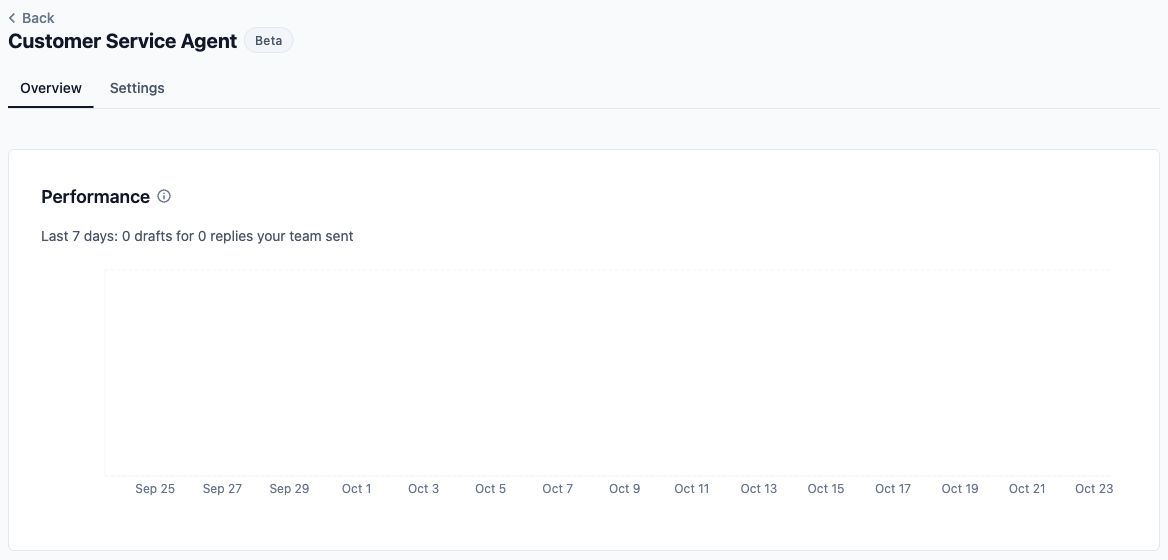
- Click Settings .
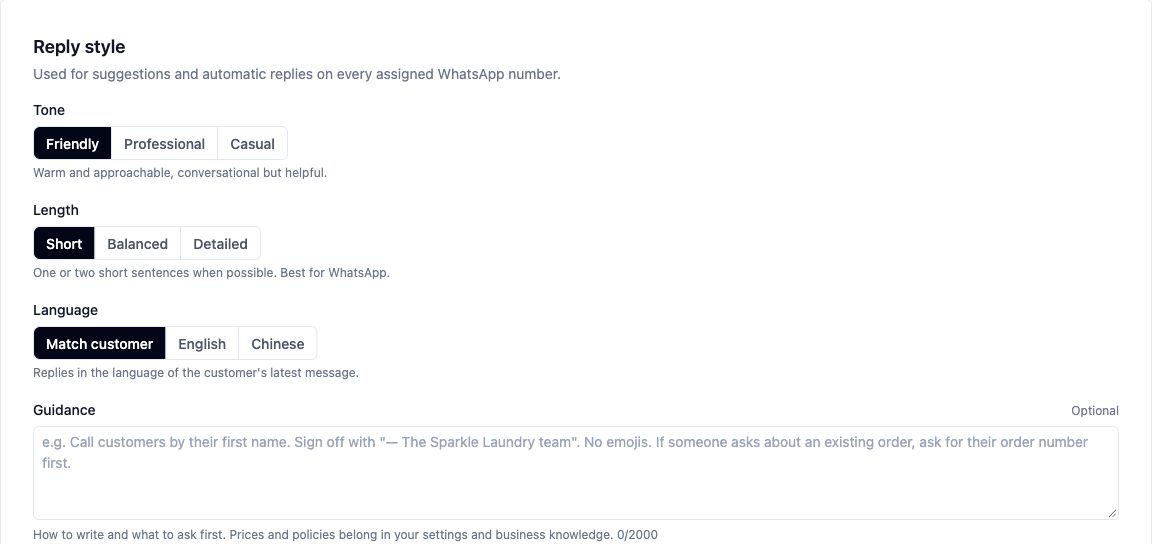
- Find the Reply style section. Review Tone, Length, Language and Guidance before making changes.
These settings apply to every draft the agent writes, in every inbox of your business.
Choose the Tone
Tone
| Option | What it does |
|---|---|
| Friendly | Uses a warm, approachable and helpful style. This is the default for a new setup. |
| Professional | Uses a polite, clear and business-like style. |
| Casual | Uses a relaxed, informal style, like a friendly shop assistant. |
- Select the tone that suits how your staff normally speak to customers.
- Read the explanation below the choices to check your selection.

Your selection guides the wording. It does not change your prices, policies or what the agent is allowed to do.
Choose the Reply Length
Length
| Option | What it does |
|---|---|
| Short | Aims for one or two short sentences when possible. This is the default for a new setup and is suited to WhatsApp. |
| Balanced | Gives enough detail to help without being wordy. |
| Detailed | Gives a fuller explanation with the relevant details the customer needs. |
- Select your preferred reply length.
- Consider the questions your customers usually ask. A quick enquiry may need less explanation than a question about caring for a delicate item.

Length is a writing preference, not a fixed word limit. A reply may need more detail to answer the question clearly.
Choose the Language
Language
| Option | What it does |
|---|---|
| Match customer | Guides the agent to reply in the language of the customer’s latest message. For a mixed-language message, it uses the main language. This is the default for a new setup. |
| English | Guides generated replies to use English. |
| Chinese | Guides generated replies to use Simplified Chinese. |
- Select Match customer if you want the reply language to follow the customer’s latest message.
- Alternatively, select English or Chinese if your shop wants generated replies in one of those languages.

There is no separate Malay or Tamil choice on this screen. For customers who write in those languages, try representative questions with Match customer before relying on the results.
Add Writing Guidance
Guidance
Enter short instructions about how to write and what to ask first, up to 2,000 characters.
This field is optional. If you leave it empty, the agent still uses the selected tone, length and language without additional instructions from this field. The example text inside an empty field is a suggestion, not a saved instruction.
For BagCare Pro, a bag repair shop:
- Select Friendly for Tone.
- Select Short for Length.
- Select Match customer for Language.
- Enter the following in Guidance:
Use plain, reassuring language. Do not use emojis. Ask one question at a time. When a customer asks about an existing order without giving its number, ask for the order number first.
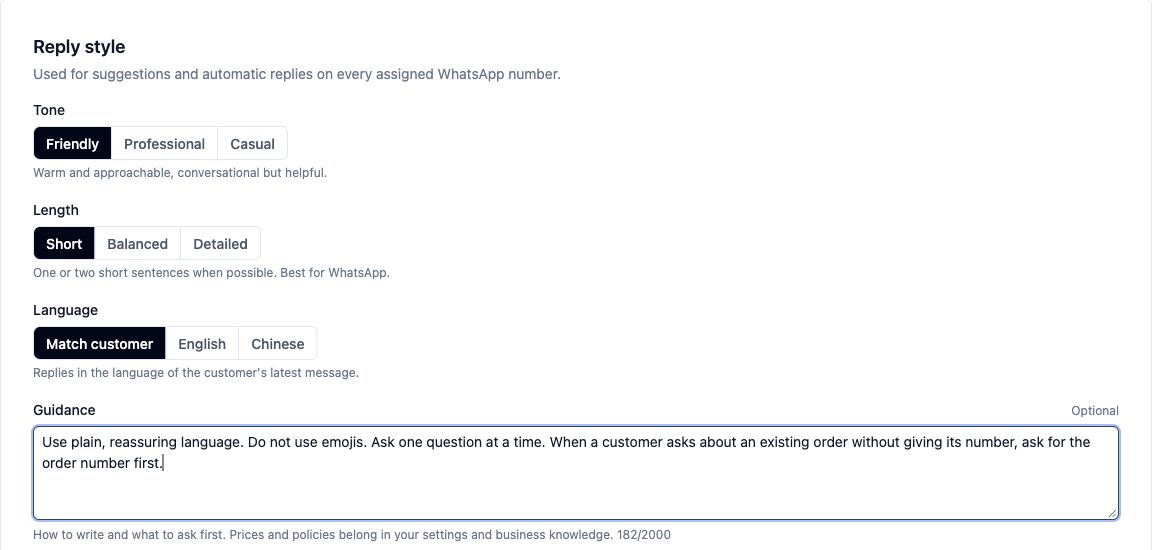
This example shows a short, friendly question that asks for what is missing instead of guessing an order status.
For a real preview using your settings, follow Test Your Agent Before Using It.
Keep Shop Facts Separate
Writing guidance tells the agent how to communicate. It is not the place to set a cleaning price, promise a completion date or create a refund policy.
- Keep prices, opening hours and minimum-order amounts in their relevant business settings.
- Keep factual policies and approved answers in business knowledge.
- Use Guidance for preferences such as avoiding emojis, asking one question at a time or requesting an order number first.
For example, “Use reassuring language” belongs in Guidance. A policy explaining when a bag needs an inspection belongs in Business Knowledge.
Instructions about when staff must take over belong in Choose When Staff Should Handle a Conversation.
Save Your Changes
- Review your selections and Guidance.
- Click Save .

- Check for the message confirming that the Customer Service Agent is saved.
The Save button is unavailable when an existing setup has no changes to save or while saving is in progress. The reply-style fields are also unavailable while saving.
- Follow Test Your Agent Before Using It to check your saved style and compare the resulting reply with your intended wording.
FAQs
Do I need to customise replies before using the agent?
Customisation is optional. A new setup starts with Friendly tone, Short length and Match customer language. You can leave Guidance empty, but the agent still needs accurate business information and the appropriate reply settings before serving customers.
What if a customer switches languages during a conversation?
Match customer follows the customer’s latest message rather than keeping the language from the start of the conversation. For mixed-language messages, the writing instruction is to use the main language. Check examples that reflect how your customers actually write.
What if Guidance conflicts with another setting?
Keep your instructions consistent with the selected tone, length and language. For example, avoid selecting Short while asking for a long explanation every time. Guidance cannot grant permission to change prices, create policies or bypass rules that require staff involvement.
Does the style apply to more than one WhatsApp number?
Yes. One style covers every WhatsApp number, because suggested replies are one switch for your whole business.
Why can a suggested reply still sound like my staff’s earlier messages?
Suggested replies also take account of how your business has written in the conversation and relevant past answers. Your selected style is guidance rather than a rigid script, and staff should review the suggestion before sending it.
What’s Next
You have chosen how your agent should phrase its answers and where to keep your shop’s facts. Next, Choose When Staff Should Handle a Conversation so enquiries that need personal attention reach your team.