Set up your own TikTok Shop app once, get TikTok's approval for chat, and your TikTok Shop buyer messages can come into your EasyBiz Inbox.
Before You Start
You need:
- A TikTok Shop account for a Singapore shop that has passed TikTok's business verification.
- A TikTok Account Manager assigned to your shop. TikTok only lets shops with an Account Manager register their own app. Check the banner on your Seller Center home page or your Seller Center notifications to see if you have one.
- The shop's owner login for TikTok Seller Center, and access to the email used to register the shop. Staff logins (sub-accounts) can't do these steps.
- The Inbox already set up in EasyBiz, for example with WhatsApp. See Connect and Configure WhatsApp.
The steps on your side take about 30 minutes. TikTok then reviews your app before it switches on chat.
Overview
TikTok Shop buyers message your shop from the TikTok app to ask about products, orders and deliveries. Today your staff answer them in TikTok Seller Center, separately from the WhatsApp and website chats they answer in EasyBiz. TikTok only shares buyer chats with an app that it has approved for customer service, and for a single shop that app has to belong to the shop itself. In this guide you create that app in TikTok Shop Partner Center and apply for TikTok's approval. You then connect the app to EasyBiz, so your staff can answer TikTok Shop buyers from the same Inbox.
Why set it up
- One place for every chat. Staff stop switching between TikTok Seller Center and EasyBiz, so no buyer message is missed.
- Faster replies. TikTok expects shops to reply to at least 80% of chats within 24 hours and measures your shop on it. Answering from the Inbox your team already watches makes that easier.
- The order is right there. Staff can look up the buyer's order, delivery and refund in EasyBiz while they reply.
If you skip this, nothing changes. TikTok Shop chats stay in TikTok Seller Center and your staff keep answering them there.
How it works
TikTok Shop chat comes into EasyBiz in three stages:
- Your shop's own app. You register your shop as a "TikTok Shop seller developer" in TikTok Shop Partner Center and create an app. The word developer sounds technical, but you only fill in forms. You don't write any code.
- TikTok's approval. You ask TikTok to allow buyer chat (TikTok calls it the Customer Service permission) on your app. TikTok checks the screenshots you send and may ask for a short security questionnaire.
- The connection to EasyBiz. Once TikTok approves, you paste your app's keys into EasyBiz, and your TikTok Shop chats start arriving in the Inbox.
The pictures in Steps 2 to 6 come from TikTok's own guide, so some example names and countries in them differ from yours.
Step 1: Sign in to TikTok Shop Partner Center
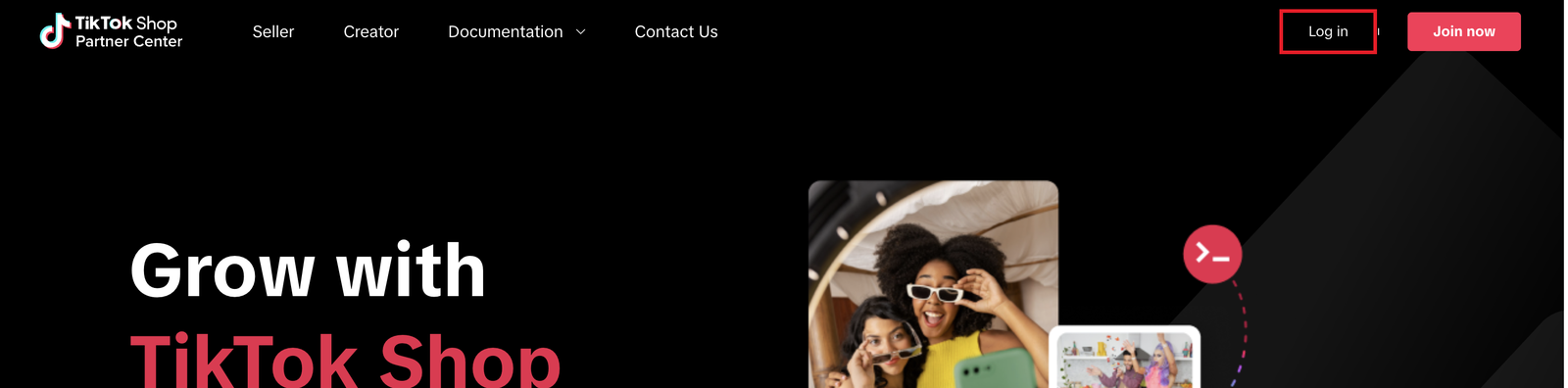
- Go to partner.tiktokshop.com.
- Click Log in in the top-right corner and sign in with your TikTok Shop owner account, the same login you use for Seller Center.
Step 2: Register your shop as a seller developer
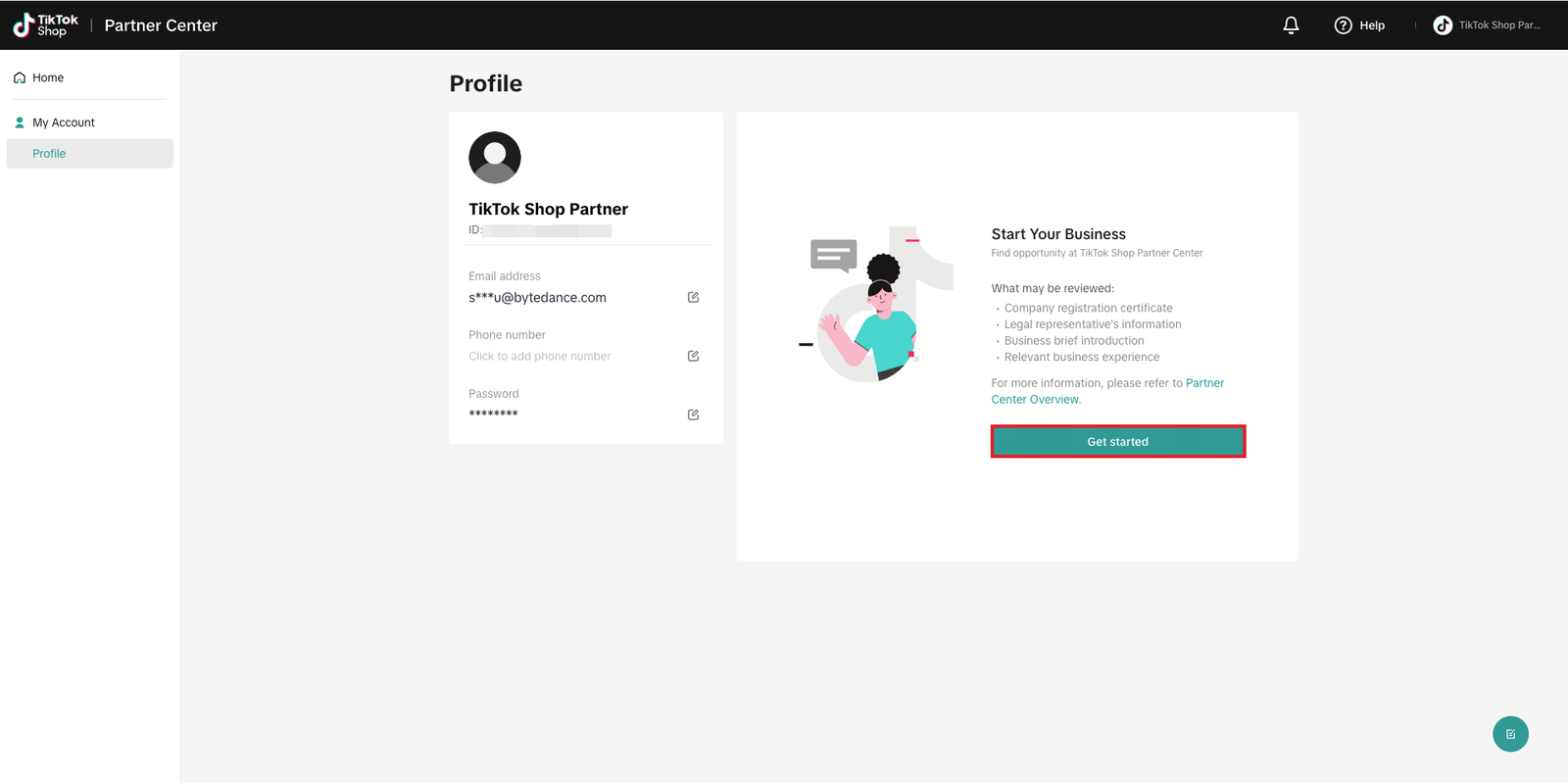
- In the left menu, click My Account, then Profile.
- Under Start Your Business, click Get started .
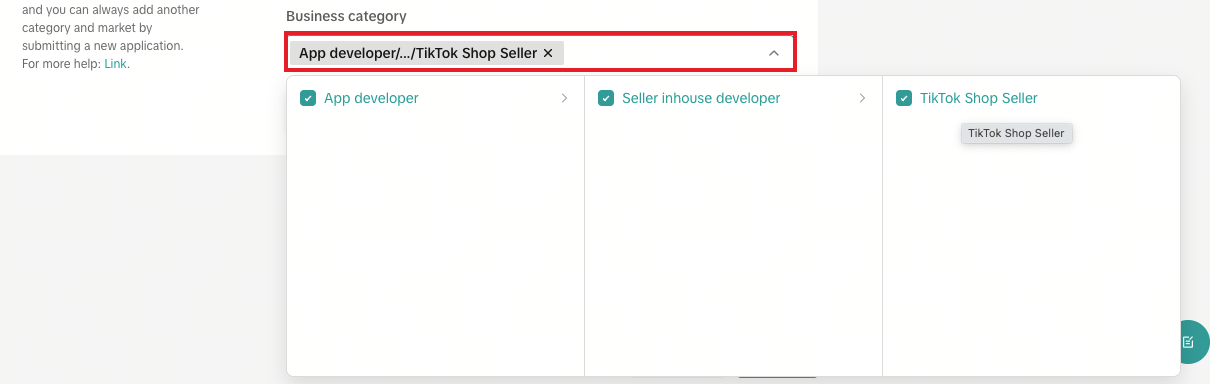
- On Category & market, choose Singapore for Company registration region and for Target market.
- For Business category, choose App developer, then Seller inhouse developer, then TikTok Shop Seller. Then go on to Partner info.
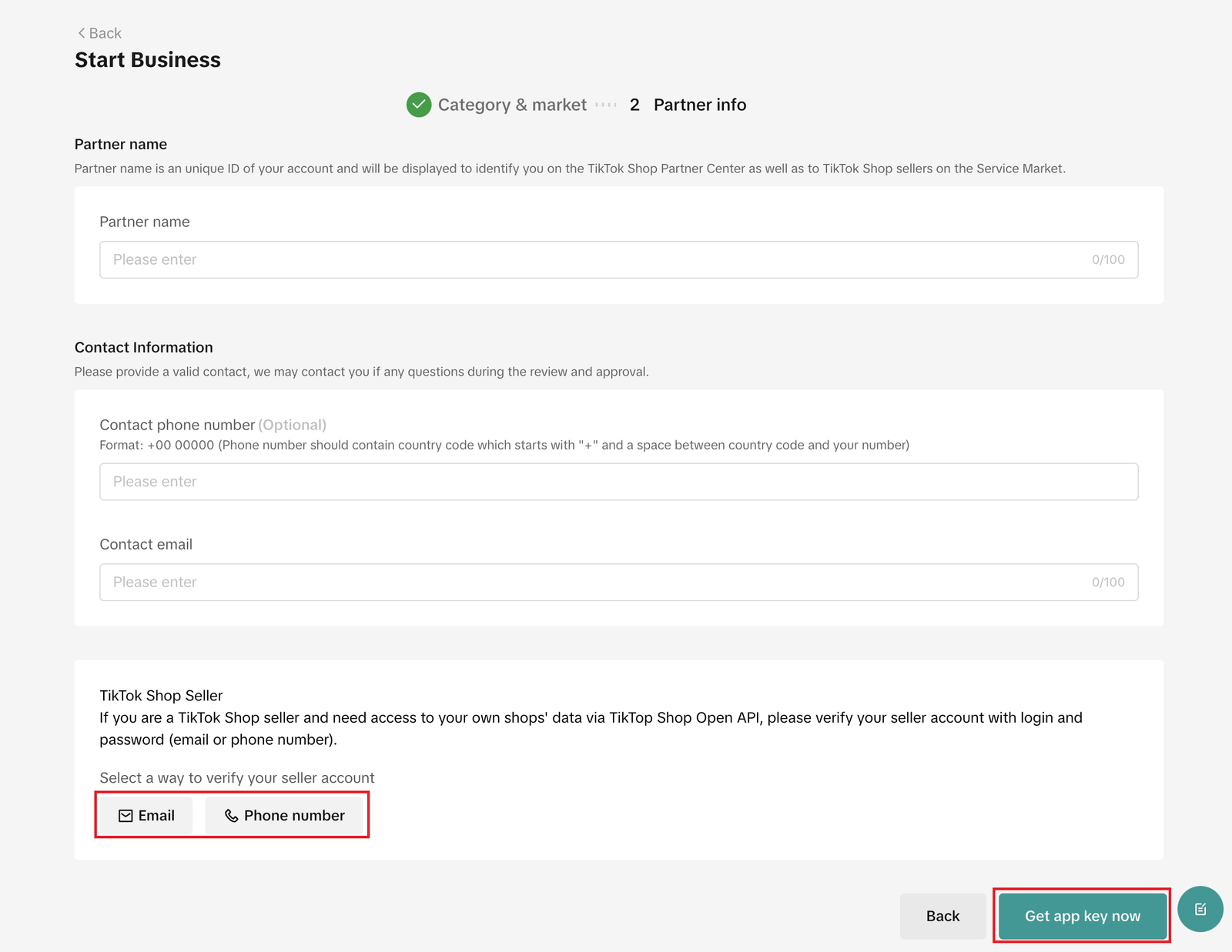
- On Partner info, enter a Partner name, for example your shop name "CleanFast Laundry", and a Contact email. Contact phone number is optional. Type it with the country code and a space, for example +65 81234567.
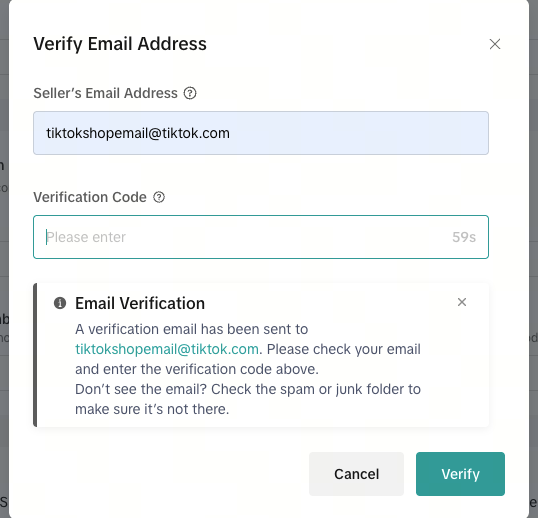
- Under TikTok Shop Seller, click Email or Phone number and enter the email or phone number of your TikTok Shop owner account.
- TikTok sends a verification code to that email or phone. Enter it and click Verify .
- Click Get app key now .
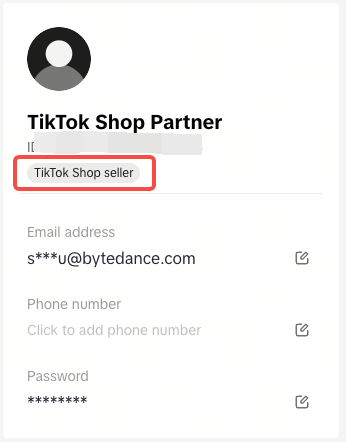
When it's done, your Profile shows the tag TikTok Shop seller.
Step 3: Create your app
- In the left menu, click App & Service.
- Click Create app & service in the top-right corner.
- Under App & service type, choose Custom. A custom app is private to your shop and is not listed in TikTok's app store.
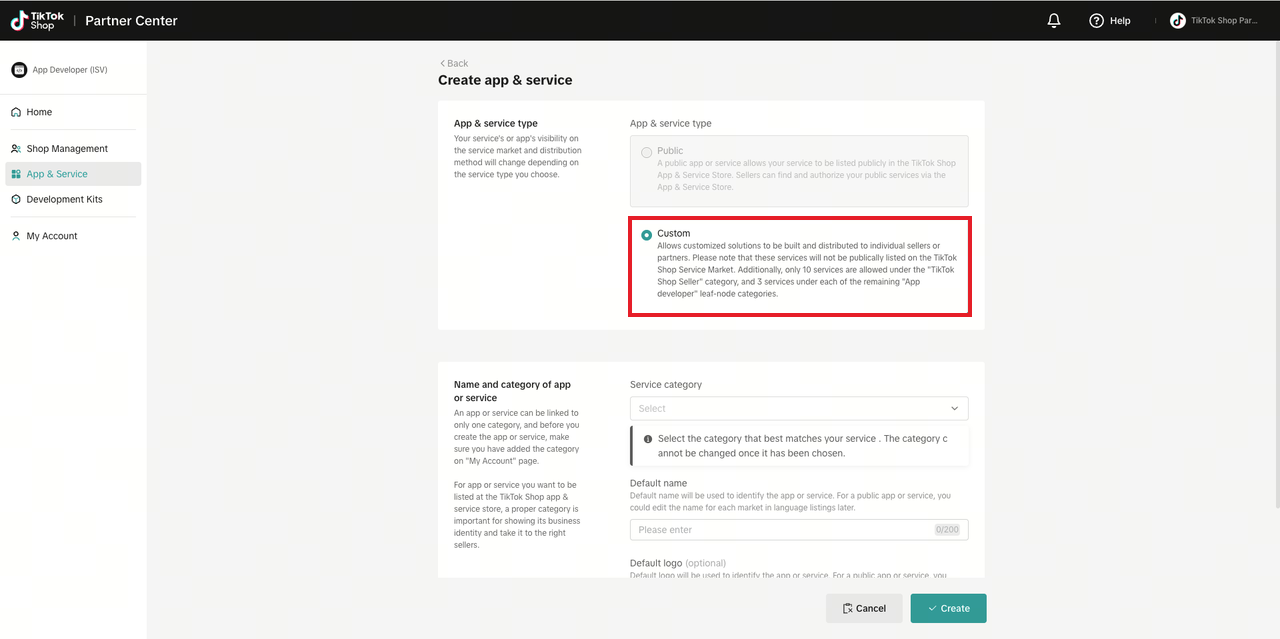
- For Service category, choose Seller inhouse developer / TikTok Shop Seller. The category can't be changed later.
- For Default name, give the app a name, for example "CleanFast Laundry Inbox".
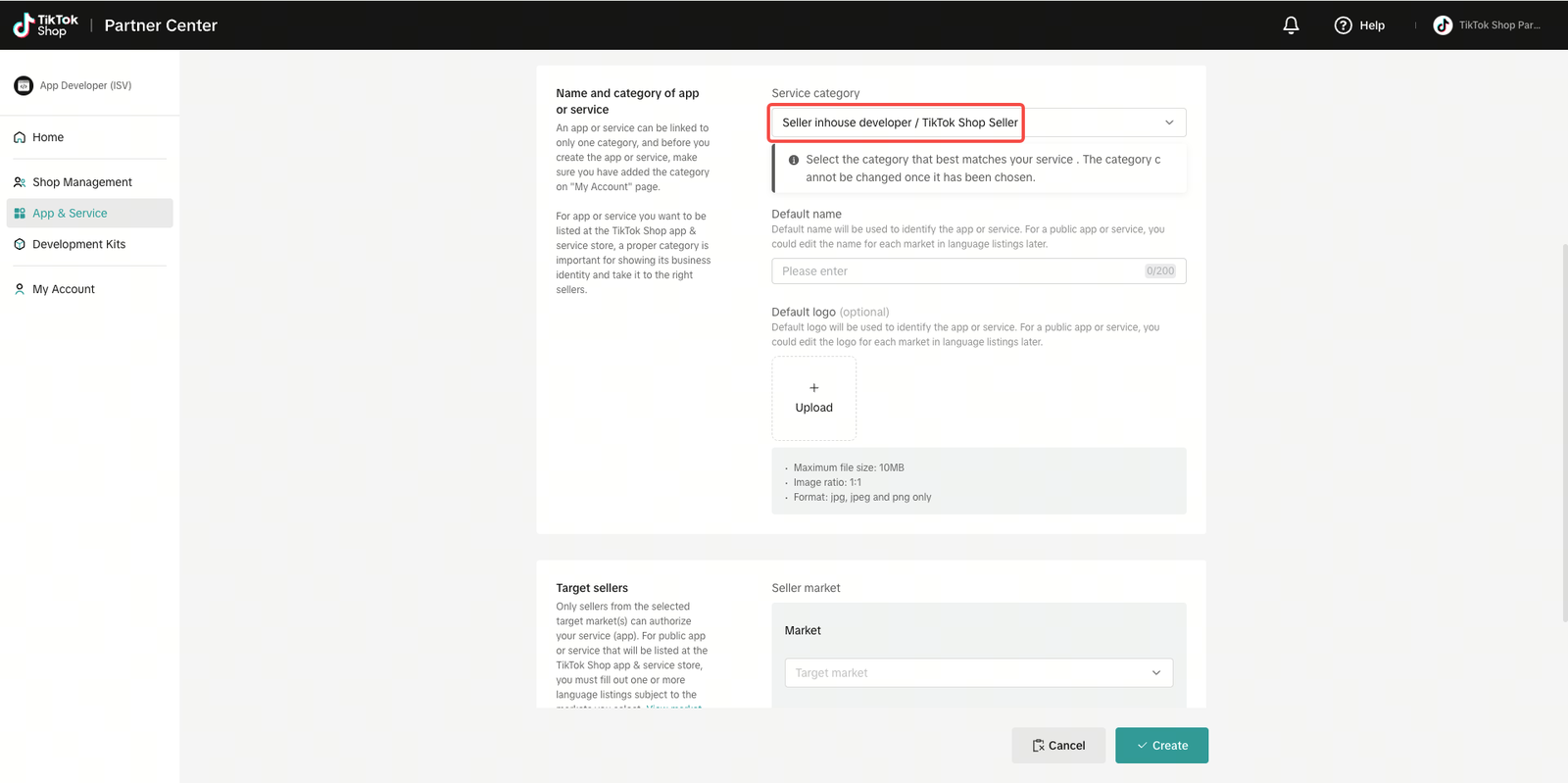
- Under Target sellers, choose Singapore for the market and the seller type that matches your shop, for example Local sellers for a Singapore company.
- Turn on Enable API. In Redirect URL, copy and paste this address exactly. It's the EasyBiz page TikTok returns you to when you connect the app later.
https://new.console.easybizcloud.com/en/settings/integrations/tiktok-shop-redirect
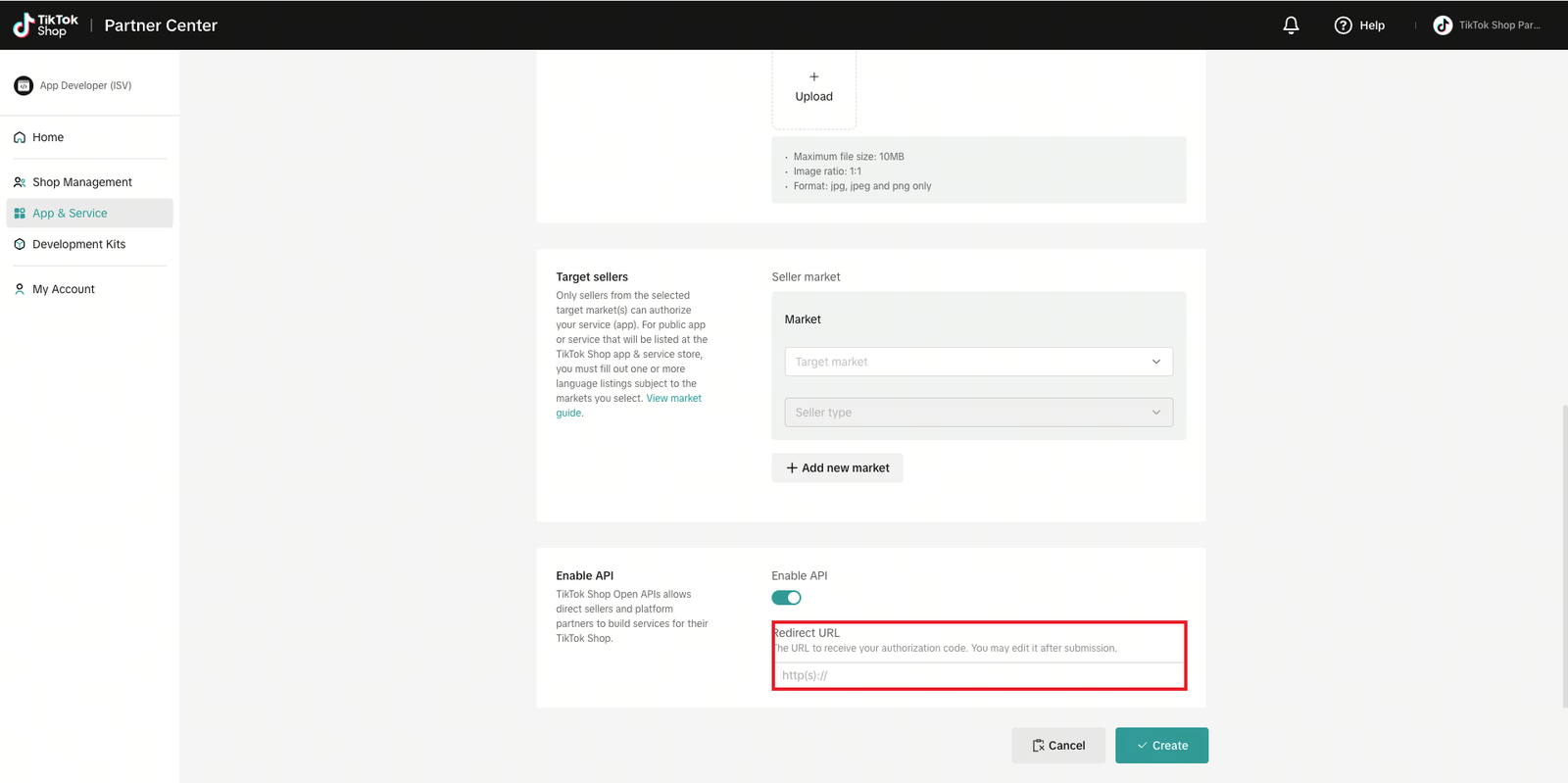
- Click Create .
TikTok then shows your app's page with its App key and App secret. You'll need them in Step 7. Keep the App secret private, like a password, and don't send it by email or chat.
Step 4: Apply for the Customer Service permission
Your app gets the basic permissions, such as shop and order information, automatically. Buyer chat is a special permission you apply for.
- In App & Service, find your app and click Manage .
- Under Basic Information, click Manage API .
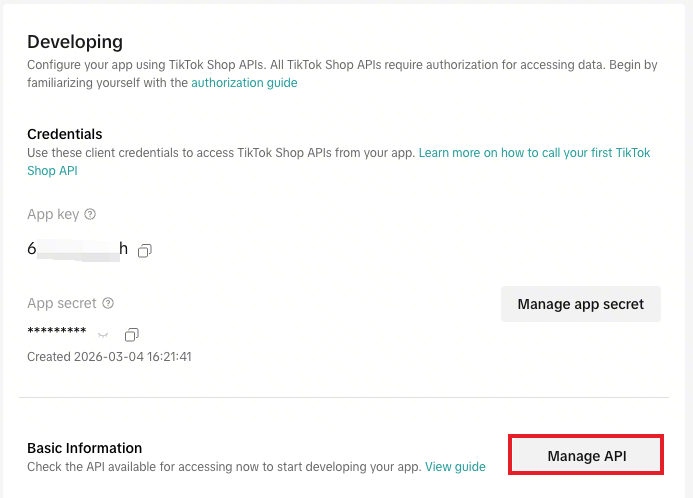
- Find Customer Service in the list of permissions that aren't active yet, and click to apply for it.
- In the reason box, paste the text below and replace the shop name with yours:
We are CleanFast Laundry, a TikTok Shop seller in Singapore. We use EasyBiz as our order and customer service system. Our staff already answer customers from WhatsApp and our website in one shared inbox in EasyBiz. We want our TikTok Shop buyer messages in the same inbox, so our customer service team can reply faster and see the buyer's order, delivery and refund details while they chat. The app is used only for our own shop.
- Attach the screenshots and the screen recording listed below, then submit.
What to send TikTok
TikTok approves chat only for shops that already answer customers in a real chat screen and can see their orders next to it. Send full screenshots of your EasyBiz Console. Don't crop them. TikTok often rejects cropped pictures.
- Your Inbox. The conversation list with one chat open, showing messages, times and who sent them.
- A screen recording of 30 to 90 seconds. A message arriving in the Inbox and a staff member replying.
- Picking an order in a chat. One of the customer's orders being chosen to send in the chat.
- An order's page. Its items, status and delivery or pickup details.
- A refund. An order with a refunded payment, if your shop has one.
Step 5: Answer TikTok's security review
TikTok reviews every seller's own app. It may send you a security questionnaire in Partner Center or by email.
- Fill it in in English.
- For questions about how your chats and orders are stored and protected, send the questionnaire to the EasyBiz team and we'll give you the answers for EasyBiz.
Step 6: Publish your app
When TikTok has approved the Customer Service permission, it moves to the active list under Manage API.
- Open your app in App & Service.
- Click Publish in the top-right corner.
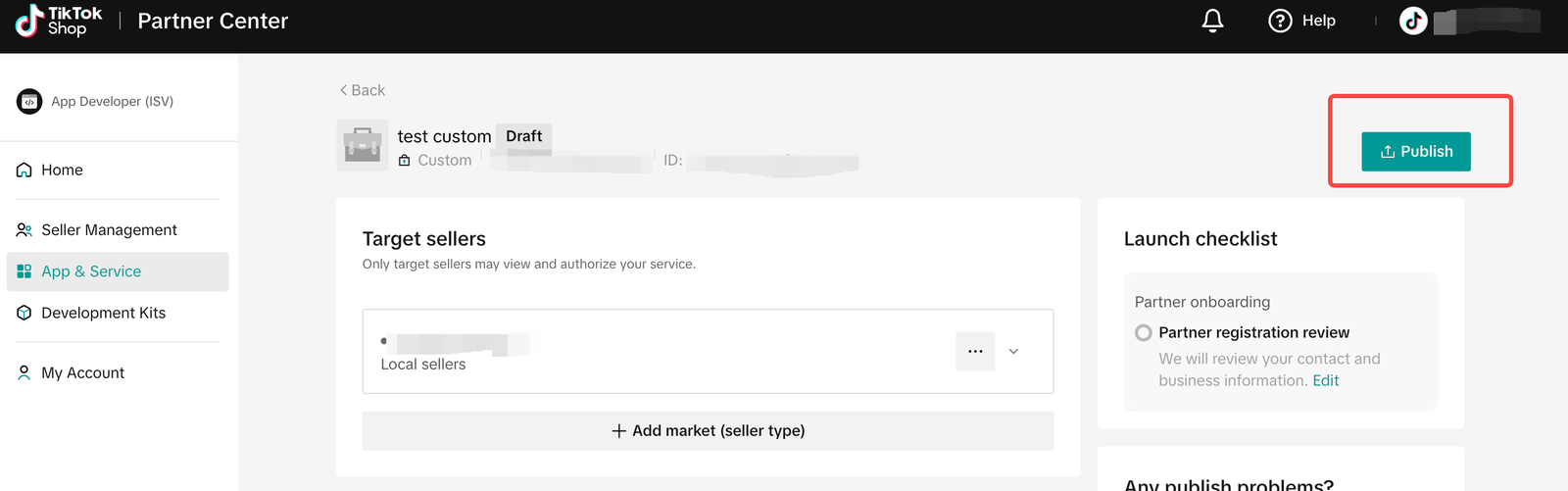
A custom app goes live straight away. It can only ever be used with your own shop.
Step 7: Connect your app to EasyBiz
When your app is published, connect it to your Inbox. Keep your app's page in TikTok Shop Partner Center open, so you can copy its keys.
- In EasyBiz, go to Settings › Integrations.
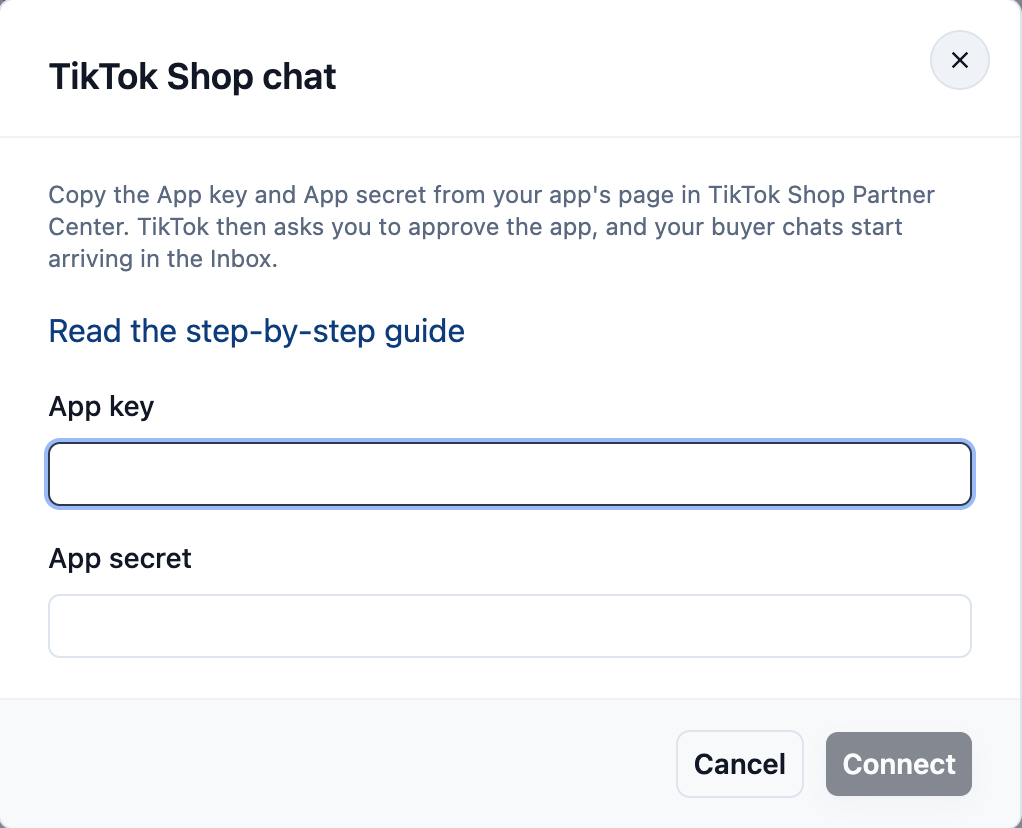
- Find TikTok Shop chat and click Connect .
- Copy the App key and App secret from your app's page, paste them in, and click Connect .
- TikTok asks you to approve the app for your shop. Sign in with the shop's owner login and approve it.
- TikTok brings you back to EasyBiz, which says TikTok Shop chat is connected.
New buyer messages now arrive in your Inbox with a TikTok icon. When your staff reply, the buyer gets the reply in TikTok.
FAQs
Do I need a programmer for this?
No. TikTok calls it a developer account, but you only fill in forms and send screenshots. EasyBiz does the technical part.
We already send our TikTok Shop orders to EasyBiz. Is this the same connection?
No. Your TikTok Shop orders come in through EasyBiz's own TikTok app, and that keeps working as it is. The app you create here is only for buyer chat, and both run side by side.
How long does it take?
Registering and creating the app take about 30 minutes. TikTok then reviews your app. When it approves buyer chat, Customer Service shows as active under Manage API.
What can staff send to TikTok Shop buyers?
Text of up to 2,000 characters. To send a picture, use TikTok Seller Center for now. TikTok doesn't deliver links or file attachments in shop chat, so send payment links or documents another way.
TikTok refused the Customer Service permission. What now?
The usual reasons are cropped screenshots, no screen recording, or no order screens. Fix what TikTok names and apply again. Forward us the refusal if you'd like help.
Can more than one shop use the same app?
No. A custom app works only with the shop that registered it. Each TikTok Shop creates its own app.
What's Next
You've created your own TikTok app and connected it to EasyBiz. TikTok Shop buyers' messages now come into your Inbox next to WhatsApp, and your staff answer them there. To stop, open Settings › Integrations › TikTok Shop chat, click Manage and then Disconnect . Chats already in your Inbox stay there.