
Before You Start
Your WhatsApp Business account must be connected to EasyBiz, and your booking time slots must already be configured, otherwise the date screens will have nothing to offer the customer.
Who Is This For?
This Mini App is for any business that returns finished items to customers at home, including laundry, dry cleaning, bag repair, shoe repair and clothing alteration. You always send it after the order already exists in your system. The order can come from a New Order: Pickup Only Mini App, or your team can enter it by hand.
⚠️ Before you use this Mini App
Only send this Mini App to a customer who already has an active order in EasyBiz. When you send it, EasyBiz asks you which order the delivery belongs to. If there is no order yet, the delivery has nothing to attach to.
Create the order first, in one of two ways:
- Send the customer a New Order: Pickup Only Mini App so they can book a pickup. This creates the order for you automatically.
- Create the order yourself in EasyBiz.
Create Your Mini App
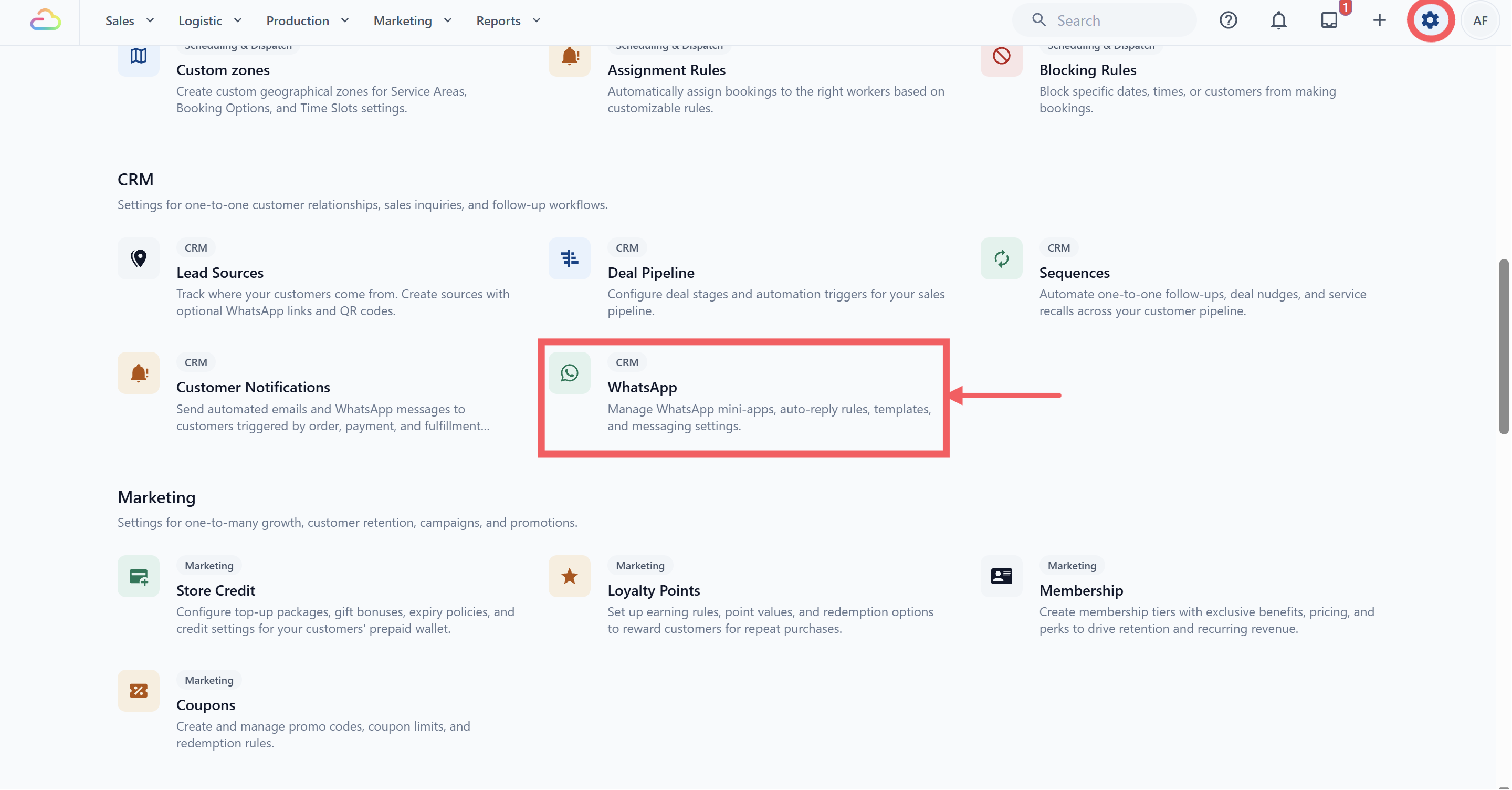
Click Settings in the top navigation bar.
Under the CRM section, click WhatsApp.
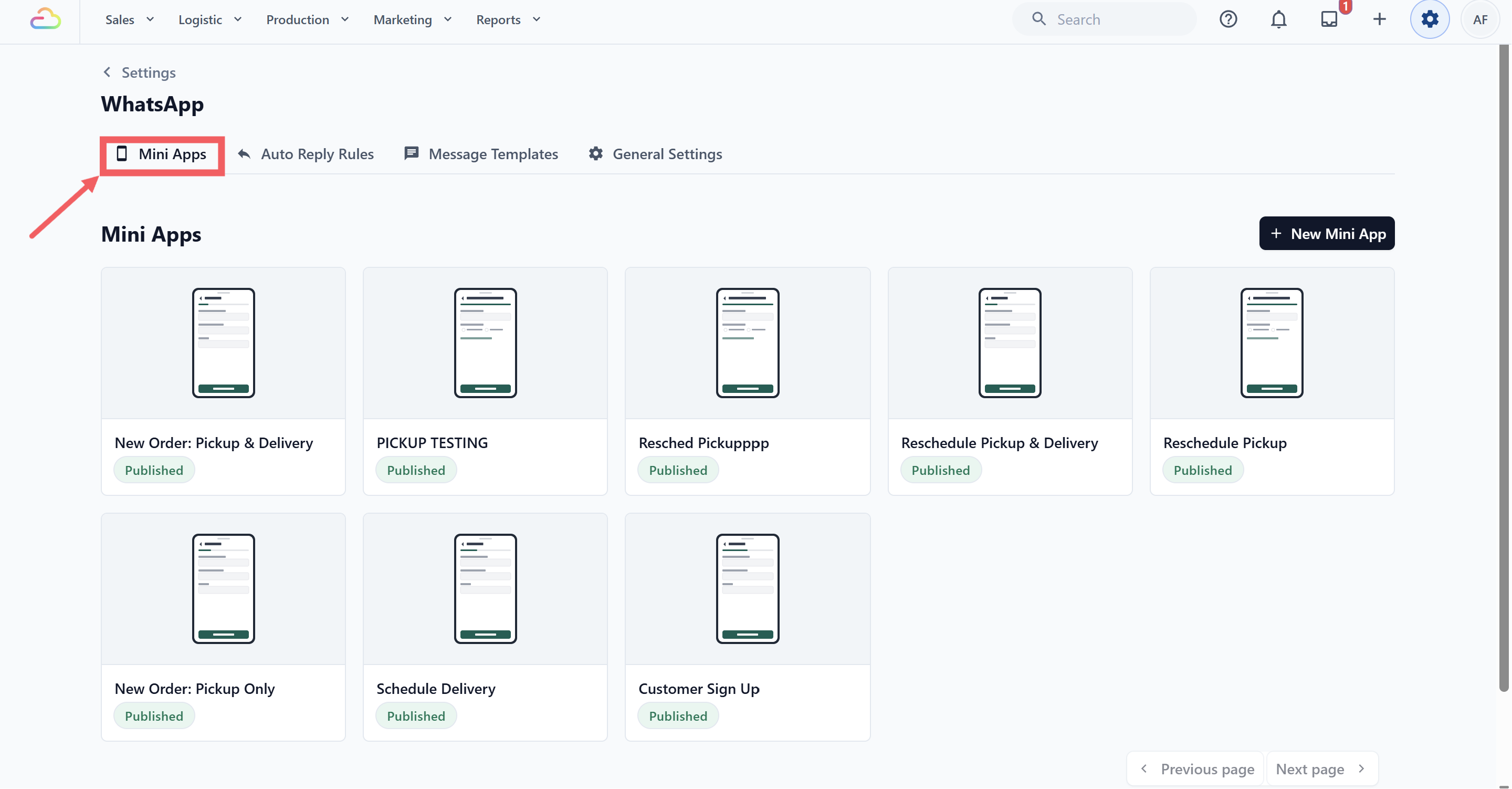
- Click the Mini Apps tab.
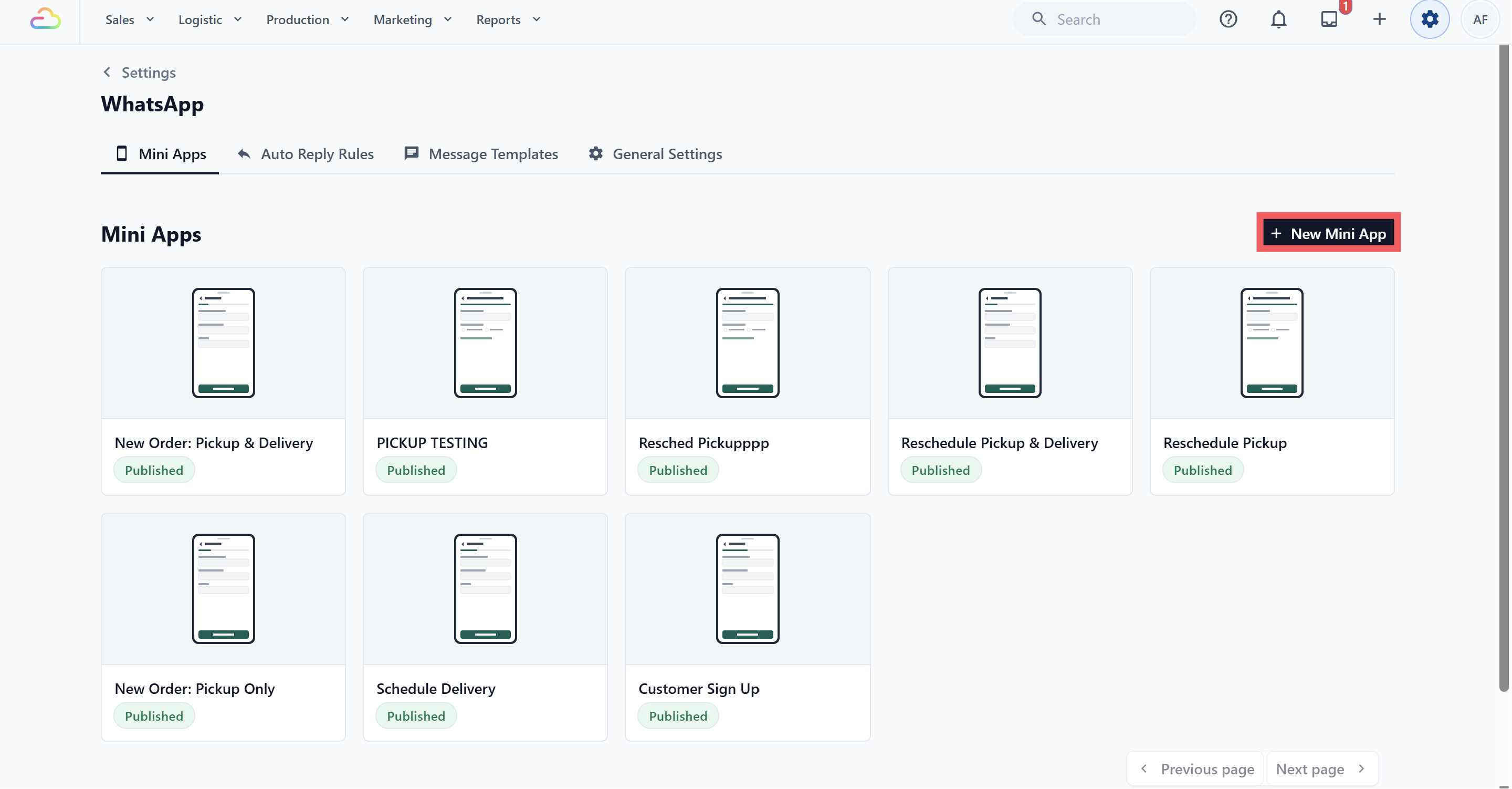
- Click New Mini App.
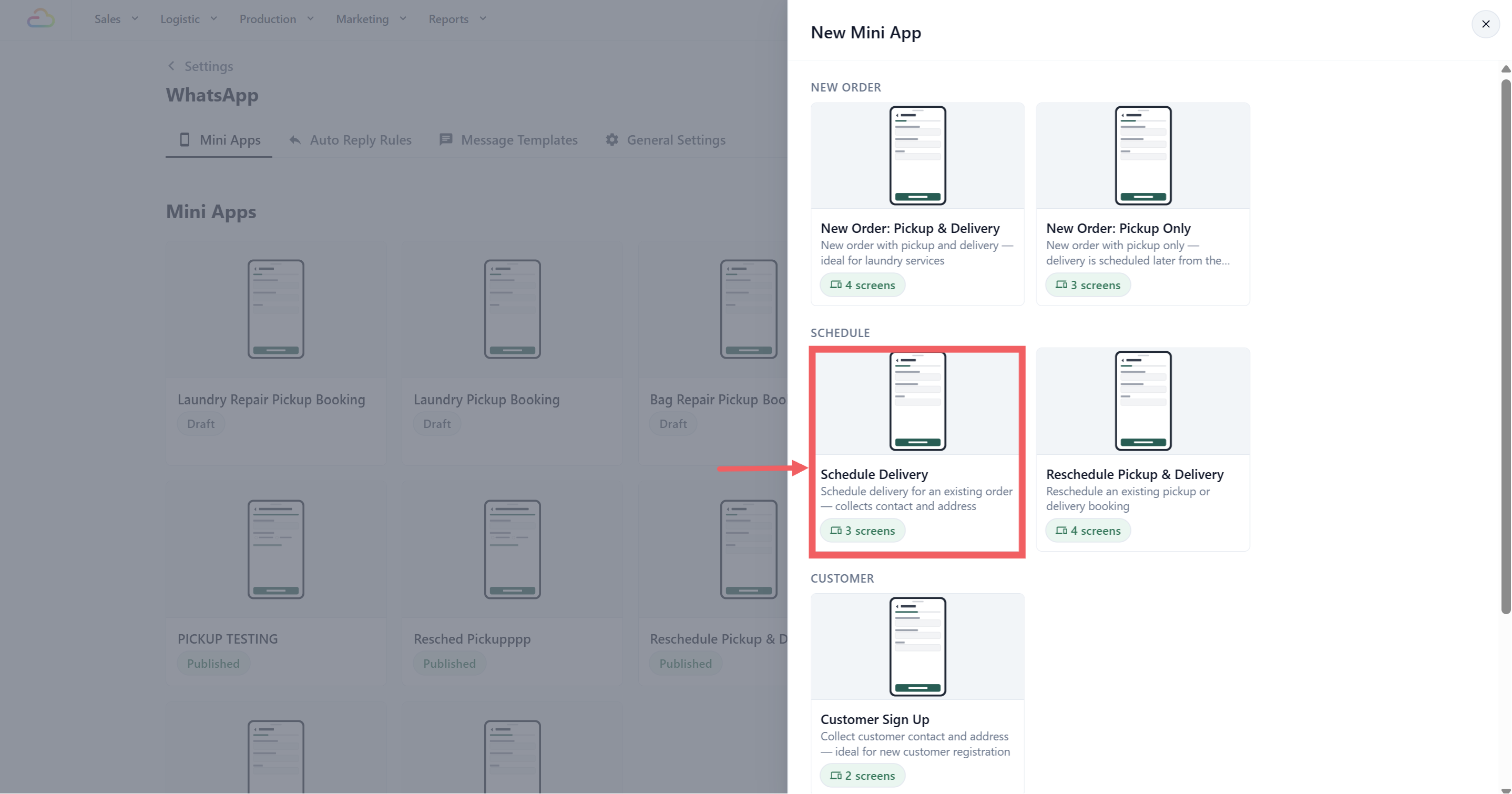
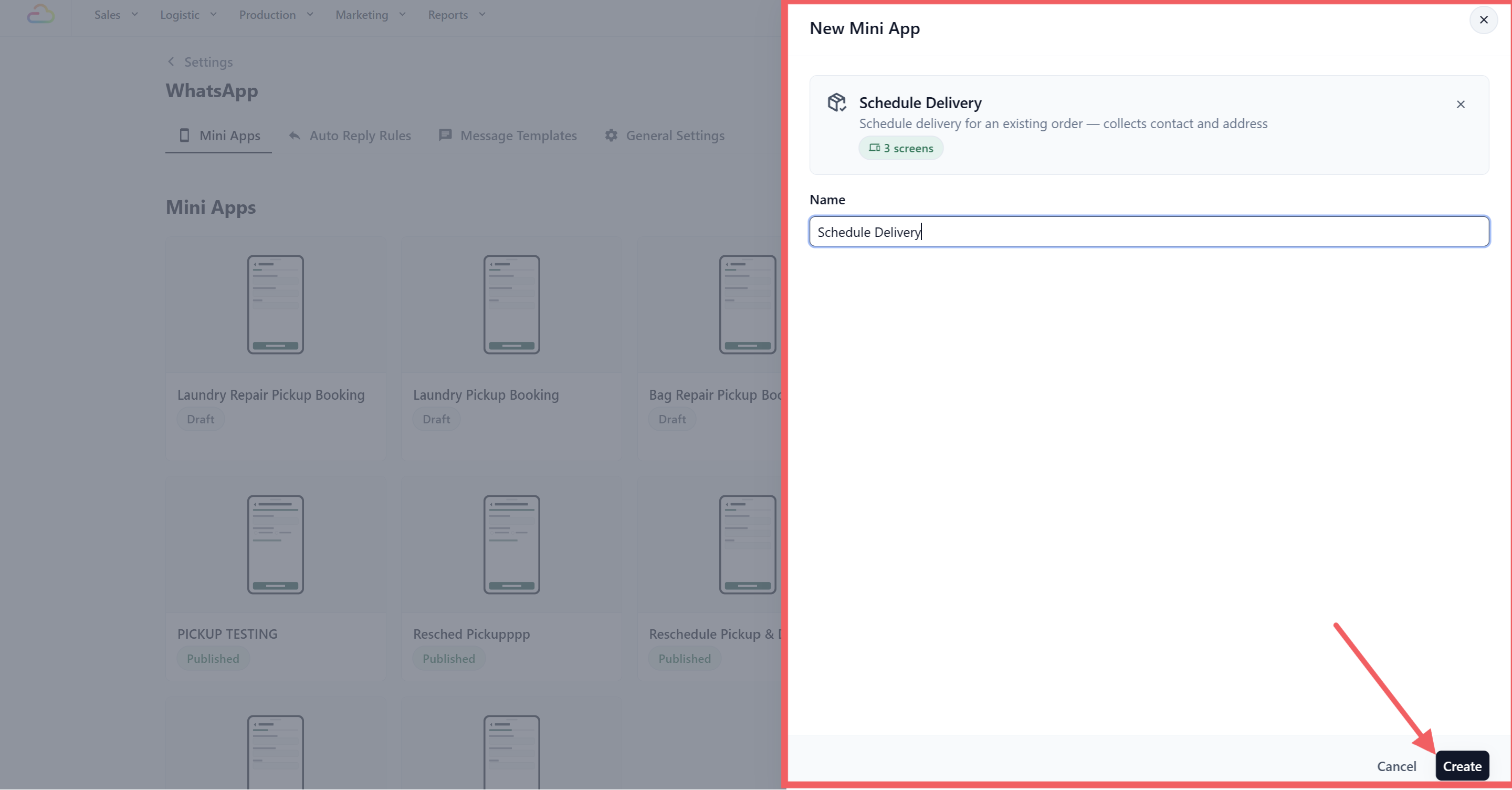
- Under the Schedule group, select Schedule Delivery.
Enter a name, for example Return Delivery Booking.
Click Create.
What Is Already Set Up
The template arrives with three screens in this order. You can publish it as it is.
Before changing the screens, read How the Mini App Builder Works. It explains what screens and blocks are, how to move them, and what the button at the bottom of each screen does.
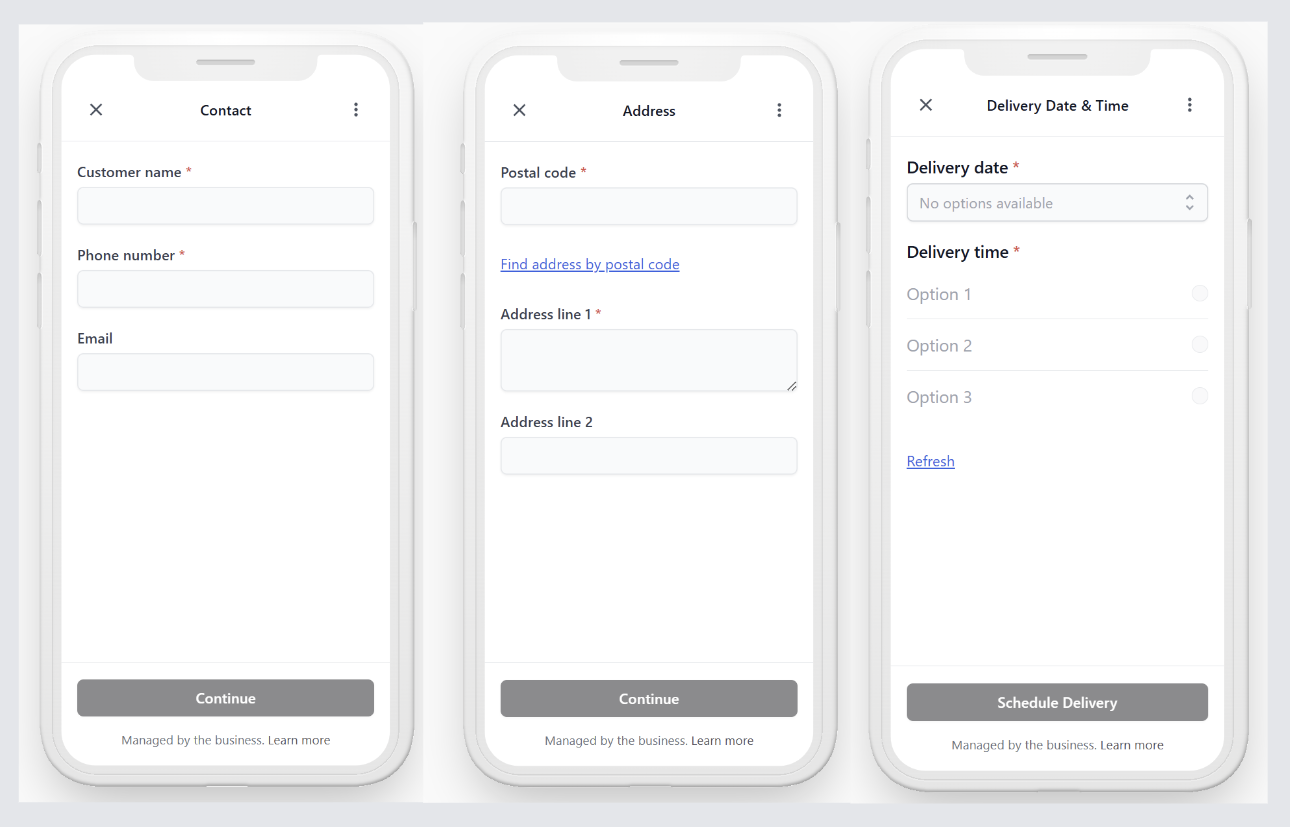
Contact
Asks for customer name, phone number and email, already filled in for a customer you know. The footer action is Save Customer, so any correction they make updates their profile.
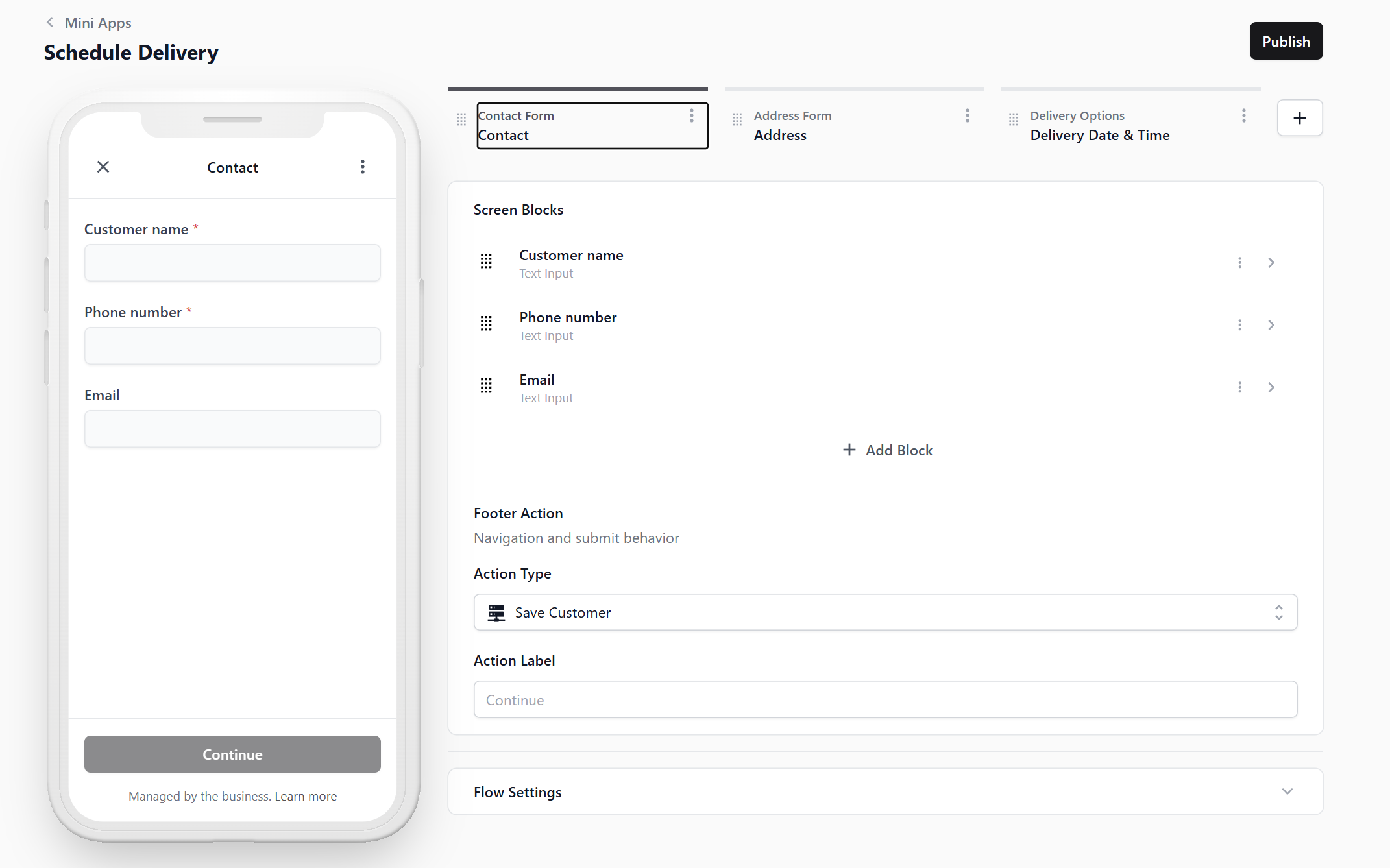
Address
Asks for postal code, a Find address by postal code link, then address line 1 and address line 2. This is where the customer can send the item somewhere different from where you collected it. The footer action is Save Address.
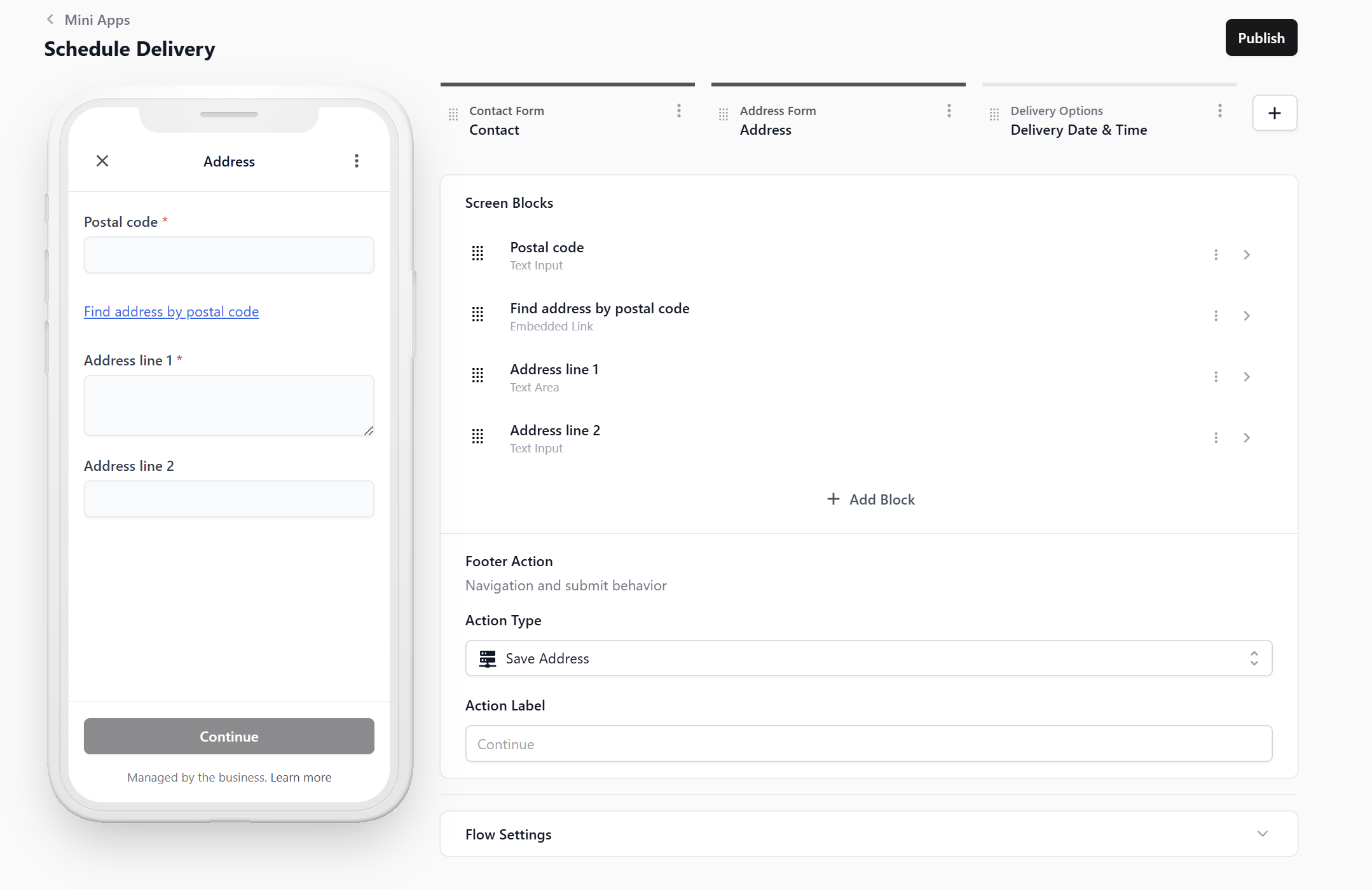
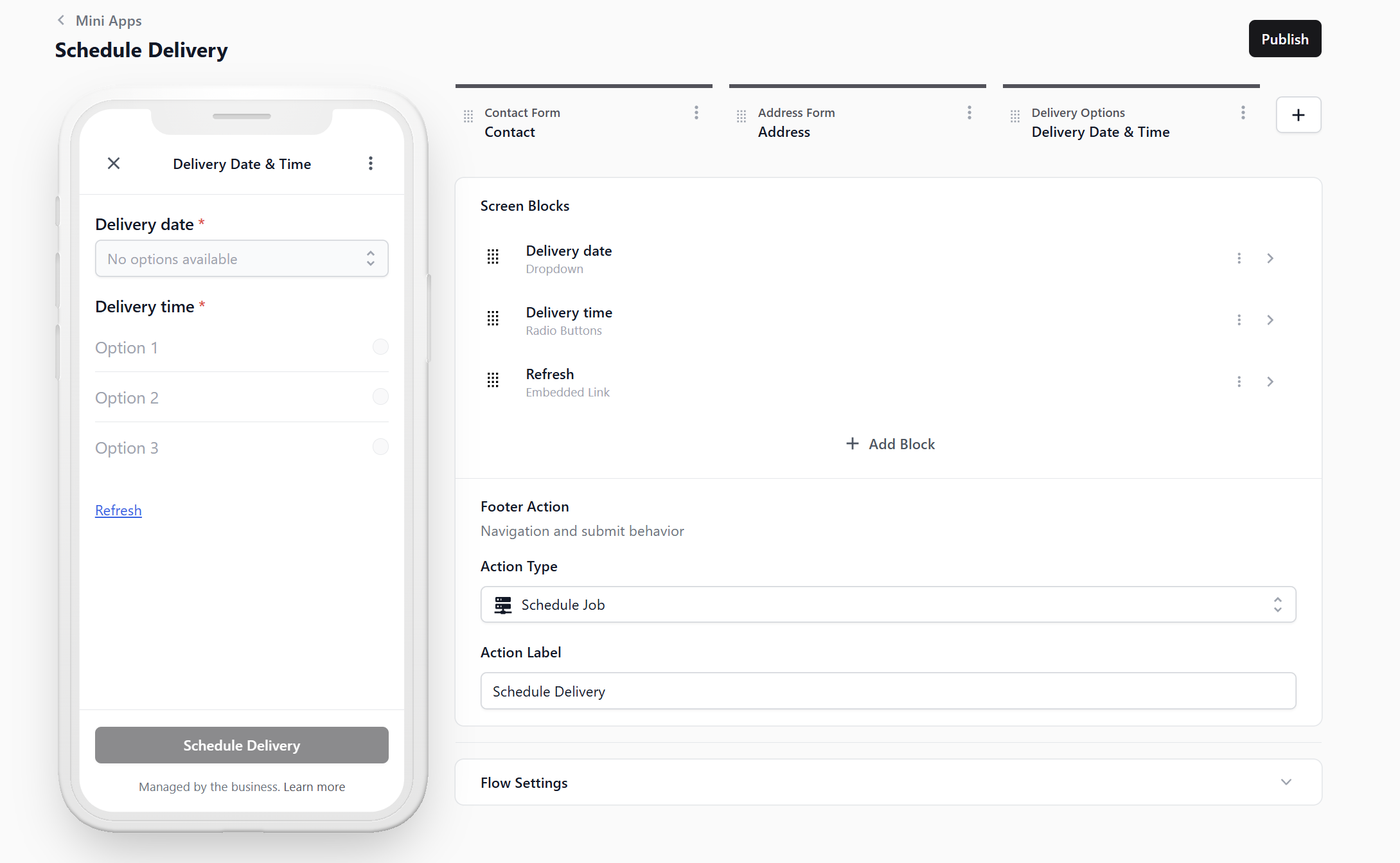
Delivery Date & Time
A delivery date dropdown, delivery time options and a Refresh link for the latest slots. The footer action is Schedule Job, and the button the customer taps reads Schedule Delivery.
Schedule Delivery or Reschedule?
Both Mini Apps use the Schedule Job footer action. EasyBiz checks the selected order before making any changes. If there is no delivery yet, it adds one. If a delivery already exists, it updates that delivery instead of adding another one.
| Use this Mini App | Choose it when | What the customer can change |
|---|---|---|
| Schedule Delivery | The return delivery has not been booked yet. | The delivery address, date and time. |
| Reschedule Pickup & Delivery | A pickup and delivery are already booked, and either one may need to move. | The pickup date and time, followed by the delivery date and time. |
Add Only the Extra Details Your Shop Needs
The three screens above are enough to schedule a return delivery. You can add the Property Type question if your driver needs the customer's unit or floor number. Keep the form simple and only ask for details that help your driver complete the delivery without calling the customer again.
| Extra detail | Add this when | How it helps your shop |
|---|---|---|
| Property Type | Your driver needs a unit or floor number for HDBs, condos and offices. | Customers in these buildings must enter the missing details, while landed-home customers can continue without them. |
The next section explains how to add this extra detail.
Ask for the Property Type
By default, address line 2 is optional, because landed houses have no unit number. Here is how to make it compulsory for HDB, Condo and Office only.
Add this question when your driver needs a unit number or floor number to complete the delivery. Without it, your staff may have to call or message the customer again, and the driver may be delayed at the building. Customers who choose Landed will not be forced to enter a unit number that they do not have.
Step 1. Create the field
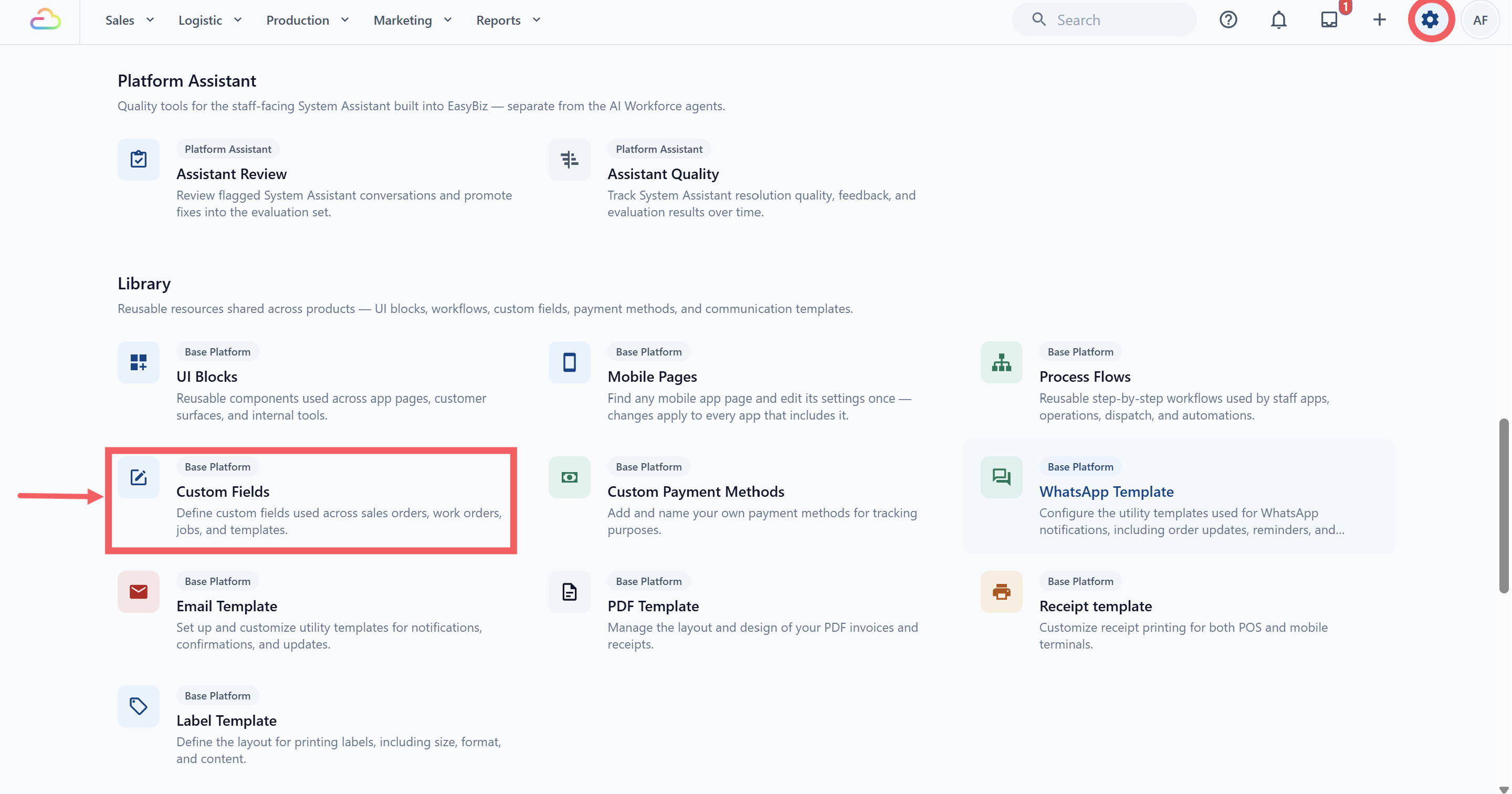
- Go to Settings, Library section, Custom Fields.
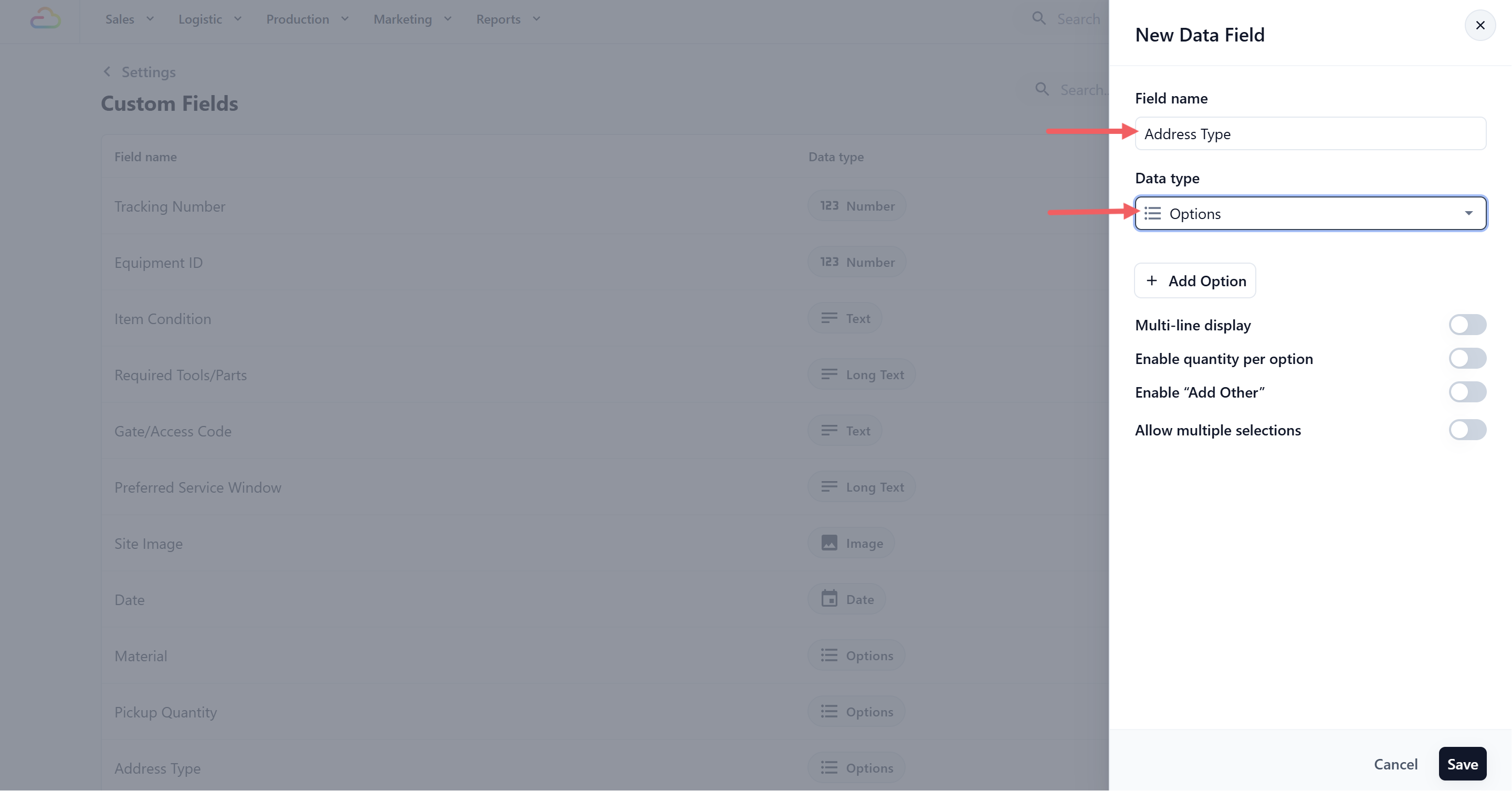
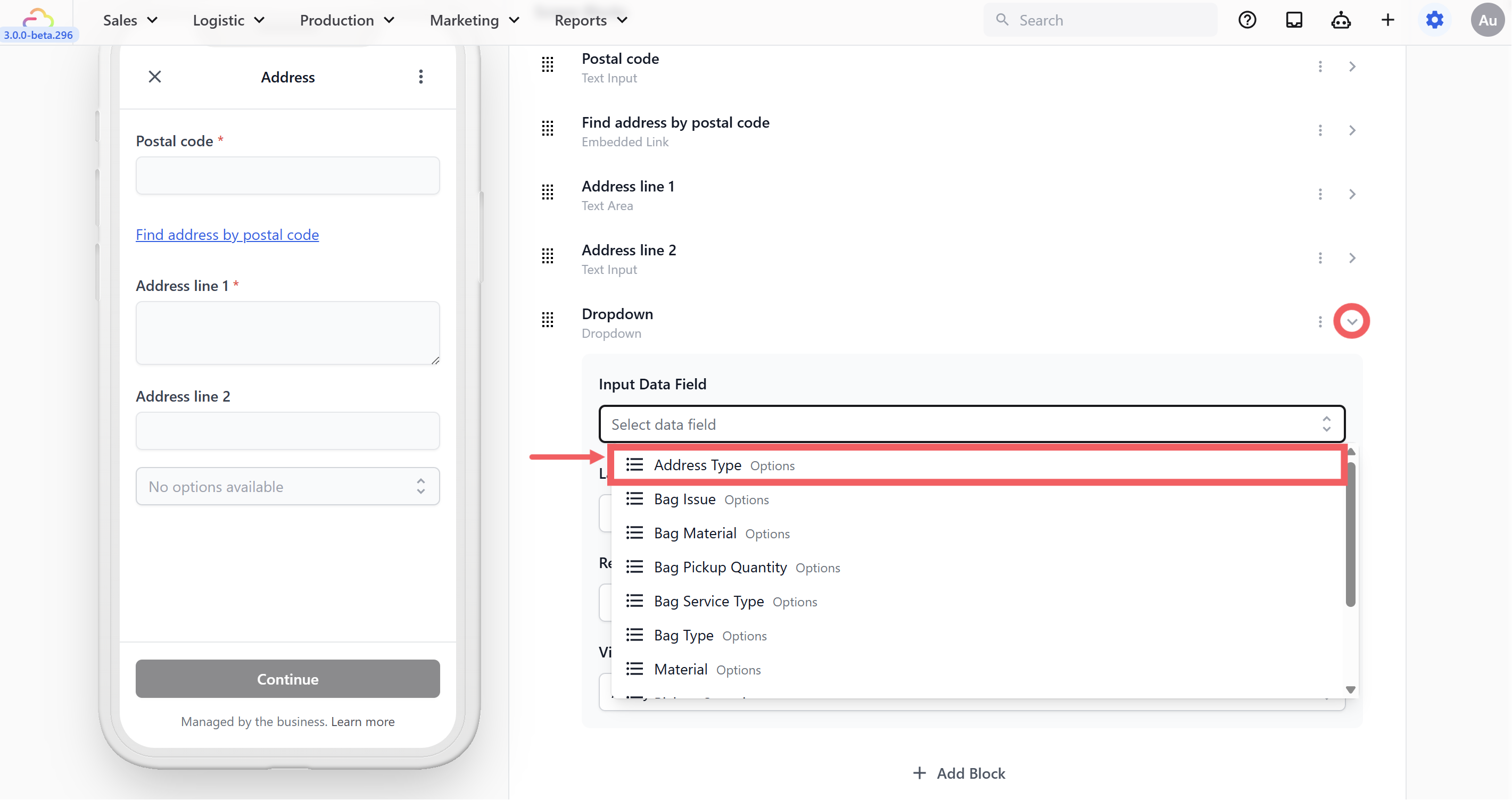
- Click + Add Data Field. Name it Address Type and choose Options as the Data Type.
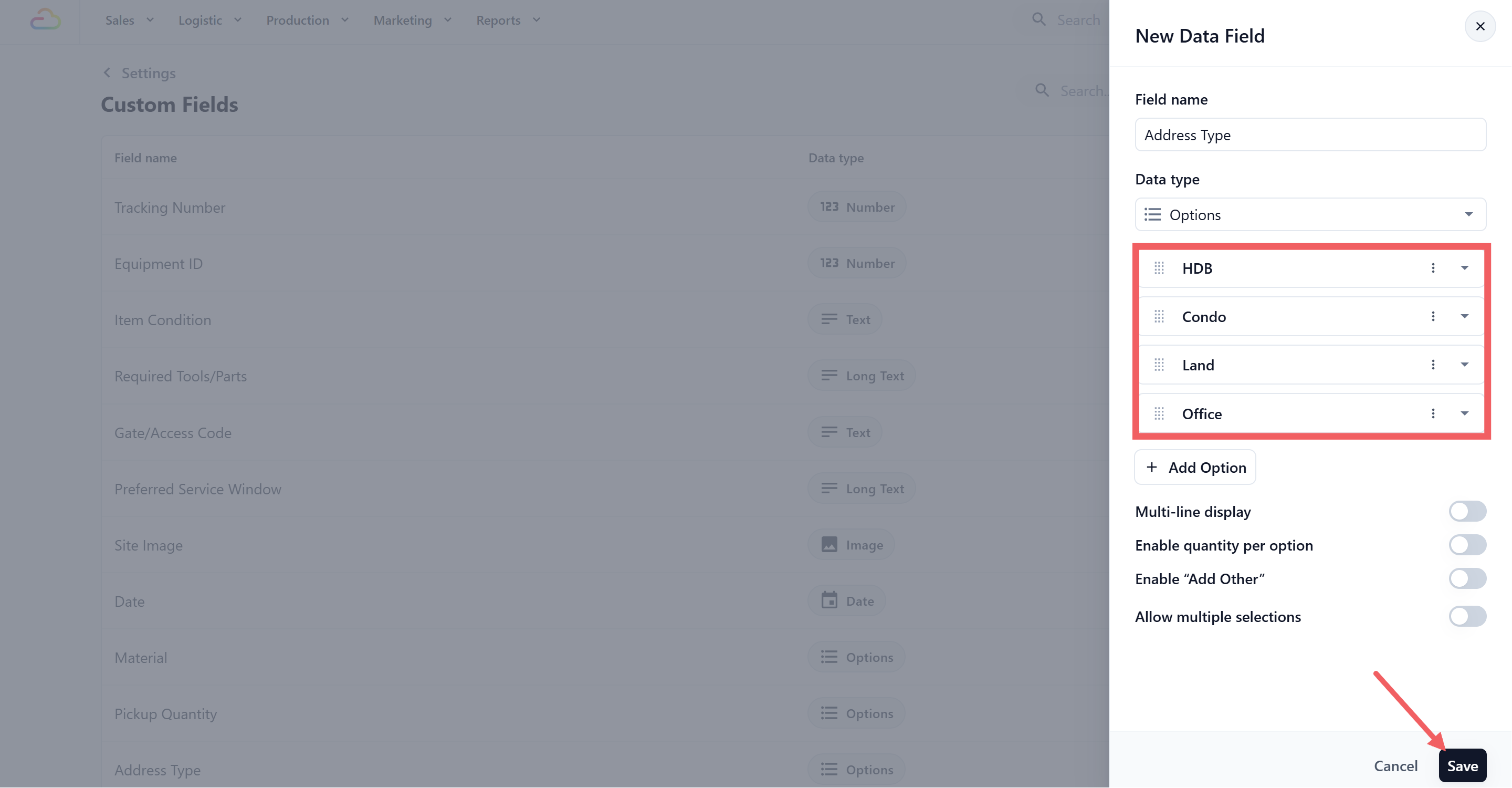
- Type your choices: HDB, Condo, Office, Landed. Click Save.
Step 2. Add the block
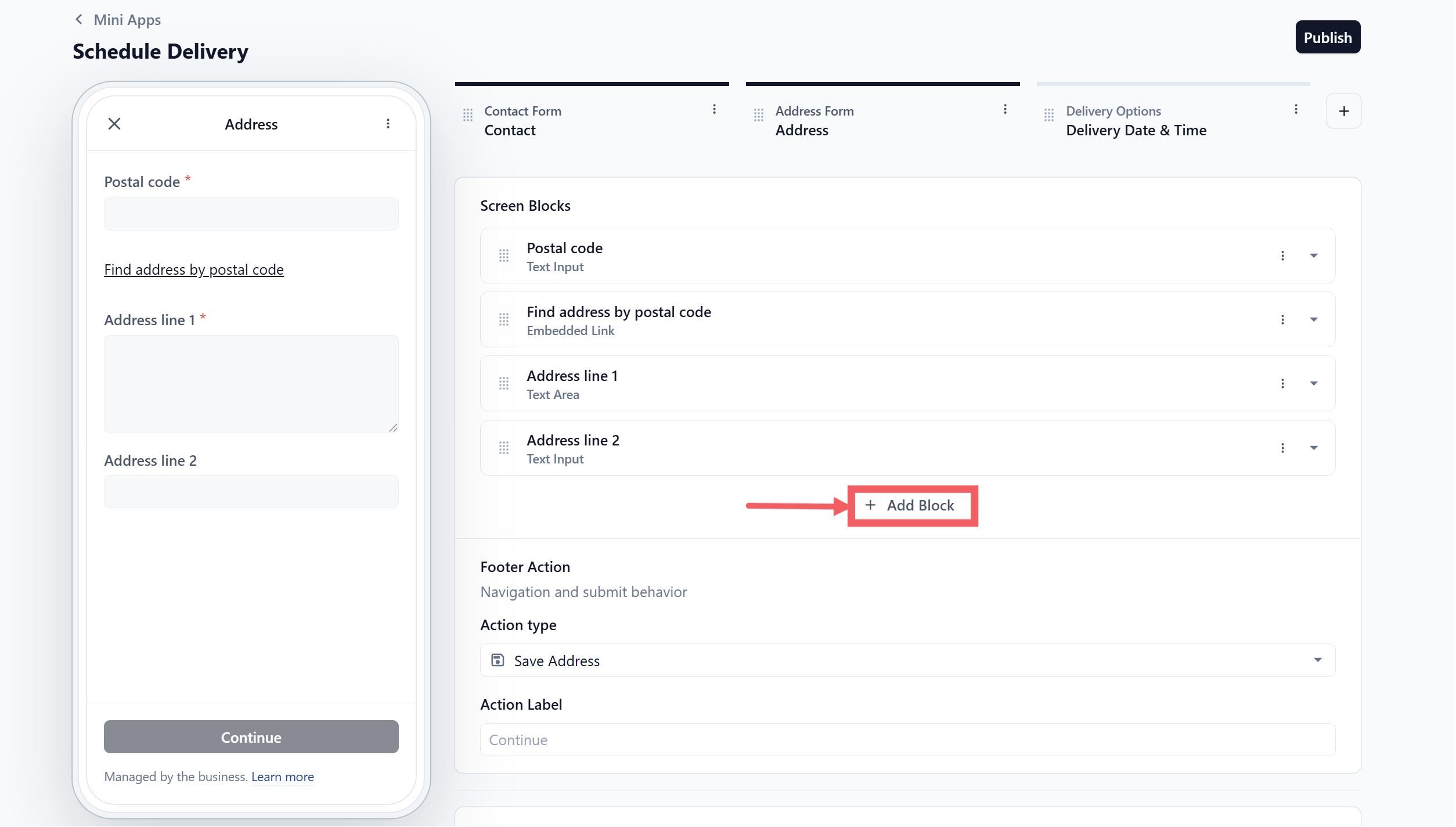
In the editor, click your Address screen.
Click + Add Block.
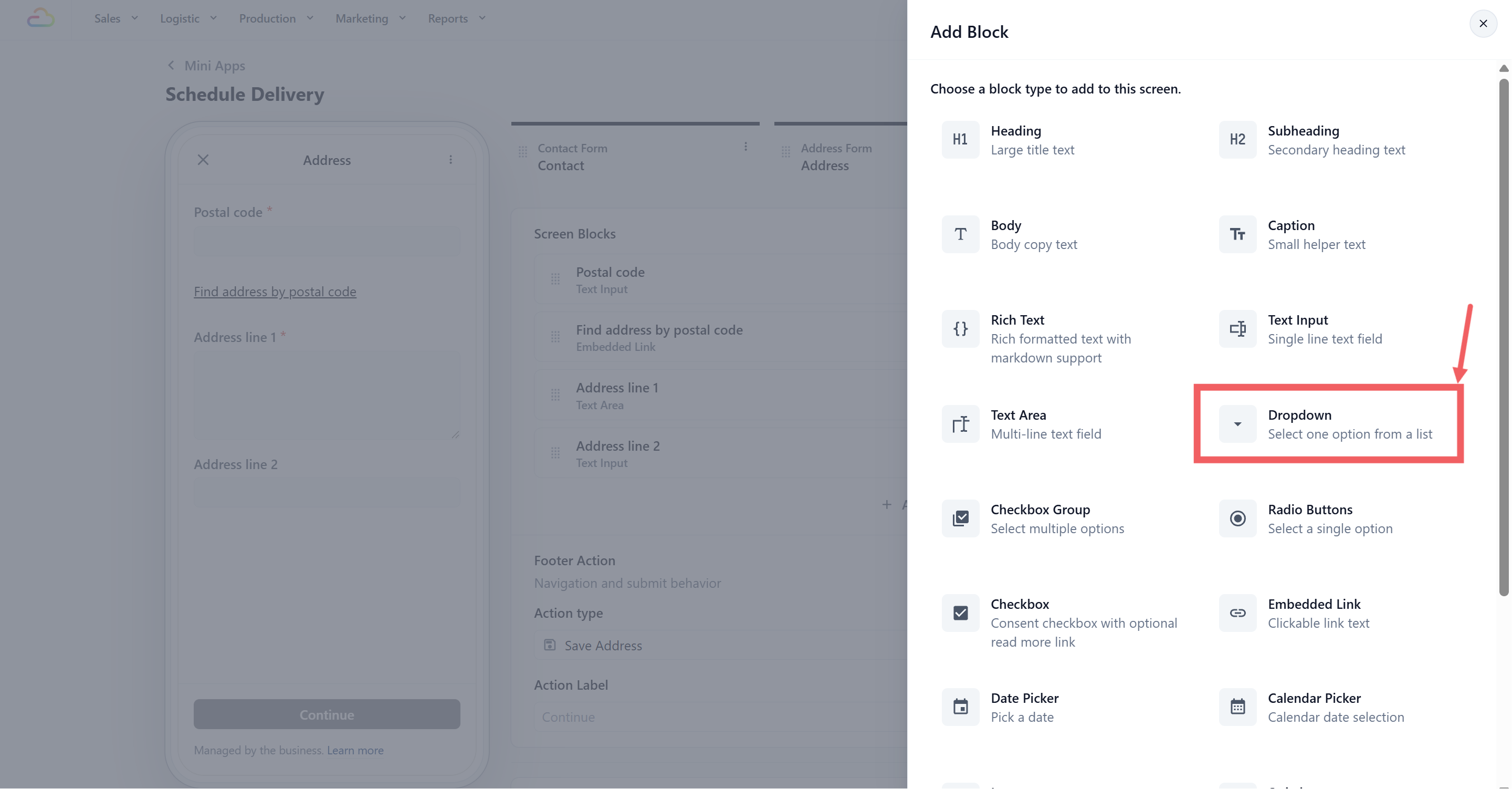
- Choose Dropdown.
- Open the block settings and set Input Data Field to Address Type.
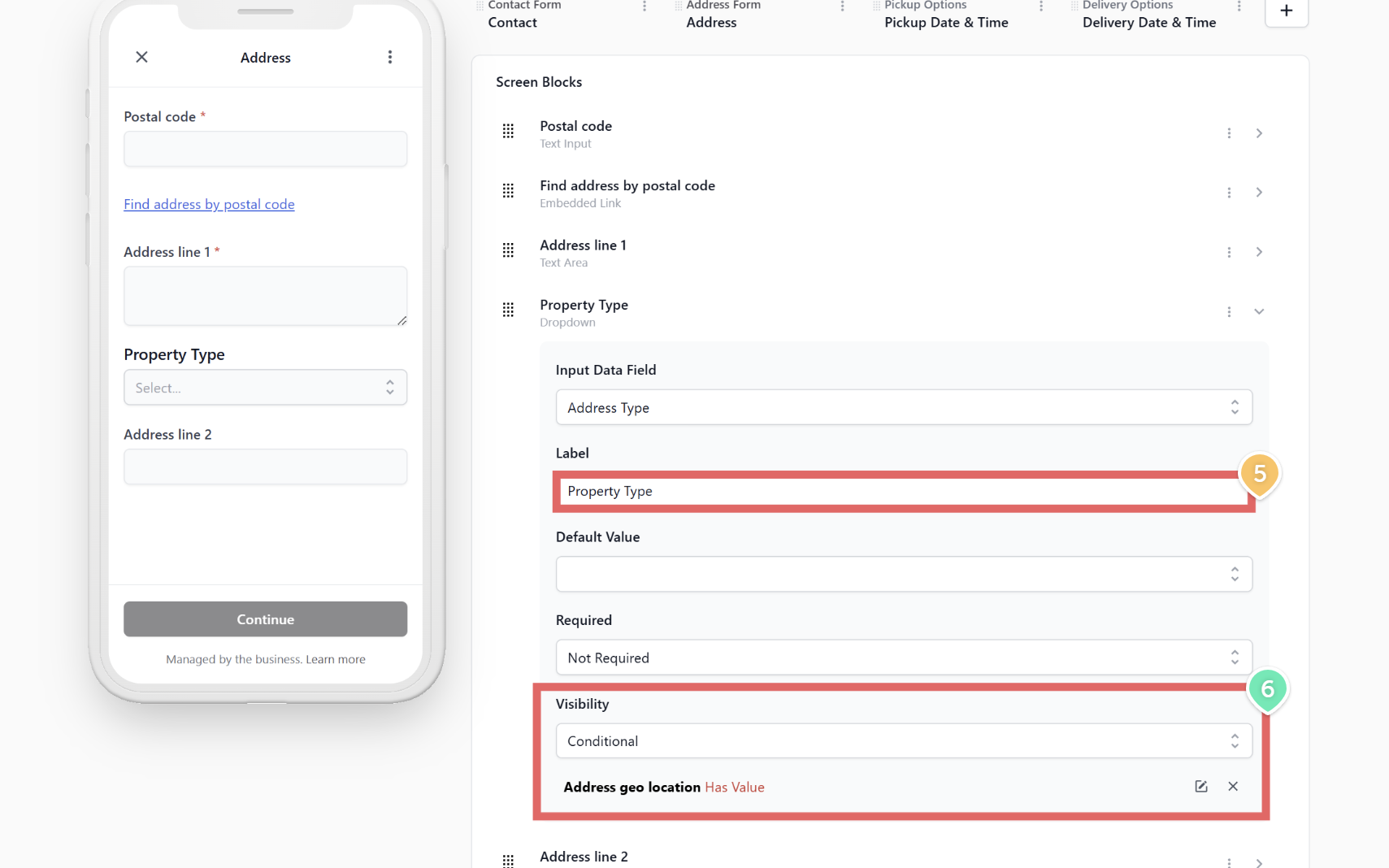
Set the Label to Property Type.
Set Visibility to Conditional, with When Address geo location and Operator Has Value. The question then appears only after the customer finds their postal code.
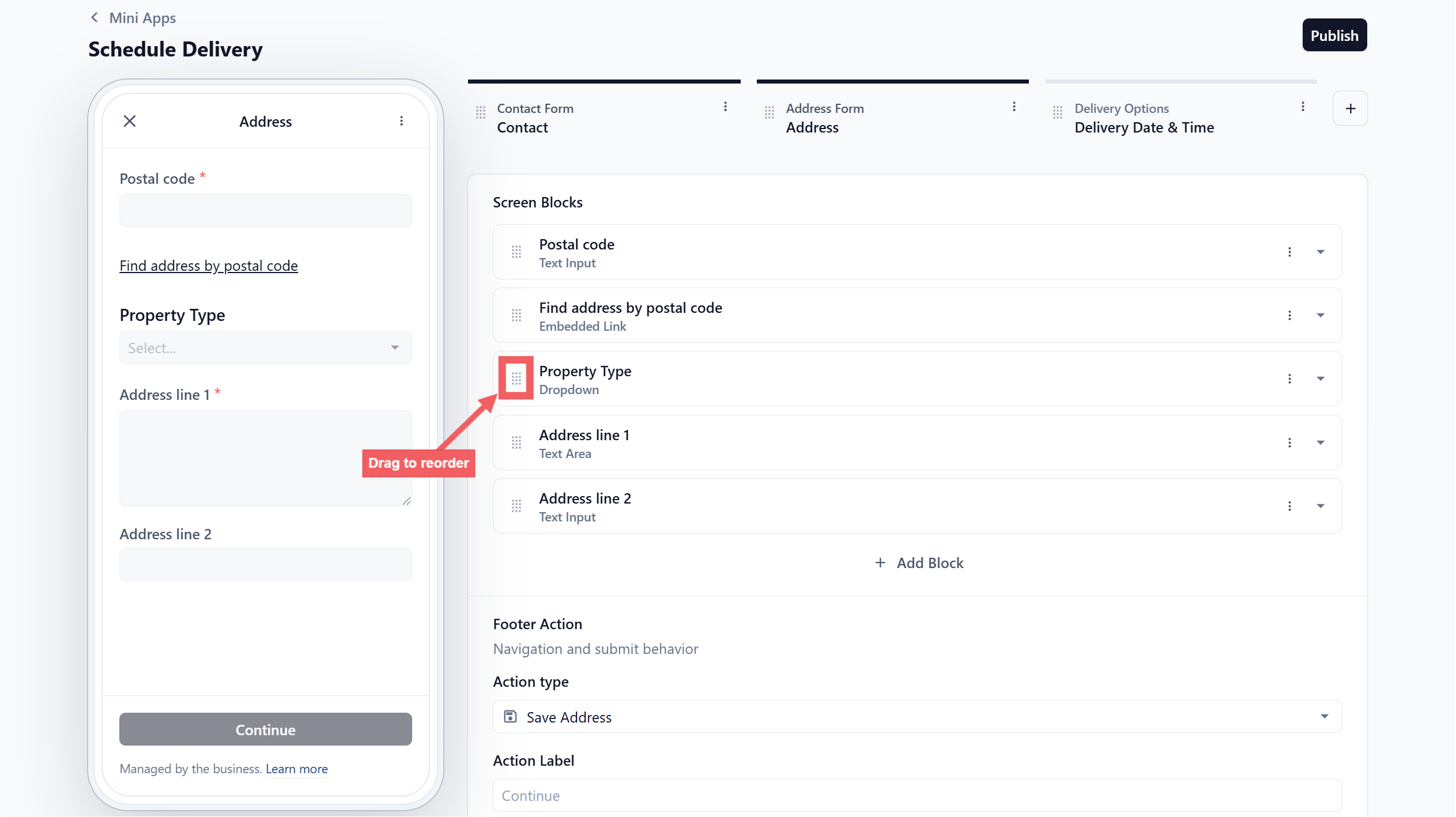
- Drag the block above Address line 1.
Step 3. Make address line 2 conditional
Open the settings for the Address line 2 block.
Change Required to Conditional.
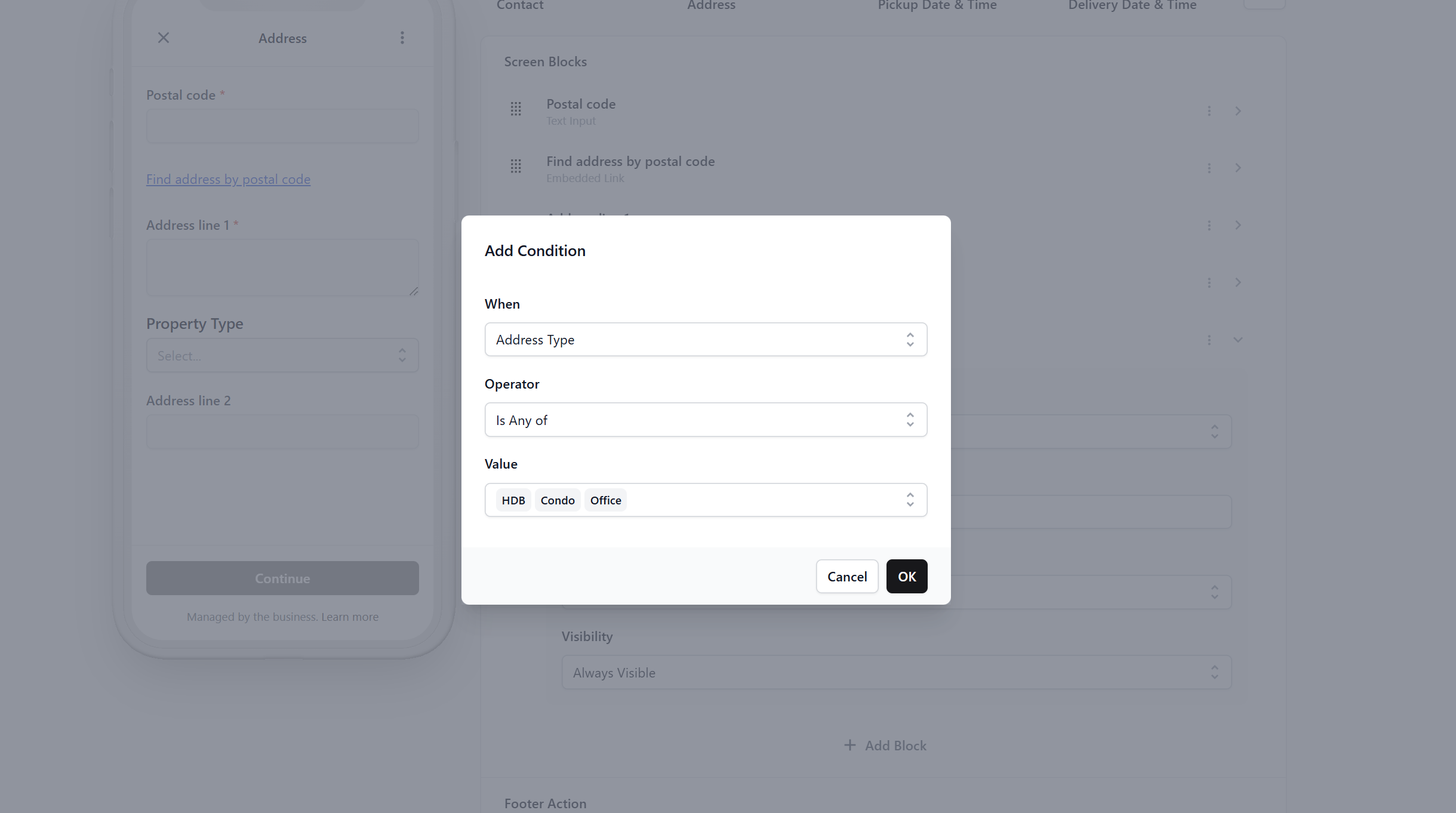
- Set When Address Type, Operator Is Any Of, Value HDB, Condo, Office.
Address line 2 is now compulsory for apartments and optional for landed homes.
Publish
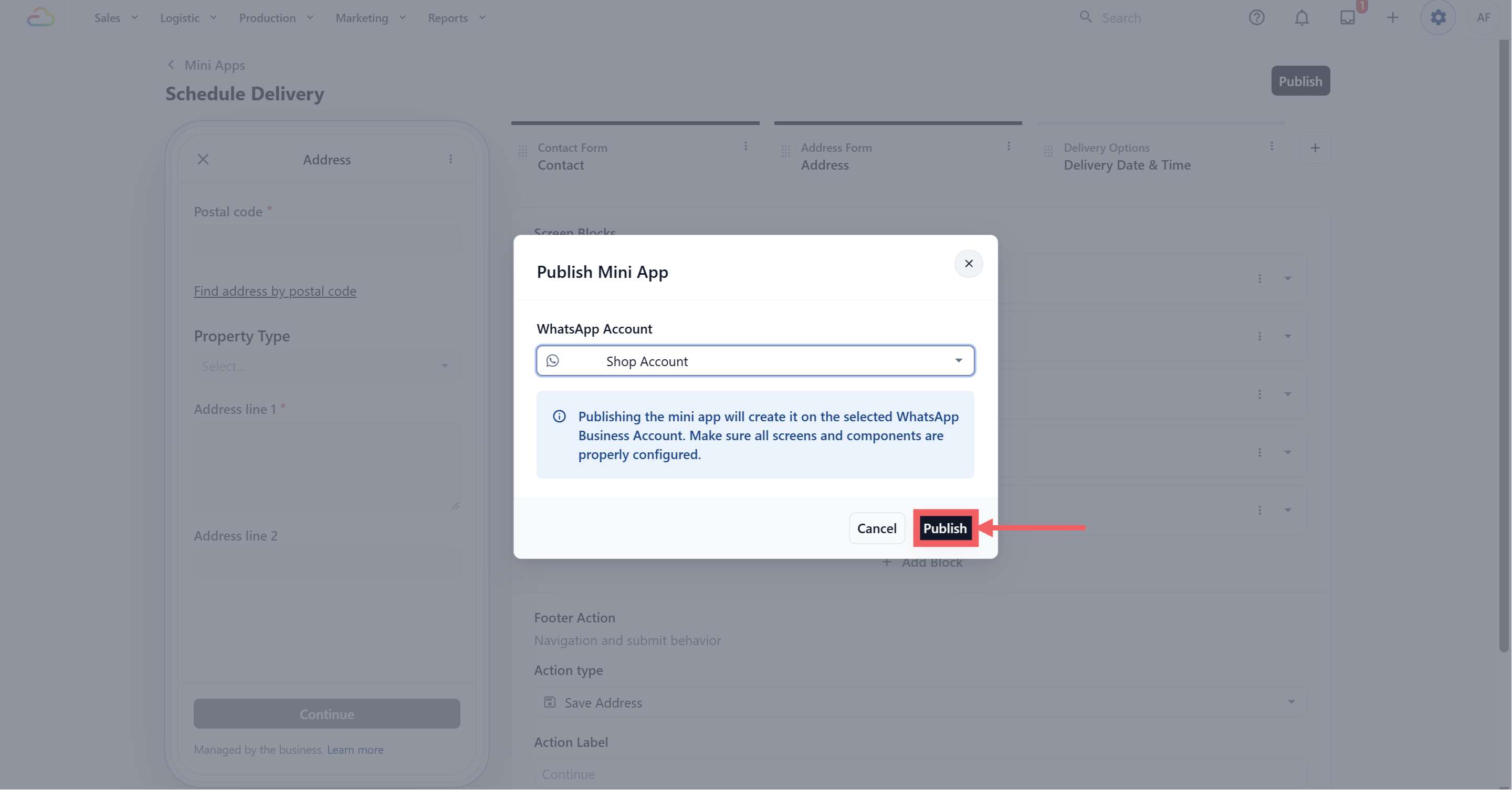
Click Publish, confirm your WhatsApp Business Account, then use Send Test to fill the form in yourself before sending it to a customer. Full steps are in How the Mini App Builder Works.
FAQs
Can I send this before the customer has an order?
No. When you send it, EasyBiz asks you to pick the order the delivery belongs to. If there is no order, there is nothing to attach the delivery to. Create the order first.
What if the customer already has a delivery date and I send this again?
The system updates the existing delivery instead of creating a second one. It checks the order first, so you will not end up with two delivery jobs on the same order.
What is the difference between this and the Reschedule Mini App?
Both use the same Schedule Job action. Use Schedule Delivery when there is no delivery date yet. Use Reschedule when a pickup and a delivery are already booked and either one may need to move.
Can the customer change the delivery address here?
Yes. The Address screen is included on purpose, so a customer can have the item returned to a different address from where you collected it.
Do the dates follow my closed days and public holidays?
Yes. The date screen uses the same booking options, lead times and blocking rules as your counter, so a customer cannot pick a day you are closed.
Why does this form not ask me for a Business Unit or Sales Channel?
Because it does not create a new order. It attaches a delivery to an order you already have, so it uses that order's settings.
Can I add a Service Options screen to let them add extra services?
Not to this form. A Service Options screen cannot be the last step of a delivery booking. If the customer wants extra work done, take a new order instead.
Will the customer see the same slots my counter staff see?
Yes, the same delivery slots and the same lead time. Tap Refresh on the form if a slot filled up while they were deciding.
Where does the delivery show up after they submit?
On the same order, as a delivery job, ready for your driver's route like any other delivery.
What's Next
Your Mini App is live, but it will not reach anyone until you send it. Continue to Sending Your Mini Apps to Customers.