What is this add-ons feature for?
This feature is designed to handle specific customer requests that require extra effort or materials—such as starching a shirt, folding instead of hanging, or gift wrapping. Unlike “Accessories” (which are physical goods), Add-ons are usually surcharges applied on top of a service.
How to Create Add-ons
Follow these steps to add a new add-on to your system:
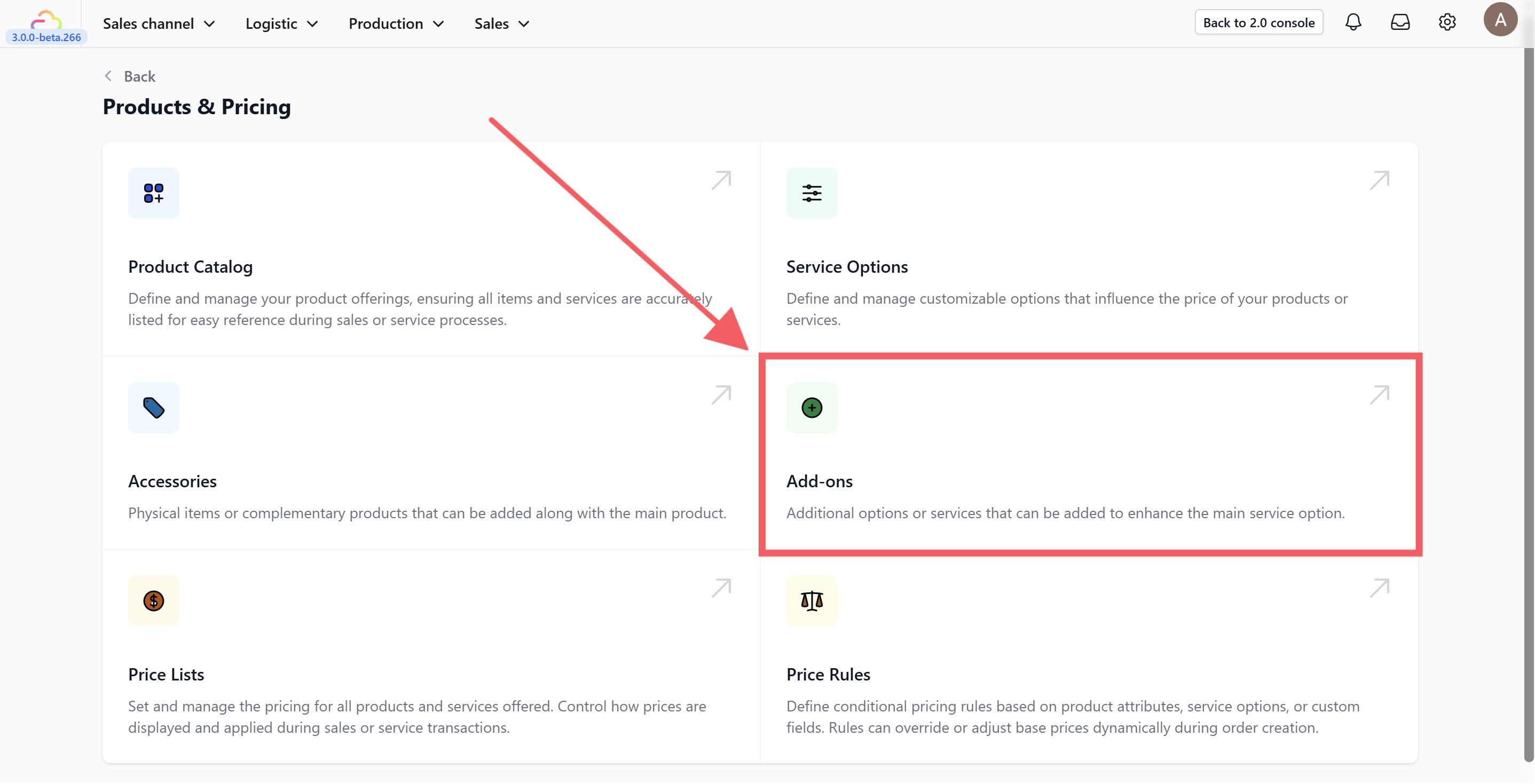
Click on the Add-ons card within the Products & Pricing page.
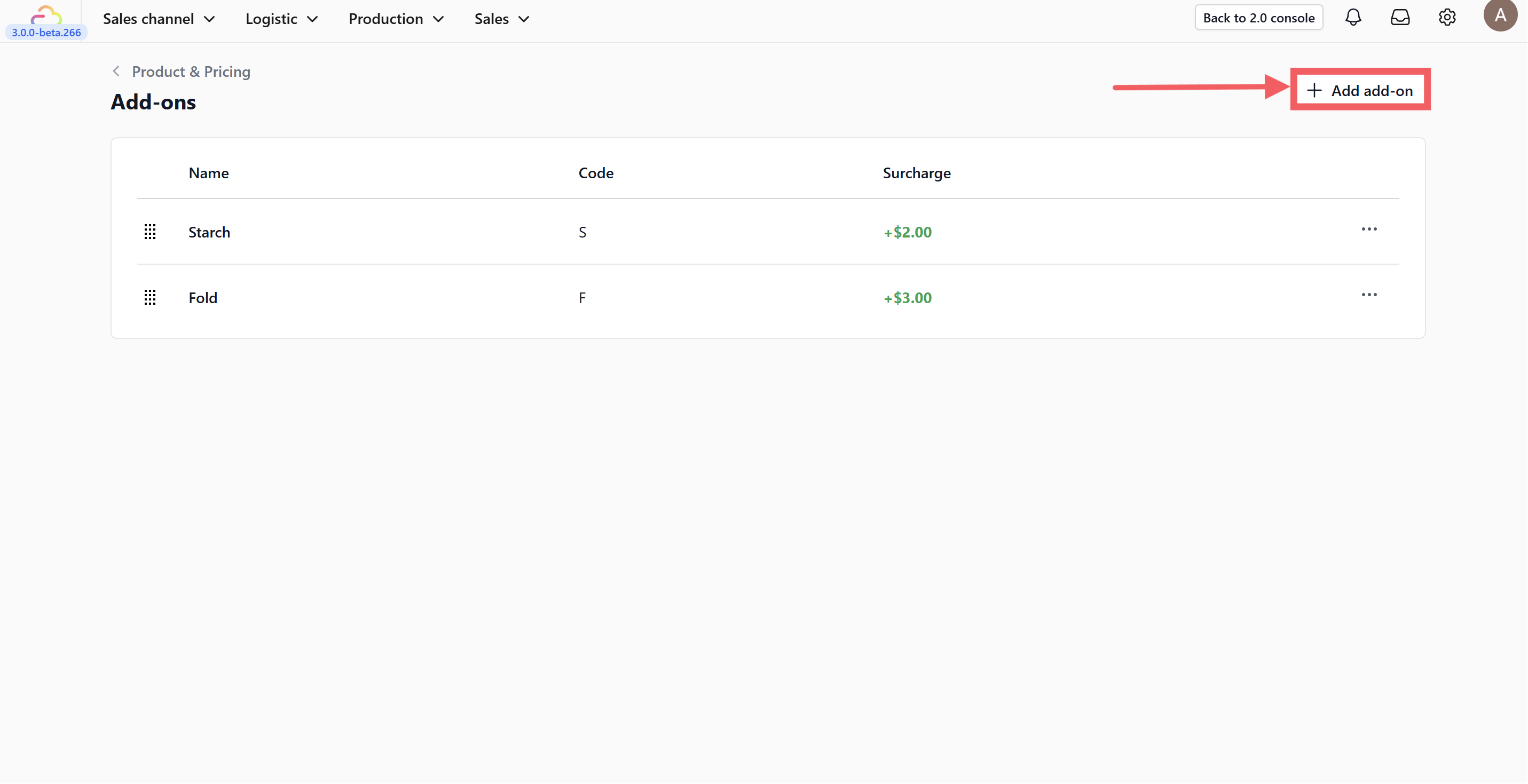
Click on the +Add Add-on button located at the top right of the screen.
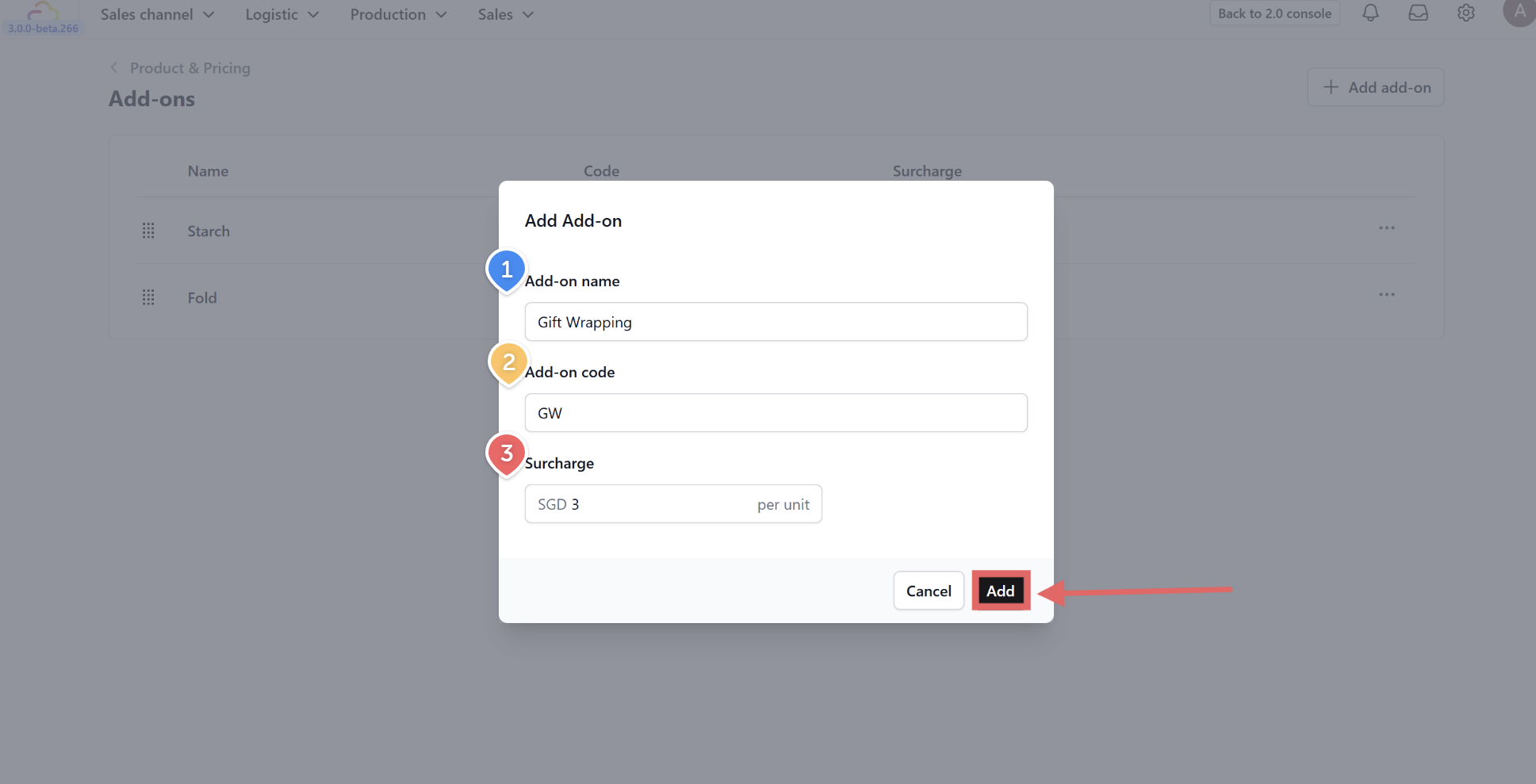
Fill in the add-on details based on your business needs:
-
Add-on name: Enter the name of the service enhancement (e.g., Gift Wrapping, Starch, Express).
-
Add-on code: Fill in a short internal code used for reporting and printing tags (e.g., GW, STARCH).
-
Surcharge: Enter the additional amount (price per unit) that will be added to the total cost when this option is selected.
Finally, click Add to save your new add-on.
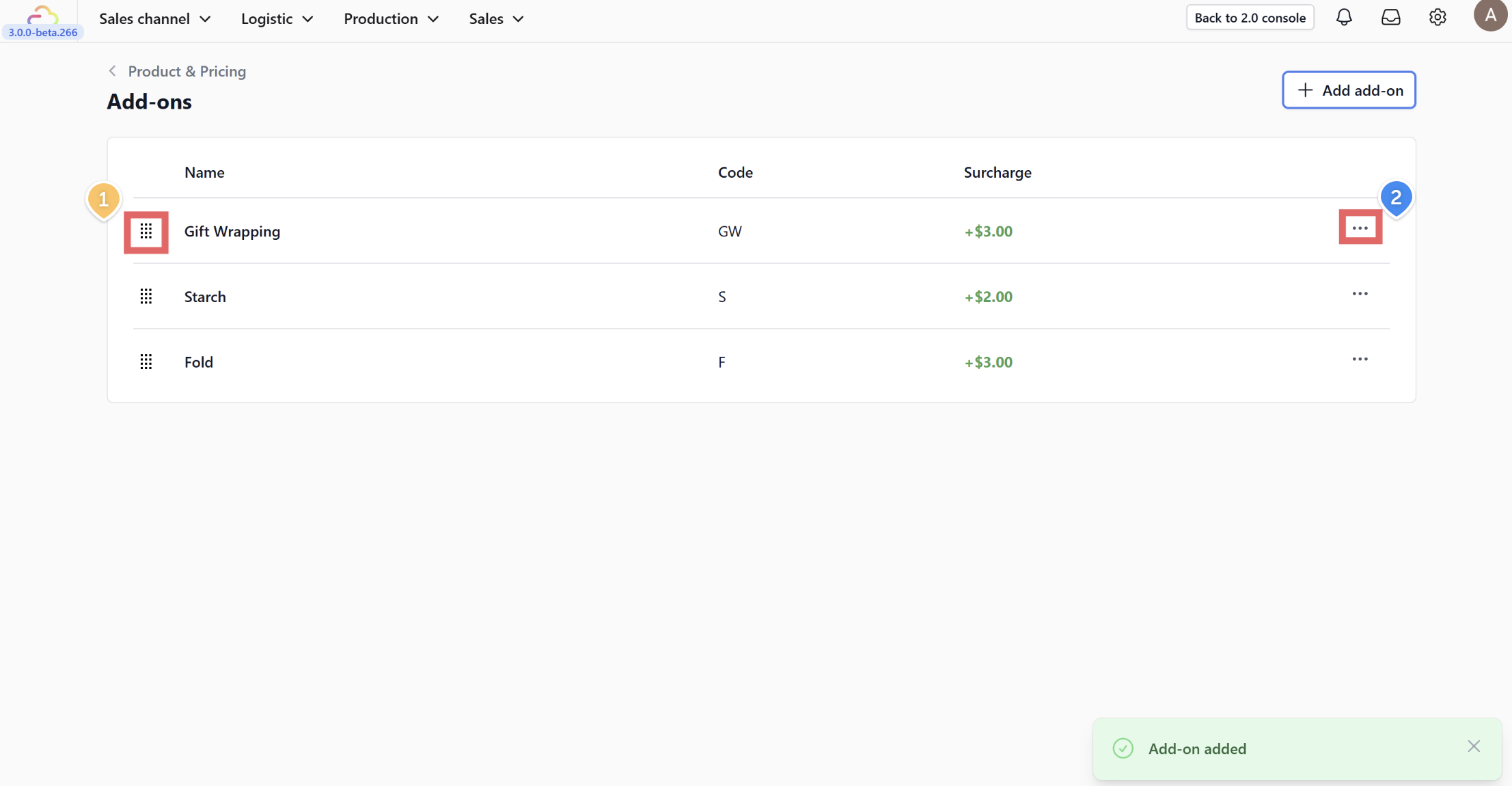
Once added, your new add-on will appear in the table. You can manage the list using the icons provided:
-
Drag Icon: Click and hold the drag icon (six dots) on the left to rearrange the order of your add-ons.
-
Action Menu: Click on the three dots (…) to Edit or Delete a specific add-on.