Before You Start
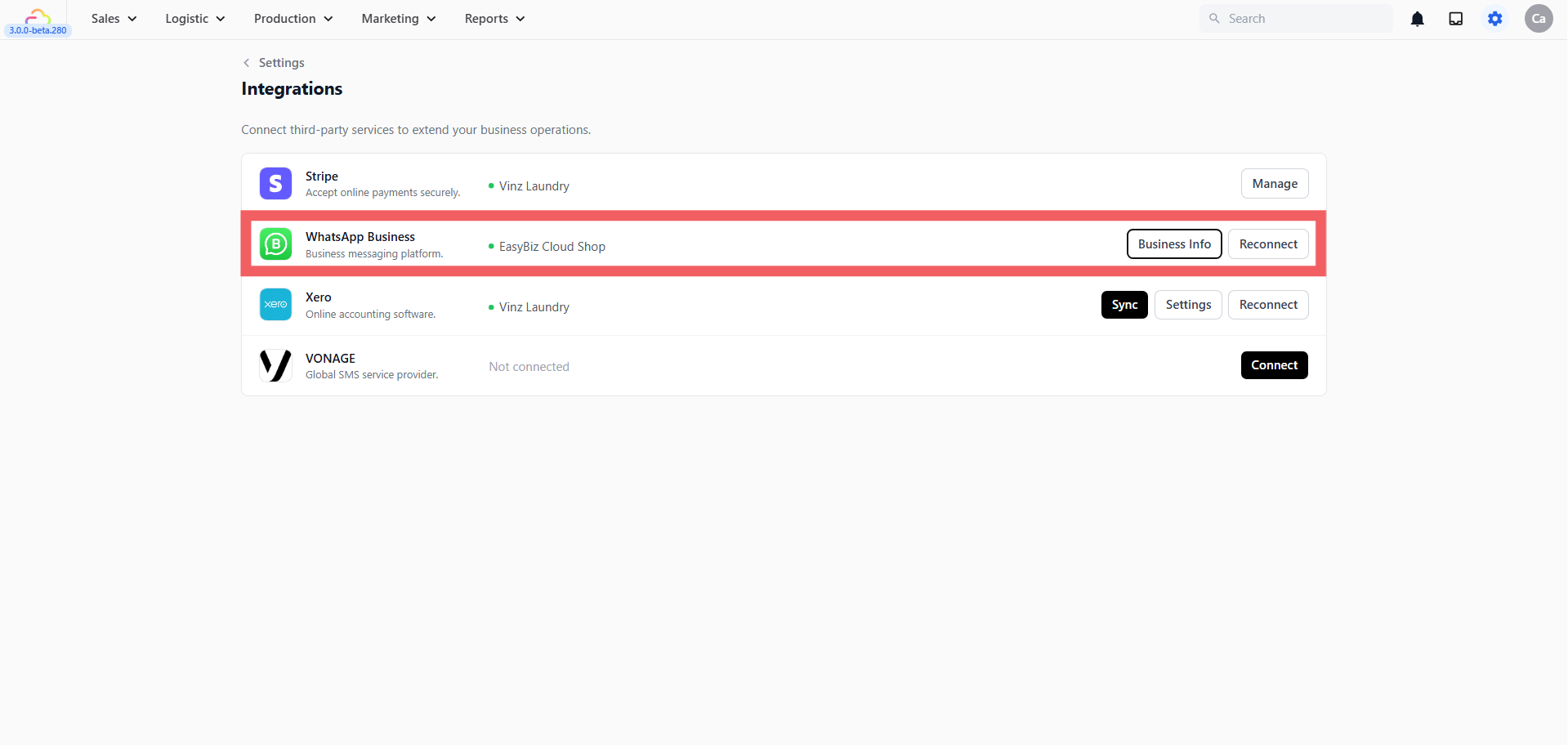
Both Campaigns and Lead Sources require a WhatsApp Business account connected to your EasyBiz Cloud console. Campaigns uses it to send broadcasts to your customers, and Lead Sources uses it to receive incoming messages when customers click your tracking links or scan your QR codes.
If you haven’t connected your WhatsApp Business account yet, go to Settings → Platform → Integrations → WhatsApp and click Connect. For a full setup walkthrough, visit WhatsApp Integration Overview.
Campaigns — Reach Your Existing Customers
Go to Marketing→ Campaigns from the top navigation bar.
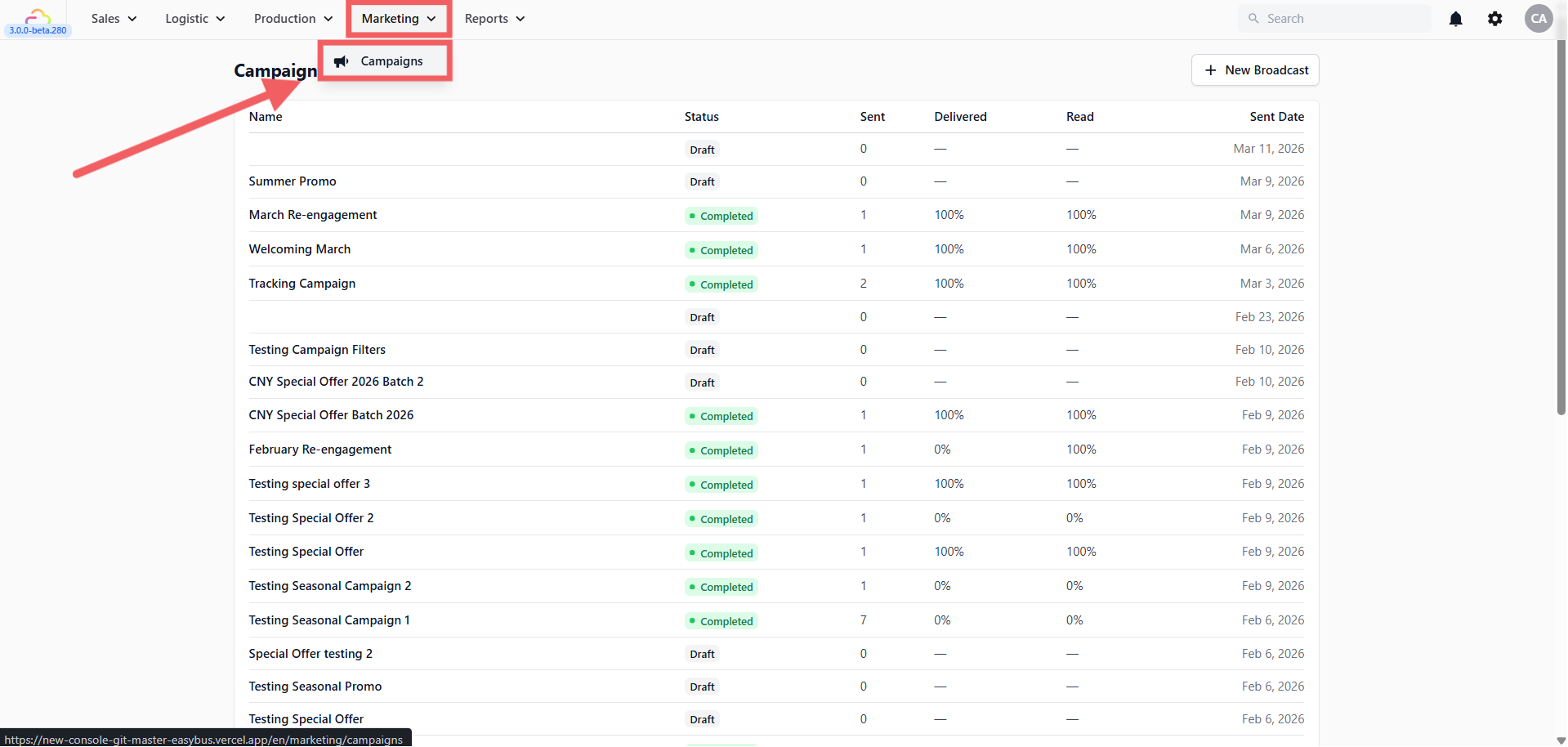
Campaigns lets you send a WhatsApp Broadcast — a promotional message sent to a targeted group of your existing customers all at once. You can choose who to target based on their order history, spending habits, visit frequency, or sales channel.
Use this when you want to:
-
Send a seasonal promotion or limited-time offer
-
Re-engage customers who haven’t visited in a while
-
Reward your top spenders with an exclusive deal
-
Announce a new service or location
👉 For a full step-by-step guide: [WhatsApp Broadcasts]
Lead Sources — Track Where Customers Come From
Go to Settings → Marketing → Lead Sources
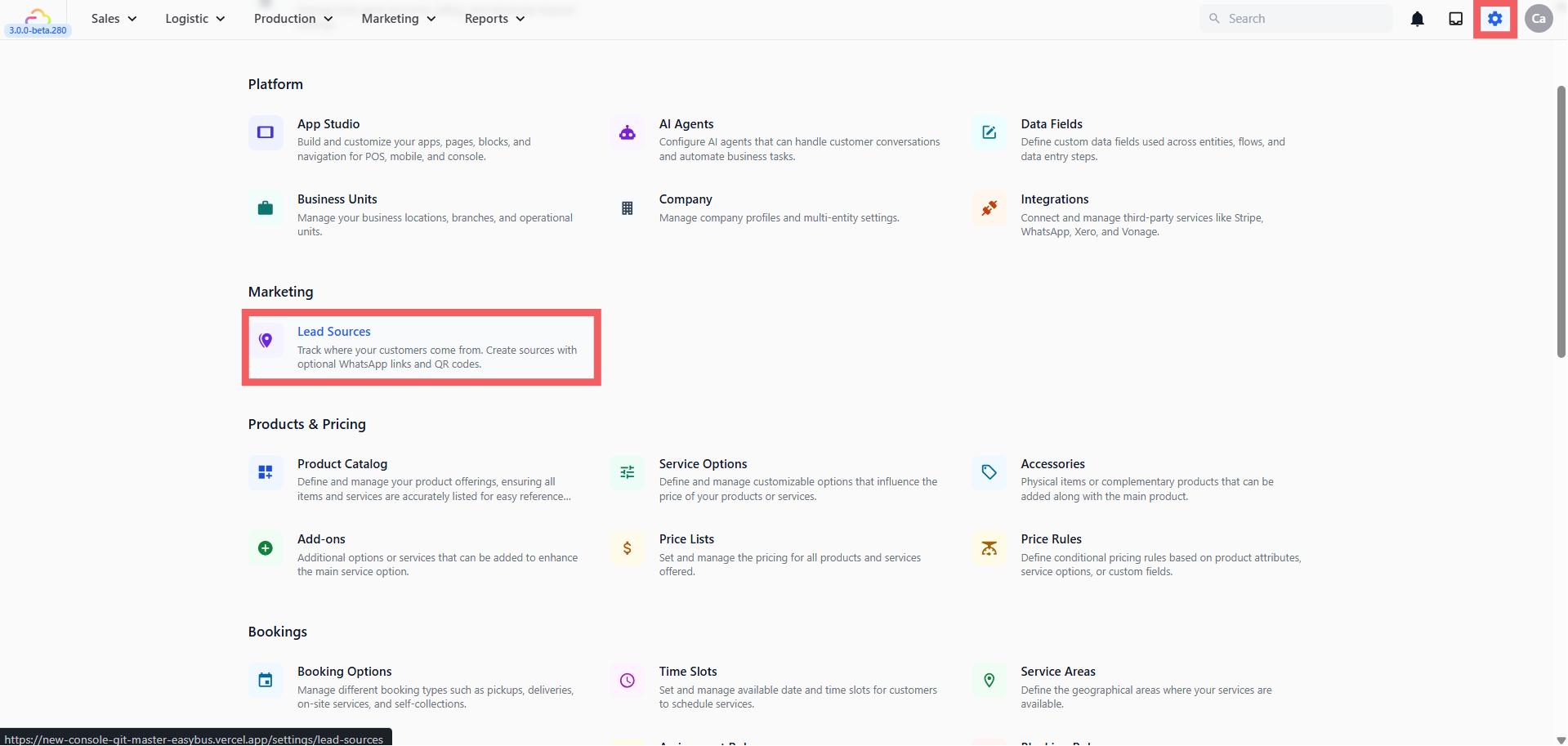
Lead Sources lets you define every channel where customers might discover your business — your website, store front, flyers, Google listing, referrals, and more. For channels with a digital touchpoint, you can attach a trackable WhatsApp link or QR code. When a customer reaches out through that link or scans that QR, EasyBiz automatically records where they came from and connects it to their orders and revenue.
Use this when you want to:
-
Find out whether your website WhatsApp button is actually bringing in customers
-
Track how many orders came from a specific flyer or campaign
-
Place QR codes at your store front and measure how many people scan them
-
Compare which channel brings in the most revenue
You can view performance per source in Reports → Sales Report under the Sales by Lead Source table.
When to Use Each One
| I want to… | Use |
|---|---|
| Send a promo to my existing customers | WhatsApp Broadcasts |
| Bring back customers who haven’t visited in months | WhatsApp Broadcasts |
| Reward my top spenders with an exclusive offer | WhatsApp Broadcasts |
| Track if my website WhatsApp button is bringing in orders | Lead Sources |
| Track how many customers come from my flyer | Lead Sources |
| Put a QR code at my counter to track walk-in inquiries | Lead Sources |
| Compare which marketing channel brings the most revenue | Lead Sources |