Why is this important?
Configuring your templates correctly solves three major operational problems:
-
Brand Consistency: Ensure every invoice and message looks exactly the same, no matter which staff member processes the order.
-
Zero-Effort Automation: Staff don’t need to type messages or adjust margins manually. The system auto-fills customer data (like Name, Order No, and Price) into your pre-set layout.
-
Professionalism: Well-designed receipts and labels build trust and make your business look polished.
How to Access Templates
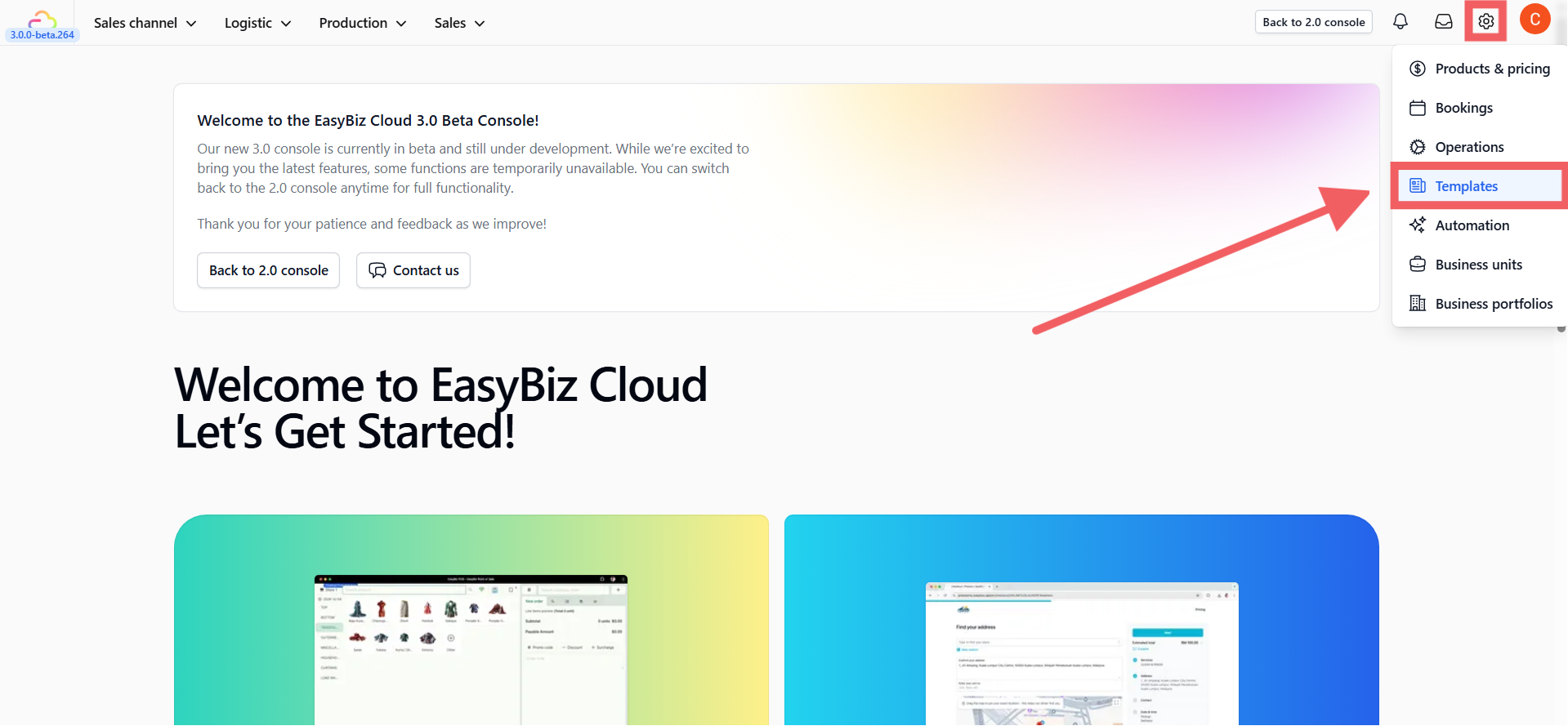
To access this section, navigate to Settings > Templates.
Available Template Types
You can configure the following types of templates to match your operational needs:

-
WhatsApp: Configure utility templates used for automated notifications, including order updates, reminders, and confirmations. Customize the content to match your brand voice.
-
Email Utility: Set up and customize email templates for notifications, confirmations, and updates. Personalize messages to ensure consistent branding across customer communications.
-
PDF (Invoices & Receipts): Manage the layout and design of your PDF invoices and receipts. Ensure all necessary business details are included and customize the format for easy sharing and printing.
-
Receipt (Thermal): Customize the thermal receipt layout for printing from both POS stations and mobile terminals.
-
Label: Define the layout for printing sticker labels, including size, format, and QR content. This is essential for tagging items, packages, and inventory management.