
Why Is It Important to Map Payment Methods?
When a customer pays for an order in EasyBiz, the system records how they paid — whether it was by cash, credit card, QR code, or advance credit. But Xero does not automatically know where to record that payment. Without payment method mapping, Xero will not know which bank account or liability account the money belongs to, and your invoices may get stuck in the Awaiting Payment tab even though the customer has already paid.
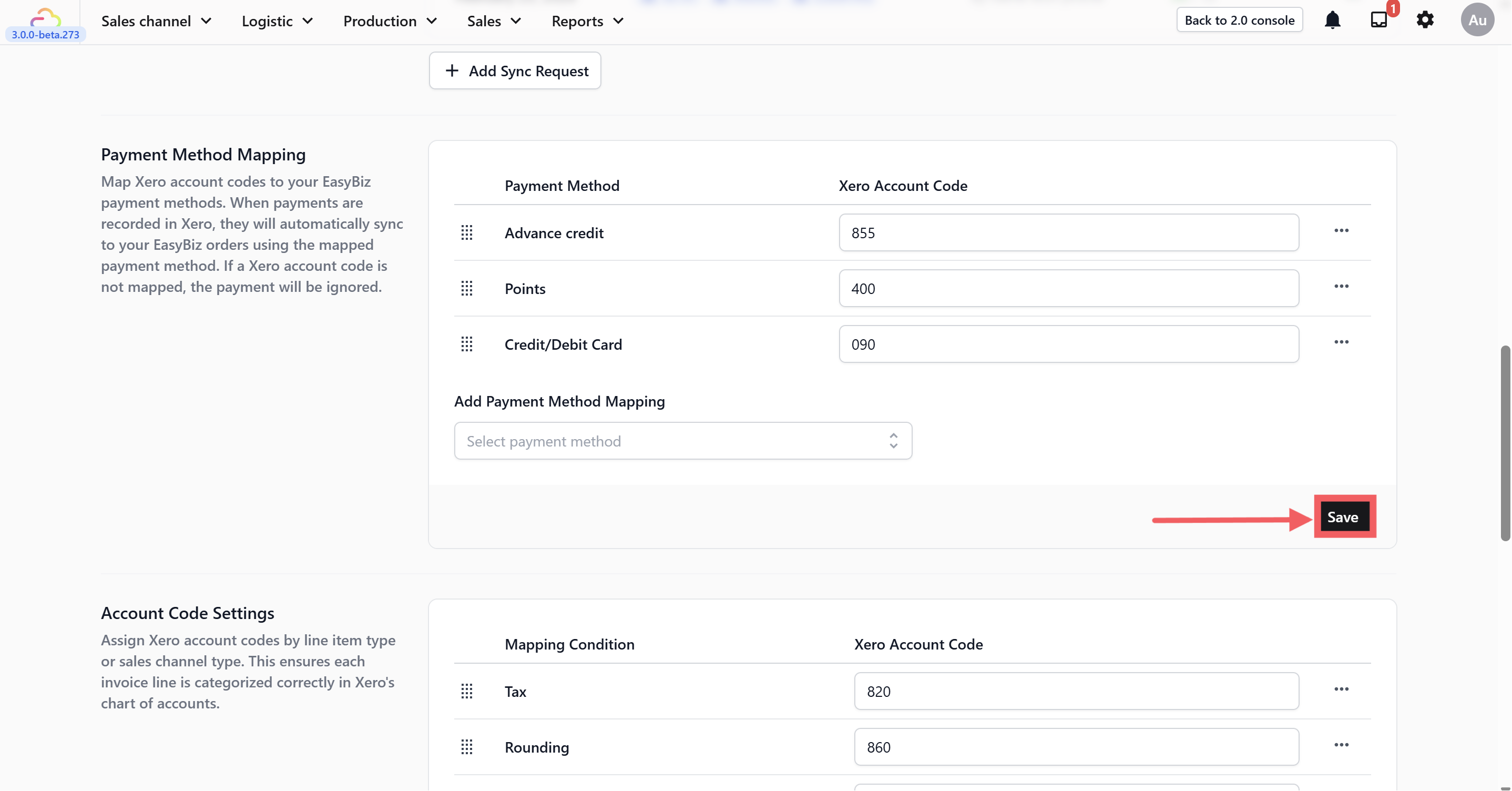
By mapping your payment methods, you are telling EasyBiz where each type of payment should go in Xero. For example, "When a customer pays by VISA, record it in my bank account in Xero. When a customer pays by advance credit, record it in my Customer Advance Credit account." This ensures that every payment syncs to the correct account in Xero, your invoices move to the Paid tab automatically, and your bank reconciliation stays clean.
Where to find this setting?
Go to Settings → Business Portfolios. Click your business → Click the three dotsfor Xero → Settings. Scroll down to the Payment Method Mapping section.
Where Can I Find the Chart of Accounts in Xero?
Log in to your Xero account.
Click Accounting in the top navigation bar.
Select Chart of Accounts from the dropdown menu.
You will see the full list of your account codes, names, types, and tax rates. This is where you can check your existing codes or add new ones if needed.
Common Mapping Examples
Bank / Credit Cards / Cash: These methods represent real money entering your business.
- Map to: Your Business Bank Account (e.g., Code 090).
Points / Vouchers: These are non-monetary payments. You are "paying" for the service by giving value away, which is a marketing cost.
- Map to: An Expense Account like Advertising (e.g., Code 400).
Advance Credit: This represents money the customer gave you previously (Liability) that you are now using.
- Map to: An Expense Account like Advertising (e.g., Code 400).
How to Map Your Payment Methods with Xero
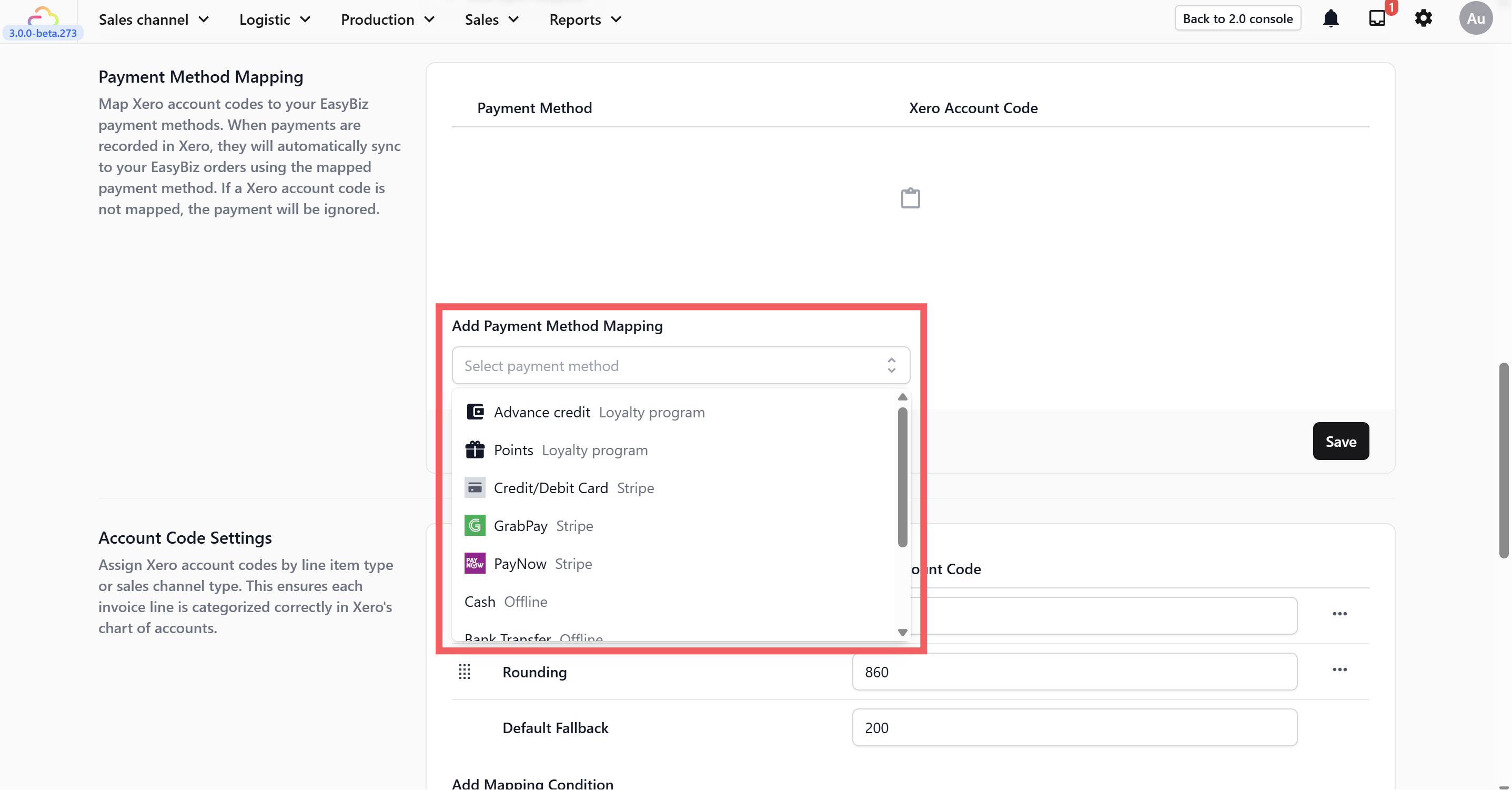
helo
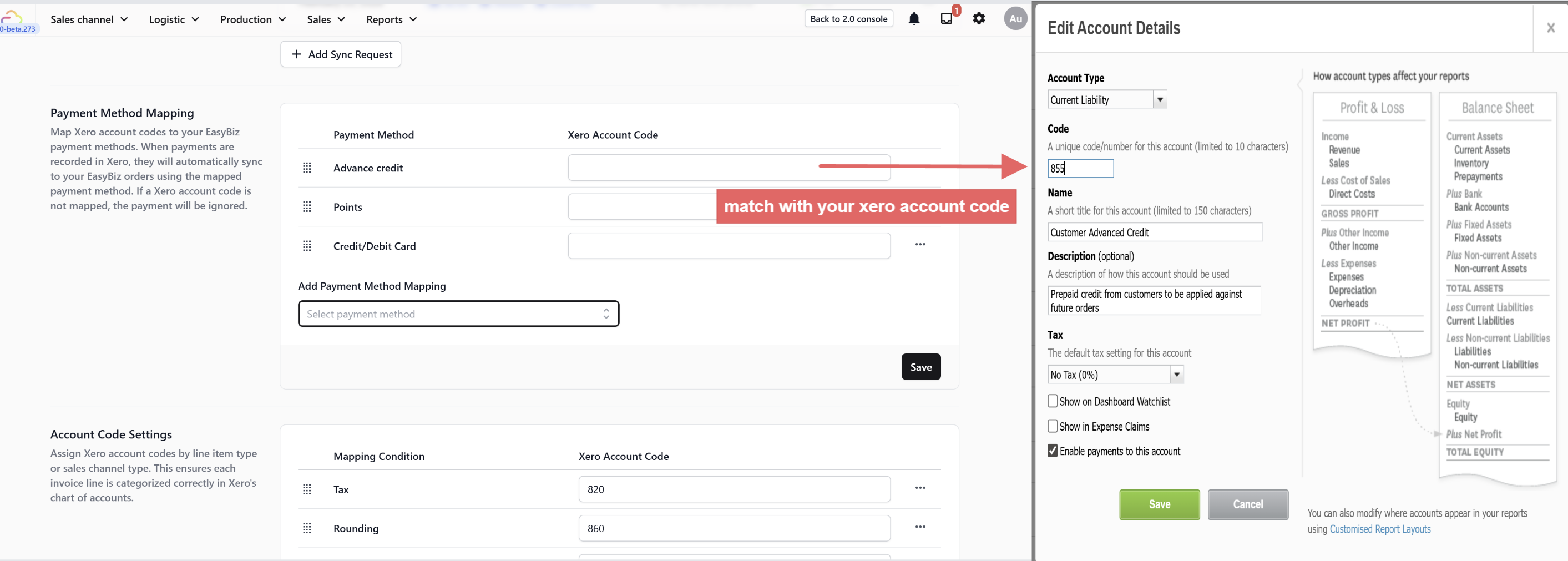
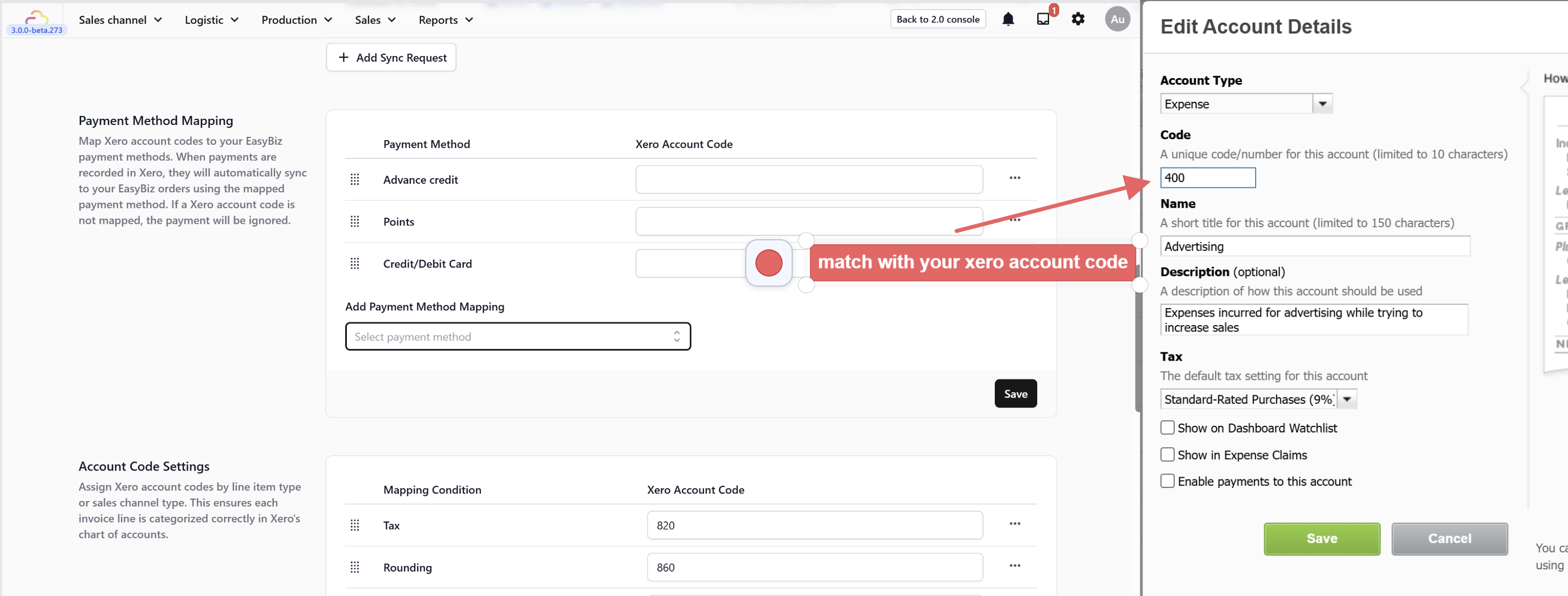
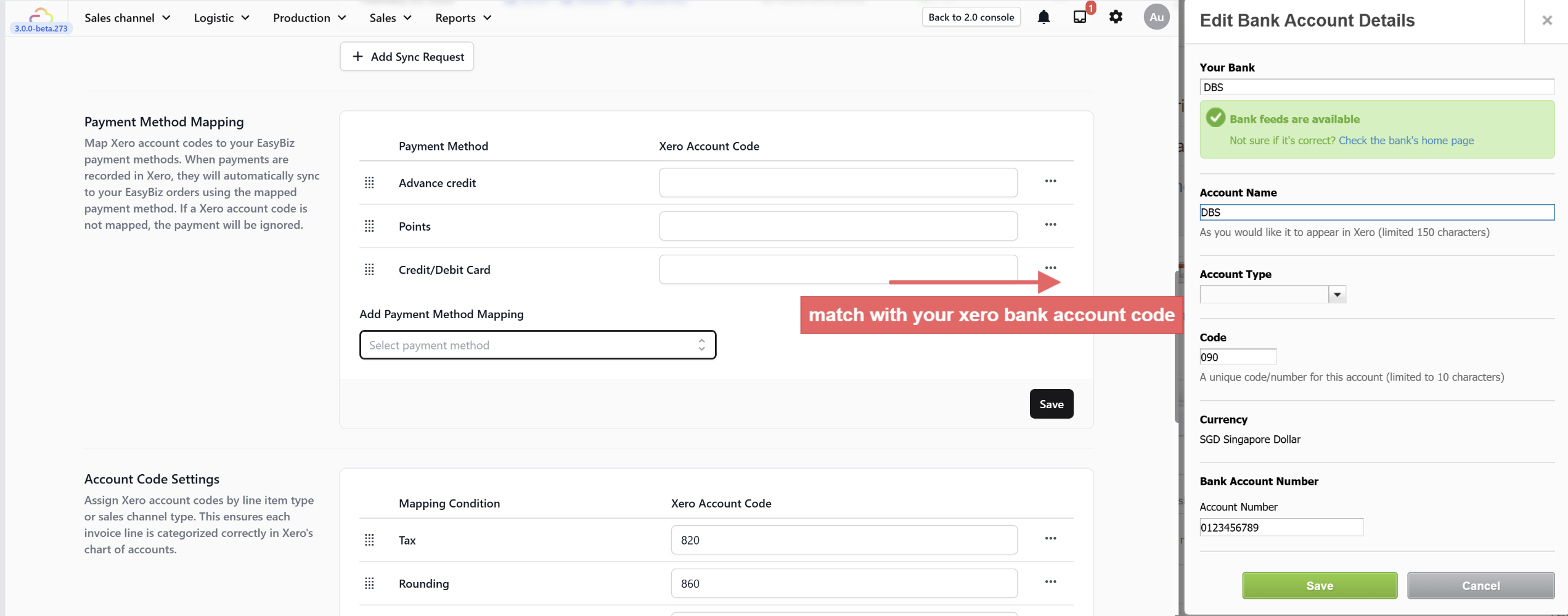
Watch: How to Map Your Payment Methods in Xero
Prefer to follow along visually? Watch the full walkthrough below.
What's Next?
Now that payments flow to the right accounts, continue to Choosing the Right Contact Matching Method for Your Business to decide how EasyBiz should pair customers with their Xero contact records.