
Before You Start
The assistant lives in the panel behind the Help icon in your Console — see Meet Your AI Assistant for the basics.
Data lookups follow your access level. Owners and admins can ask about business data; other team members may have limited or no data access, in which case the assistant says so rather than answering.
The assistant reads your own account's data only, and it reads — it never changes orders, payments, or customers. Answers match what the corresponding Console page shows.
The Five Data Areas
Orders
Find and summarize orders — by order number, customer, status, or date.
"Show me order 20260712-004."
"How many orders did we take yesterday?"
"Any unpaid orders from last week?"
The assistant returns the order's items, totals, what has been paid, and the outstanding balance.
Customers
Look up a customer and their history.
"Who is Mrs Lim, phone 9123 4567?"
"How much has this customer spent with us?"
"Does she have store credit left?"
You get the profile, recent orders, total spend, and store credit balance — the same picture as the contact profile page.
Payments
Check money received.
"Did the payment for order 20260712-004 go through?"
"Show me today's payments."
Outstanding Balances
See who owes you money — the same view as your Receivables page.
"Which customers still owe us money?"
"How much is outstanding for more than 60 days?"
Amounts are grouped by how overdue they are (30, 60, 90 days), so this doubles as a quick collections check.
Sales
Summarize performance for a period — day, month, or year.
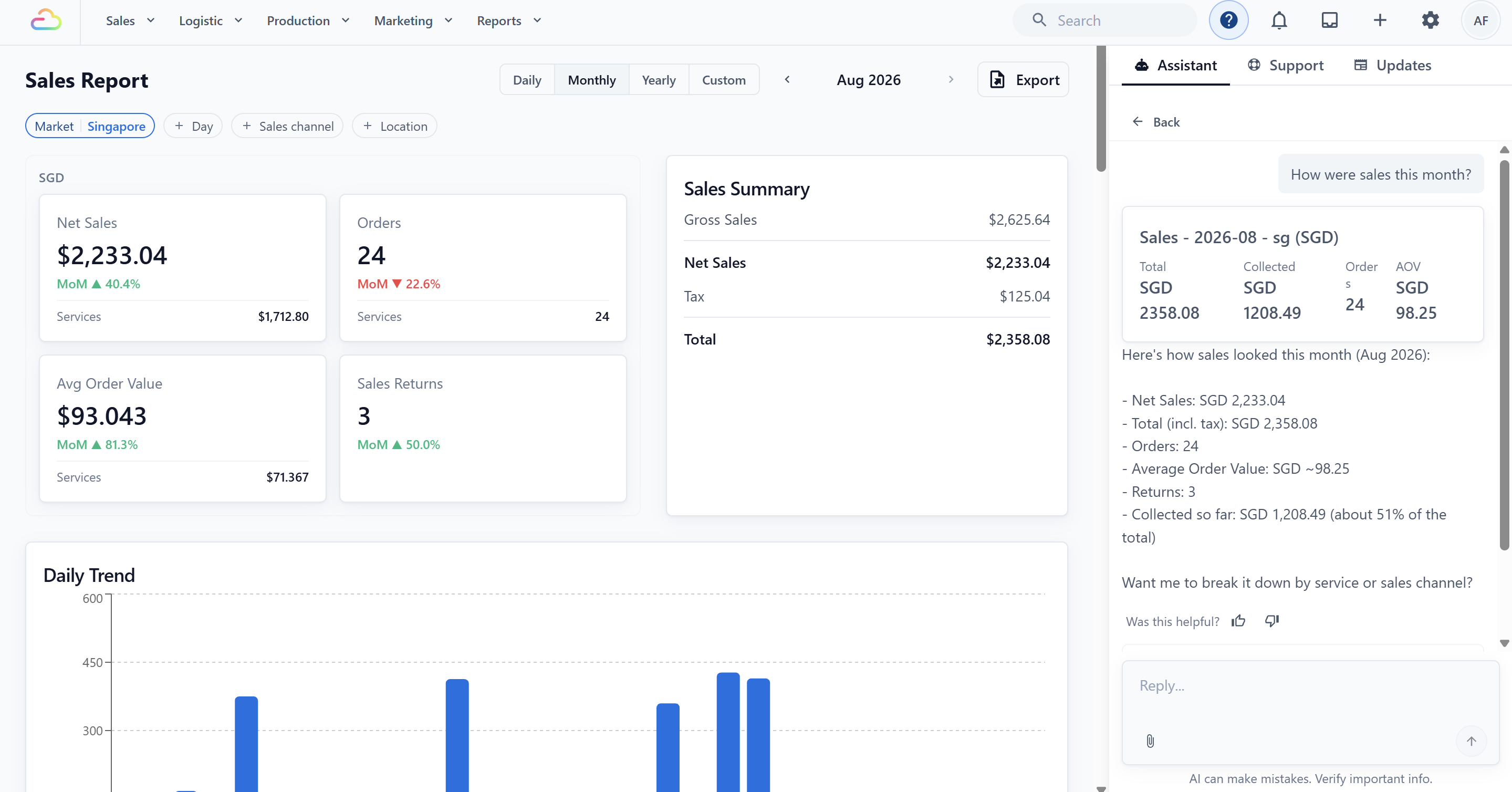
"How were sales this month?"
"Compare today's revenue with yesterday."
"What was our average order value in June?"
Figures come from the same source as your Sales Report, so the assistant's numbers and your Reports page agree.
Getting Precise Answers
Name the period. "Sales last week" beats "recent sales". The assistant understands relative dates — today, yesterday, last month.
Name the outlet when you run several — "sales for the Tampines outlet this month".
Use order numbers when you have them — that is always the fastest path to one specific order.
Follow up in the same conversation. After "show me yesterday's orders" you can ask "which of those are unpaid?" — the assistant keeps the context.
What Data Questions It Won't Answer
Anything outside your account — it cannot see other businesses or benchmark you against them.
Areas it does not have access to yet — if you ask about something it cannot look up, it tells you so and points you to the right Console page instead of guessing.
Anything your own access level does not permit — the assistant never widens what you are allowed to see.
FAQs
Are the numbers live?
The assistant reads your current data when you ask. An order paid a minute ago shows as paid.
Can my counter staff ask about sales figures?
Business-data questions follow access levels — owners and admins have full access. Team members without data access can still use the assistant for how-to help.
Can the assistant fix a wrong order it found?
No. It can find and explain, and for certain setup areas it can prepare changes for your approval — but it never edits orders, payments, or customers. See Meet Your AI Assistant for what it can and cannot change.
Can I export what it found?
The assistant answers in the chat. For a downloadable file, use the export on the corresponding page — for example Export contacts or your Reports pages.
Can everyone see the same business information?
No. The Assistant follows each person’s access level. If you do not have permission to view certain information, the Assistant will not show it.
How up to date are the answers?
The Assistant checks your latest business data when you ask. Recent orders, payments, and other updates should appear in its answer.
What if the Assistant cannot answer my question?
The Assistant will tell you when it cannot access or answer something. It will not guess, and may direct you to the relevant page in EasyBiz Cloud.
What's Next
If you have not yet, read Meet Your AI Assistant for the full tour, and Using the AI Assistant for Setup for the settings it can change with your approval.