
Before You Start
This guide is a deep dive into Consumer Price Lists specifically. For a shorter walkthrough of creating any price list (Consumer or Agent), see Create Price Lists.
Make sure these are configured first:
Service Items and Retail Products you intend to price.
Service Options for each type of work you do.
A Business Unit the price list will belong to.
At least one POS Shop or sales channel to link the price list to.
How to Access Consumer Price Lists
Click the ⚙️ Settings icon in the top-right corner.
Under the Catalog & Pricing section, click Price Lists.
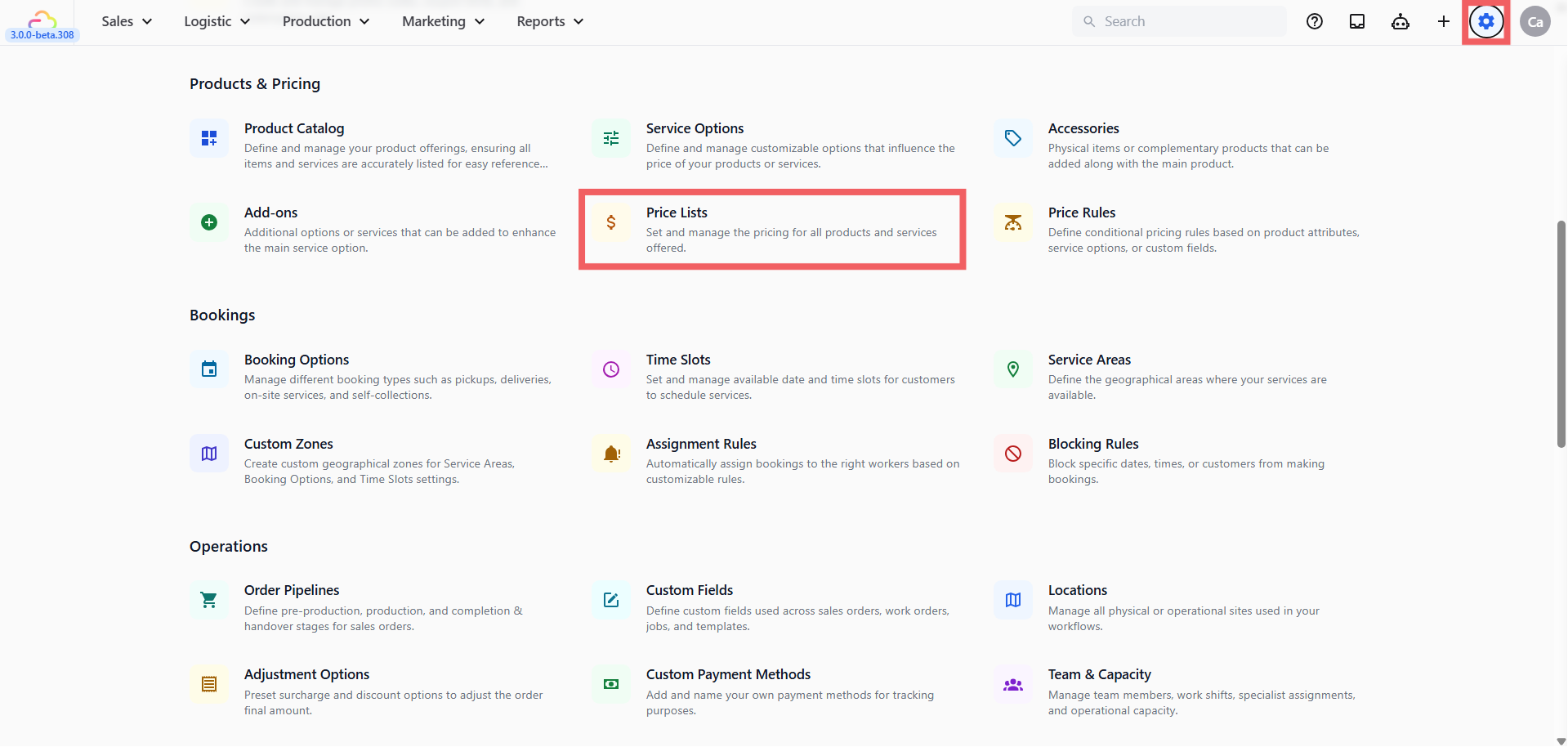
- You land on the Consumer Price Lists tab by default.
Creating a New Price List
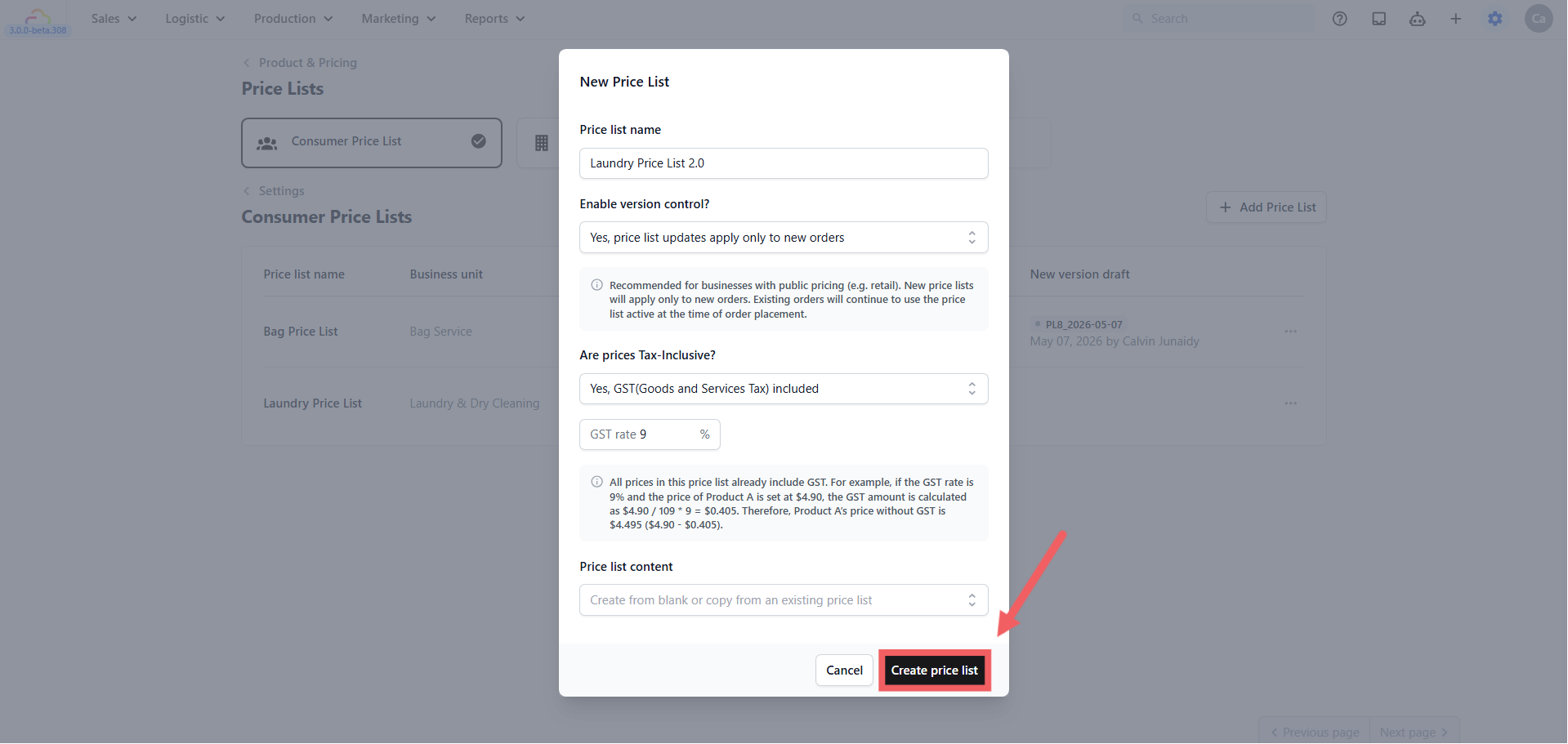
Click + Add Price List at the top right.
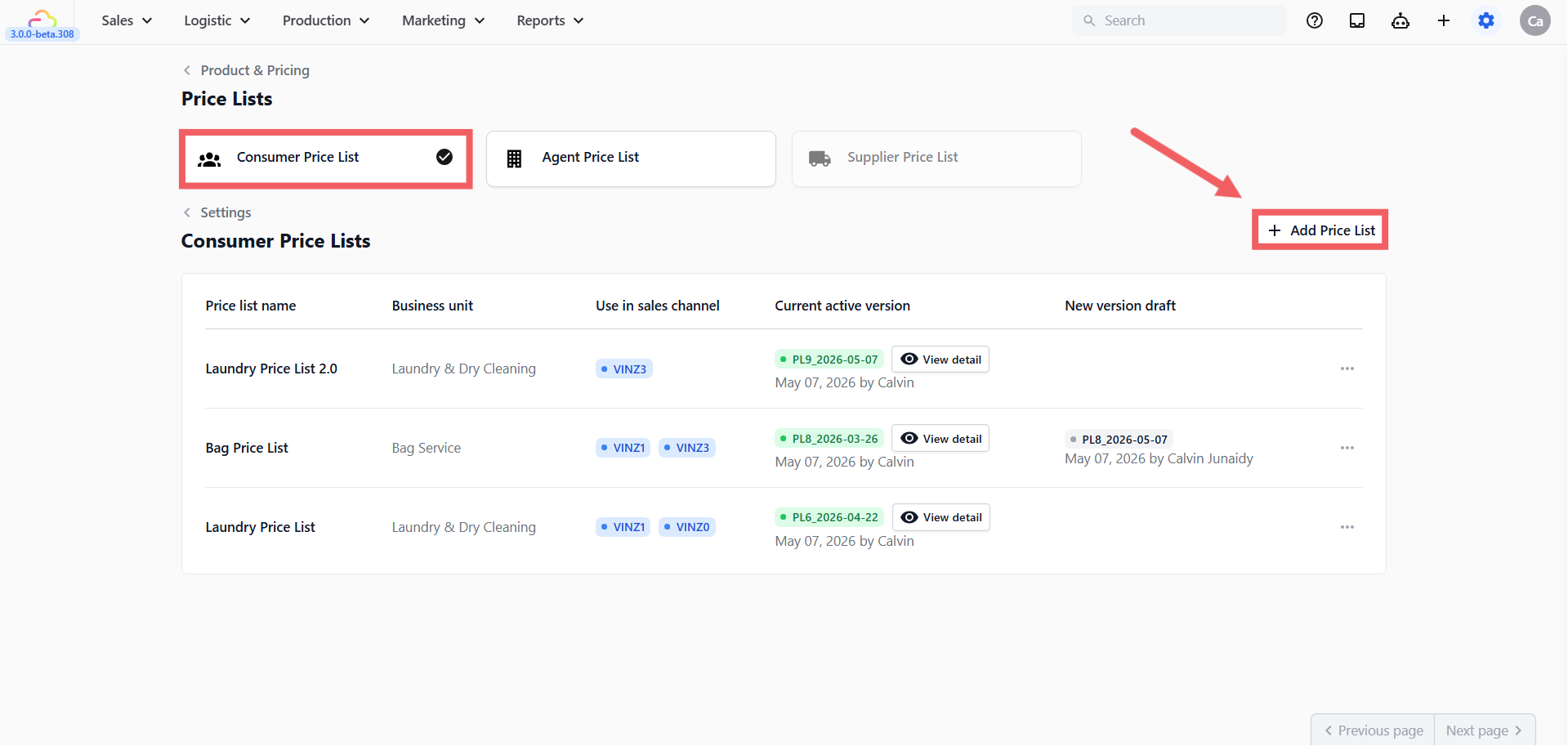
Price list name → An internal name. Name by what it represents, not by version.
Enable version control
| Pick this | Result |
|---|---|
| Yes, price list updates apply only to new orders | Every change goes through a draft and a publish step. Historical orders keep their original pricing. Recommended for almost all consumer price lists. |
| No, price list updates apply to all orders | Edits apply directly. Open orders may see new prices on reload. Risky outside of small fixes. |
- Are prices Tax-Inclusive?
| Pick this | Result |
|---|---|
| No tax included | Prices in the editor are the base price. Tax is added at checkout based on your business unit's tax settings. |
| Yes, GST(Goods and Services Tax) included | Prices already include GST. You enter the GST rate (e.g. 9 for Singapore). |
| Yes, VAT(Value-Added Tax) included | Prices already include VAT. You enter the VAT rate. |
- Price list content → Start blank, or copy from an existing price list. Copying brings over categories, products, service options, and prices, but not the version control or tax settings.
Click Create price list to save and open the editor.
Inside the Editor
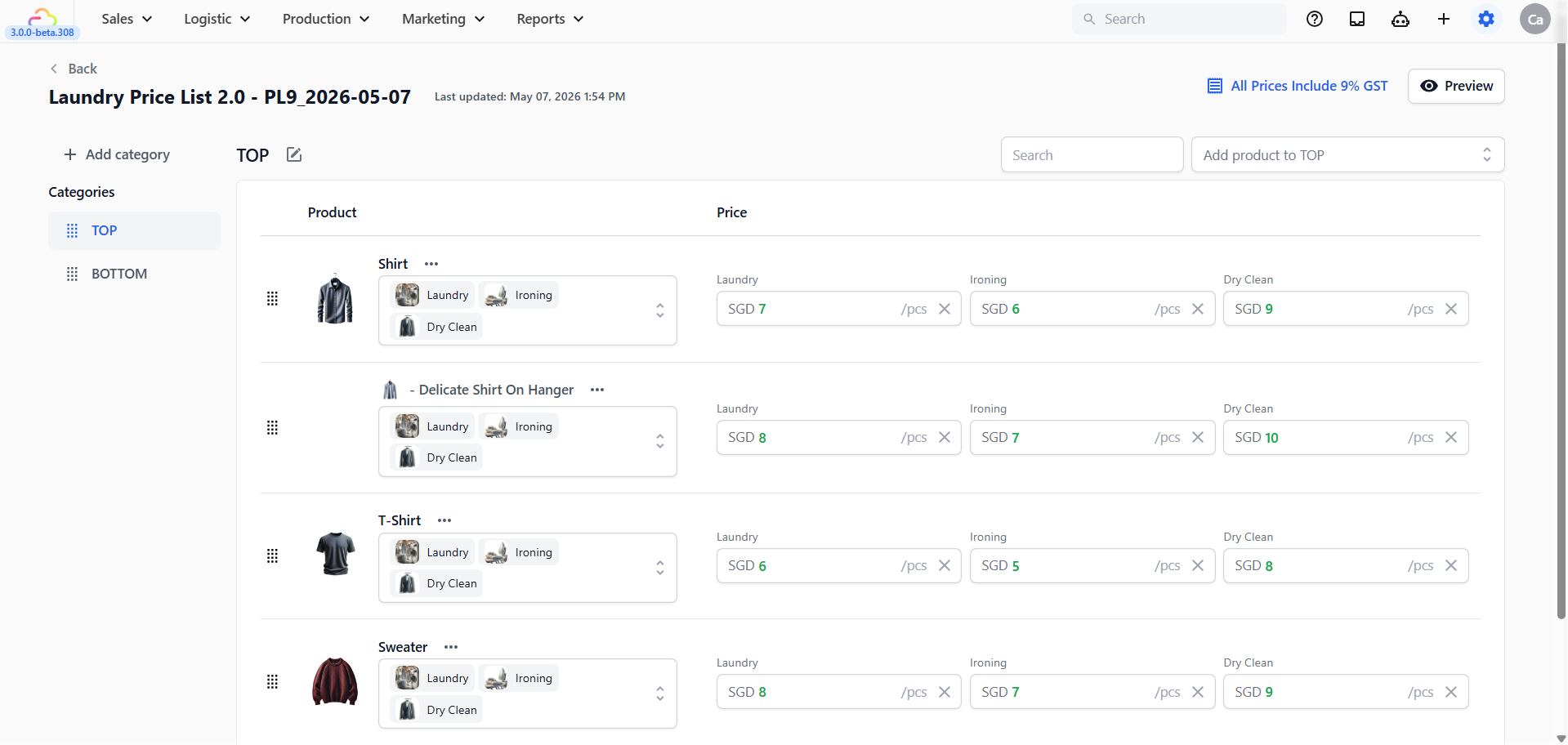
The editor is a categorised table. Categories run down the left, products and prices fill the table on the right.
Adding categories
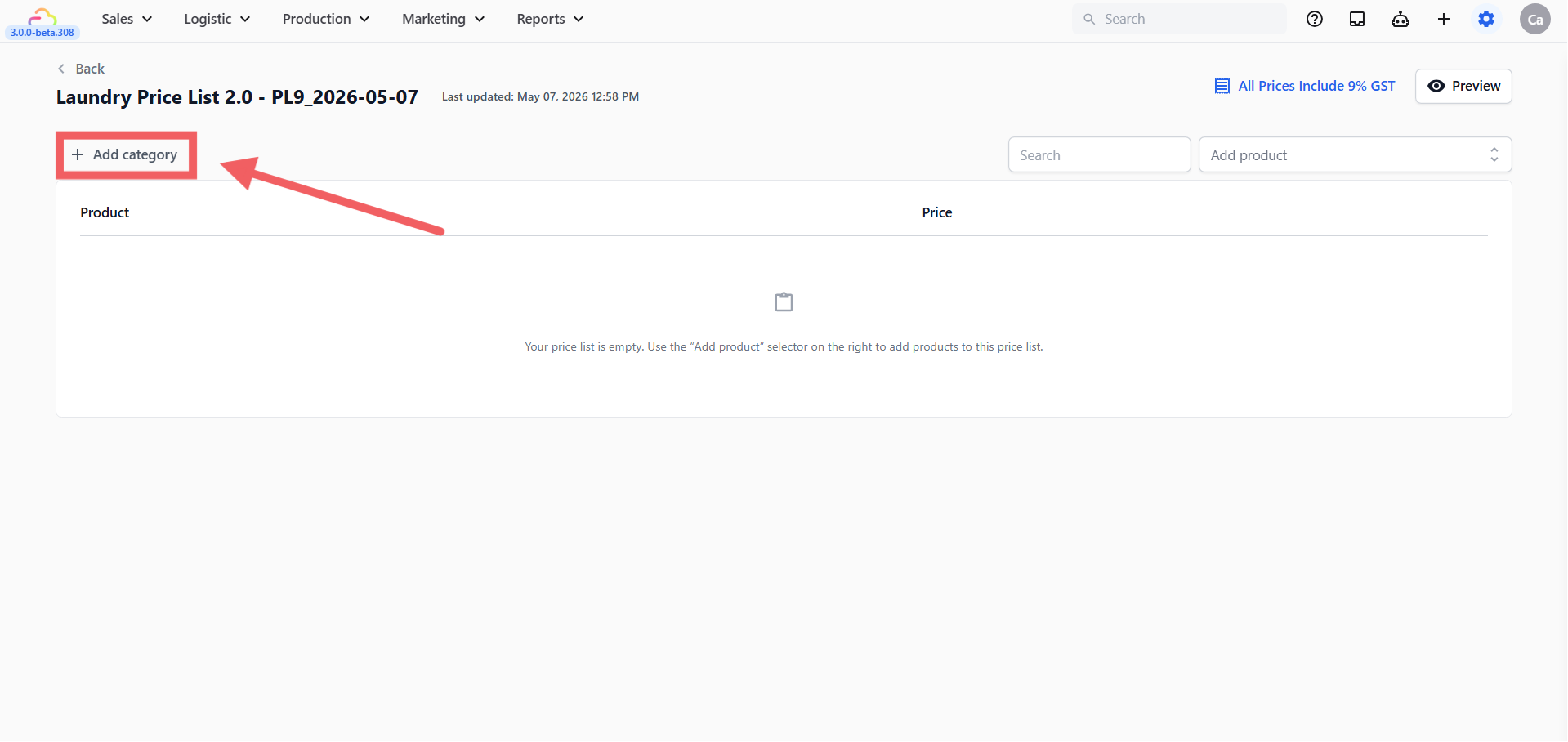
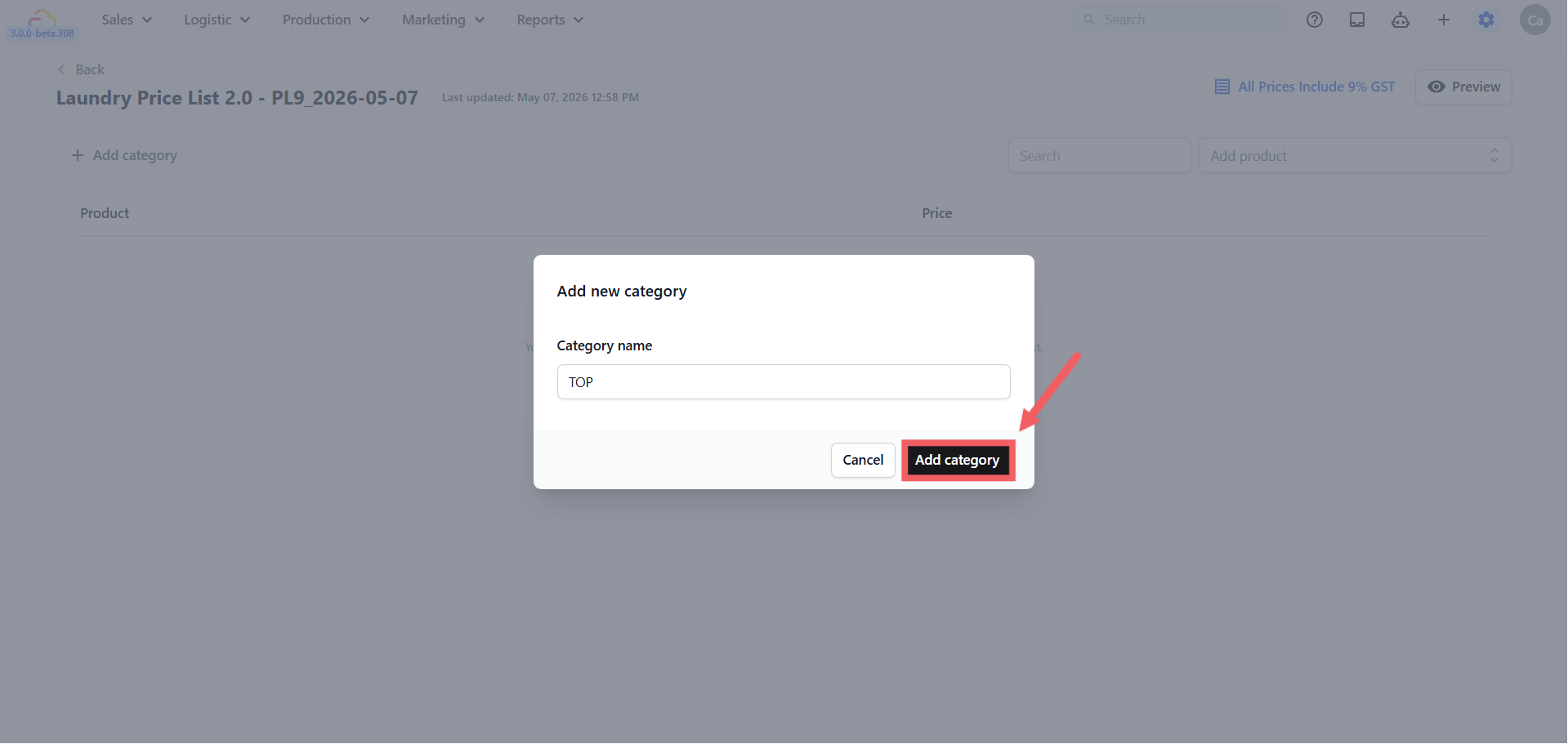
Click + Add category to open the Add new category dialog. Type a Category name (e.g. Bags, Curtains, Retail) and click Add category. Drag categories using the handle on the left to reorder. The order here is the order at POS.
To rename a category, click the pencil icon next to the category name. To delete a category, the system asks whether to move products inside it to another category or delete them.
Adding products to a category
Click the Add product to [category] dropdown at the top right. You see three options:
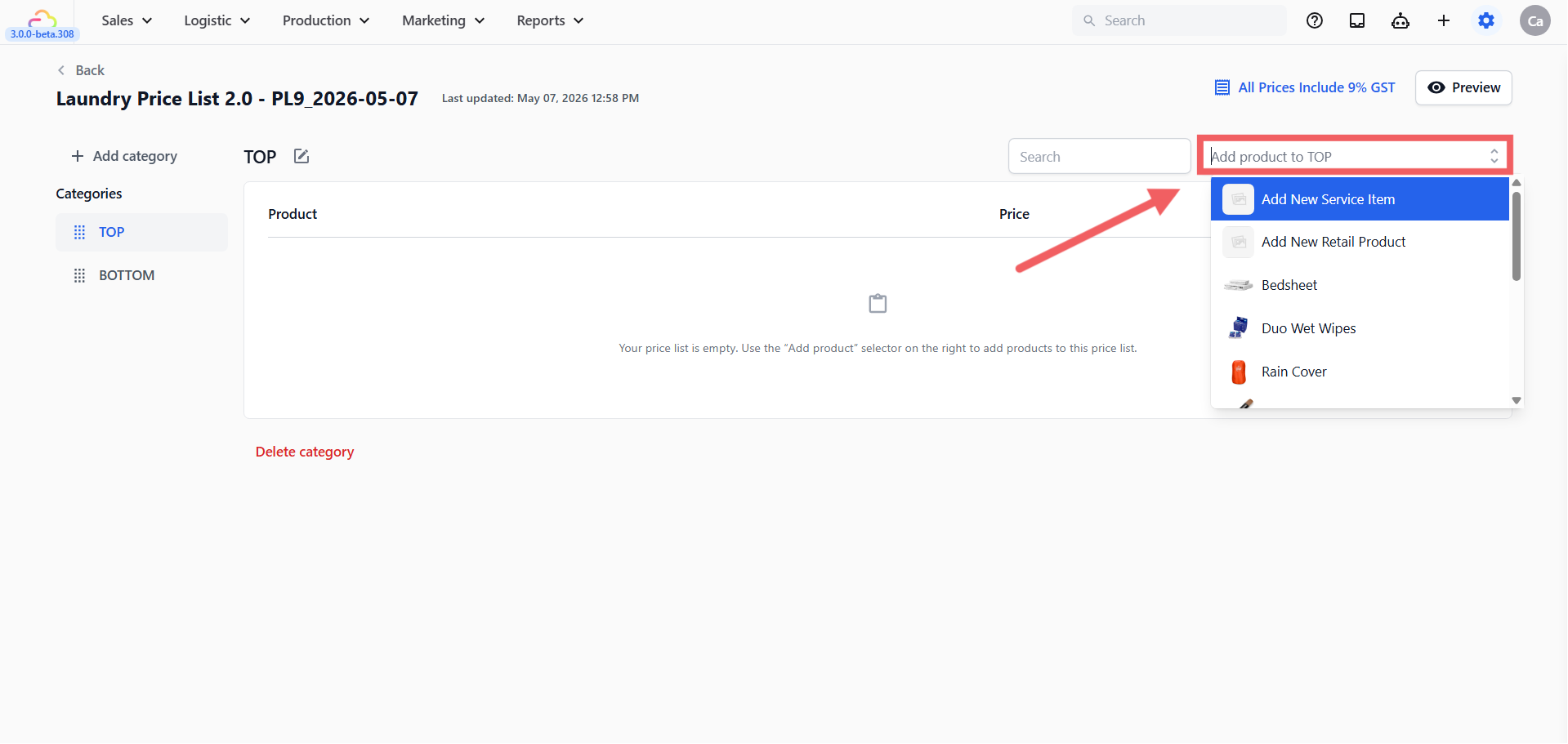
Add New Service Item — creates a new Service Item inline and adds it to this category.
Add New Retail Product — same, for a Retail Product.
Existing products — pick any product already in your Product Catalog.
Setting prices and service options
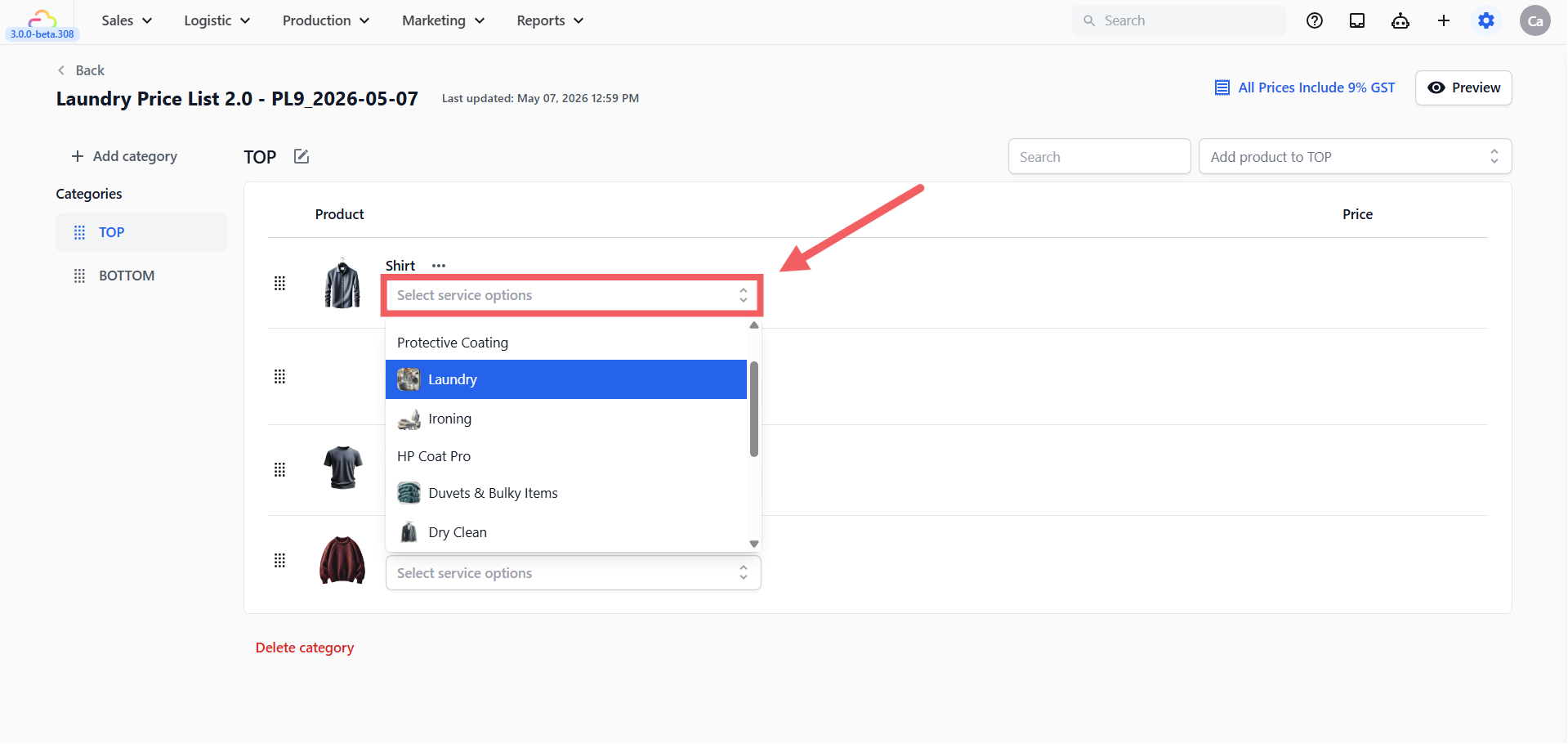
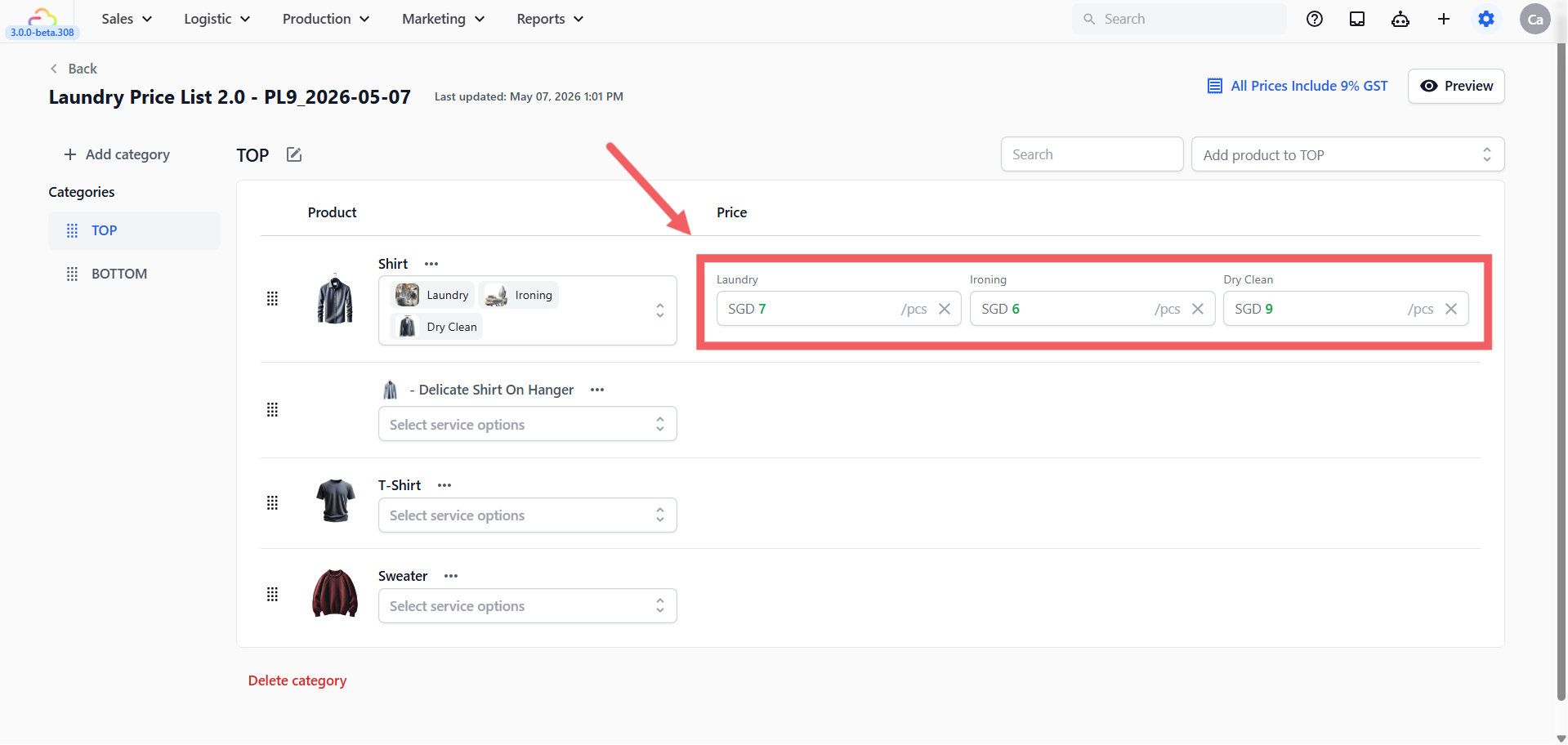
On each Service Item row, click the chevron next to the service option chips to open the dropdown. Tick the Service Options that apply to this item (e.g. Wash, Dry Clean, Iron Only). A price column appears for each option you tick.
Click each price field and type the amount. The currency prefix (e.g. SGD) comes from your account settings. The unit suffix (e.g. /pcs) comes from the product's Unit label. Use Clear/X next to a price only when you want to delete that saved price and its Service Option association from this row.
Three-dots menu on a row
Click the ••• three dots next to a product name to:
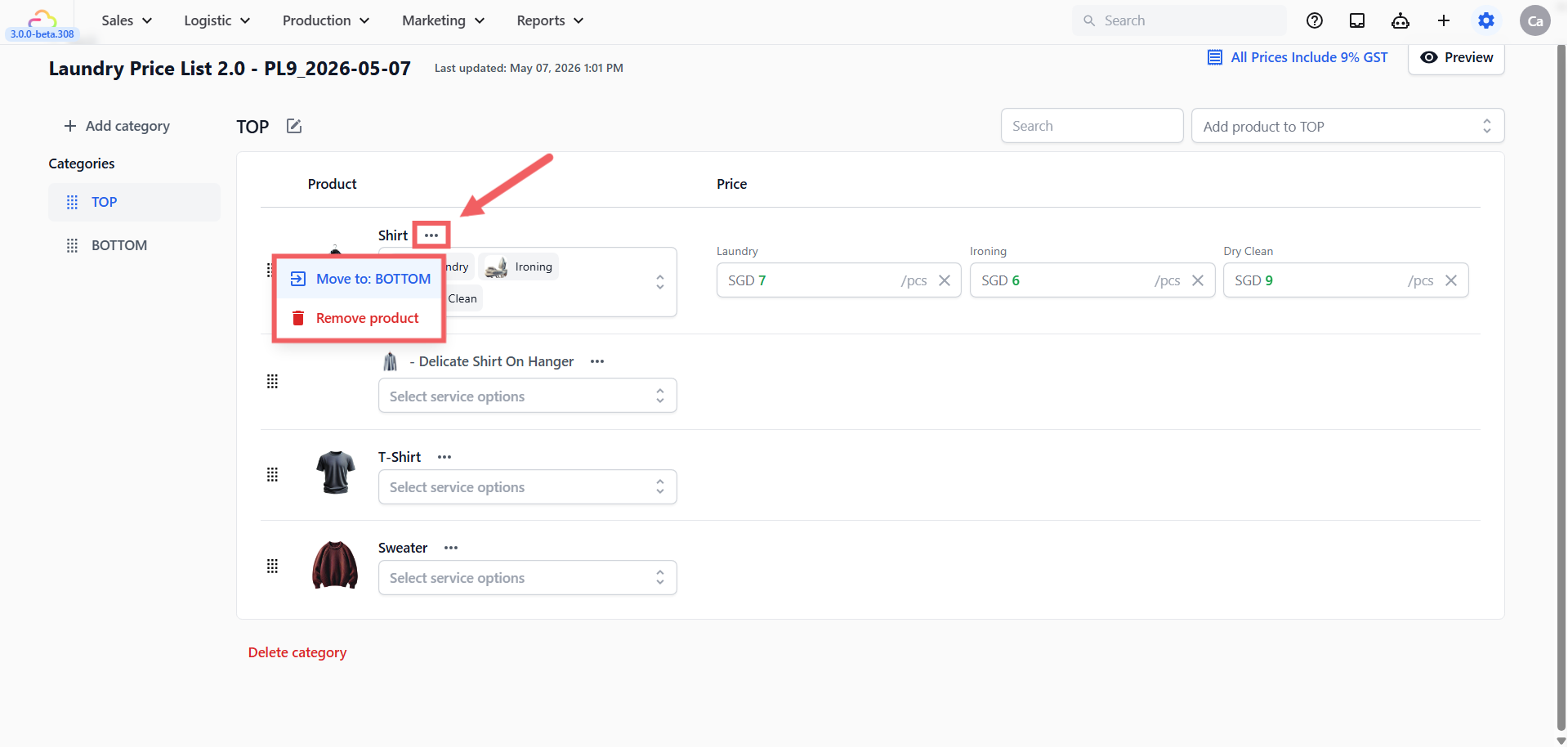
Move to: [other category] → moves the row to another category in this list.
Remove product → removes the row from this price list. The underlying product is not deleted.
Tax settings dialog
The text at the top right of the editor shows your current tax setting:
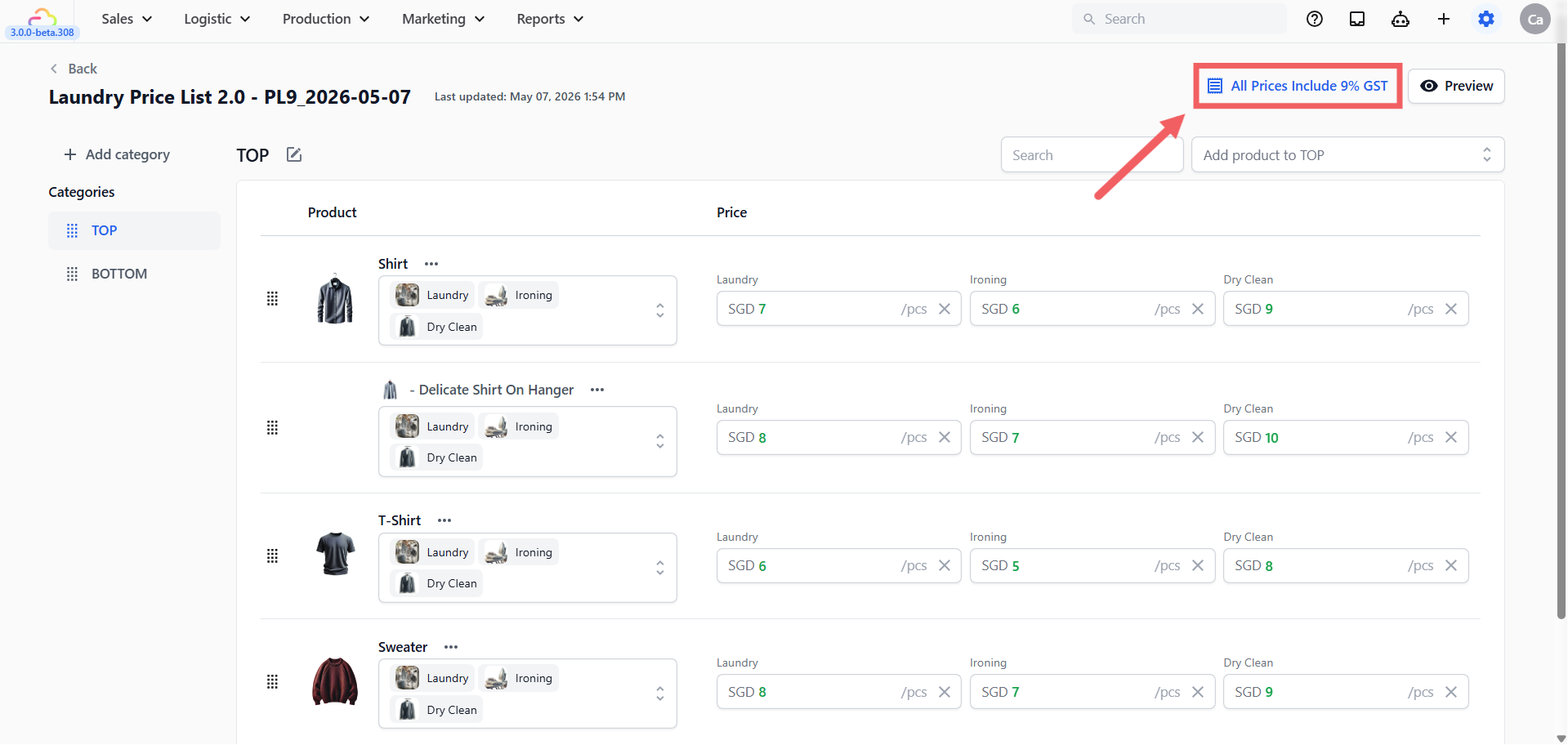
All Prices Include X% GST if you picked GST included
All Prices Include X% VAT if you picked VAT included
No Tax Included if you picked no tax
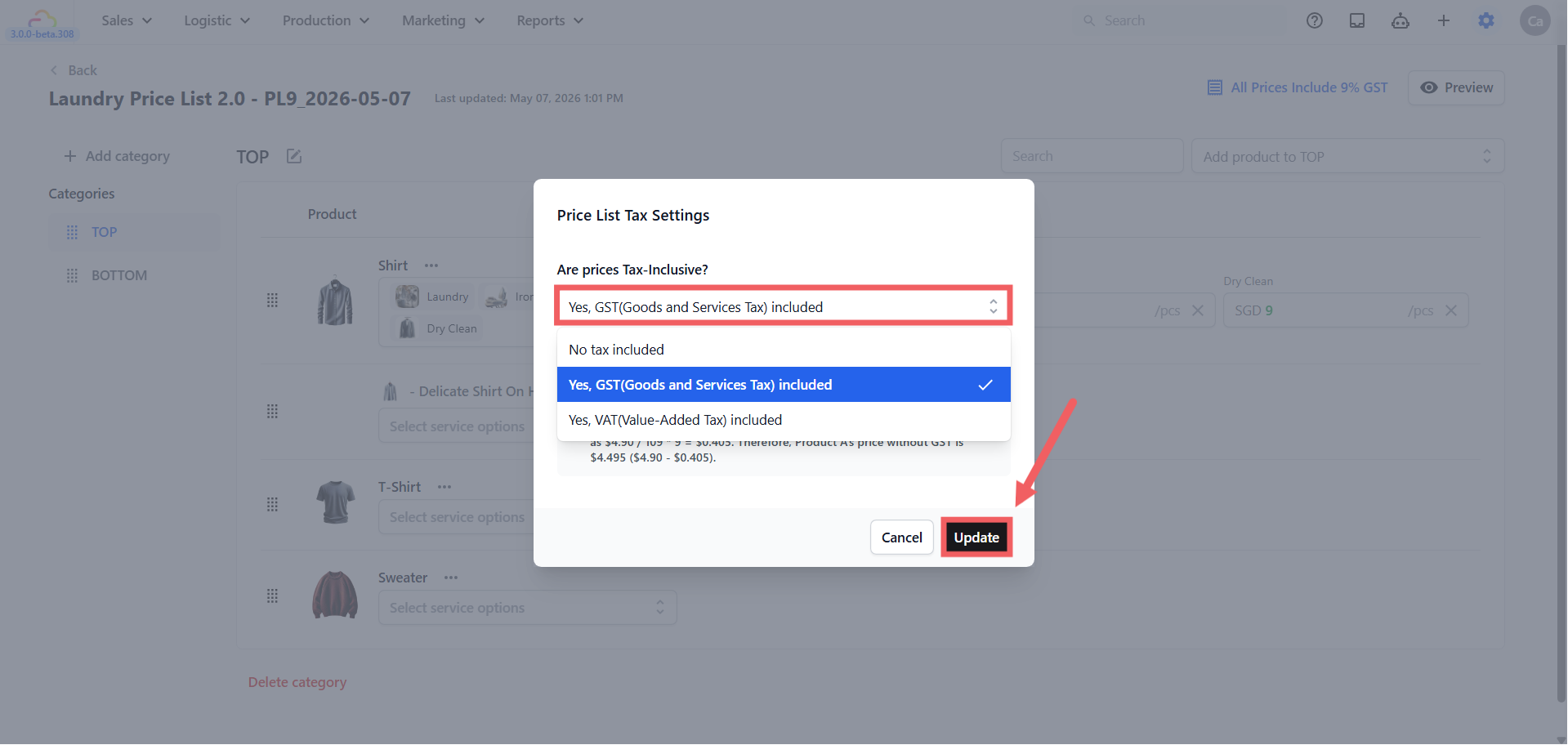
Search
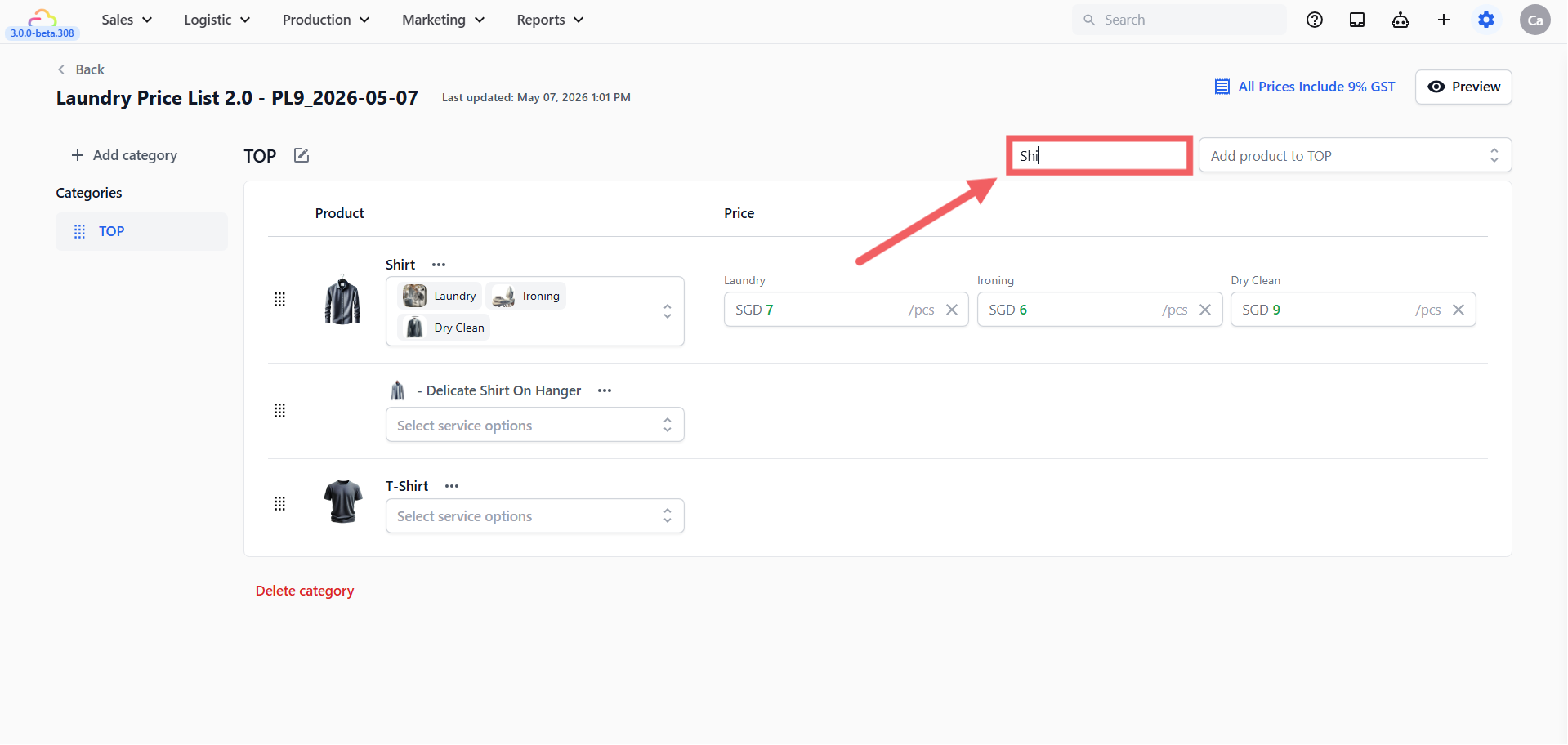
Use the search bar at the top to find a row by item name across the whole list.
Preview and Publish
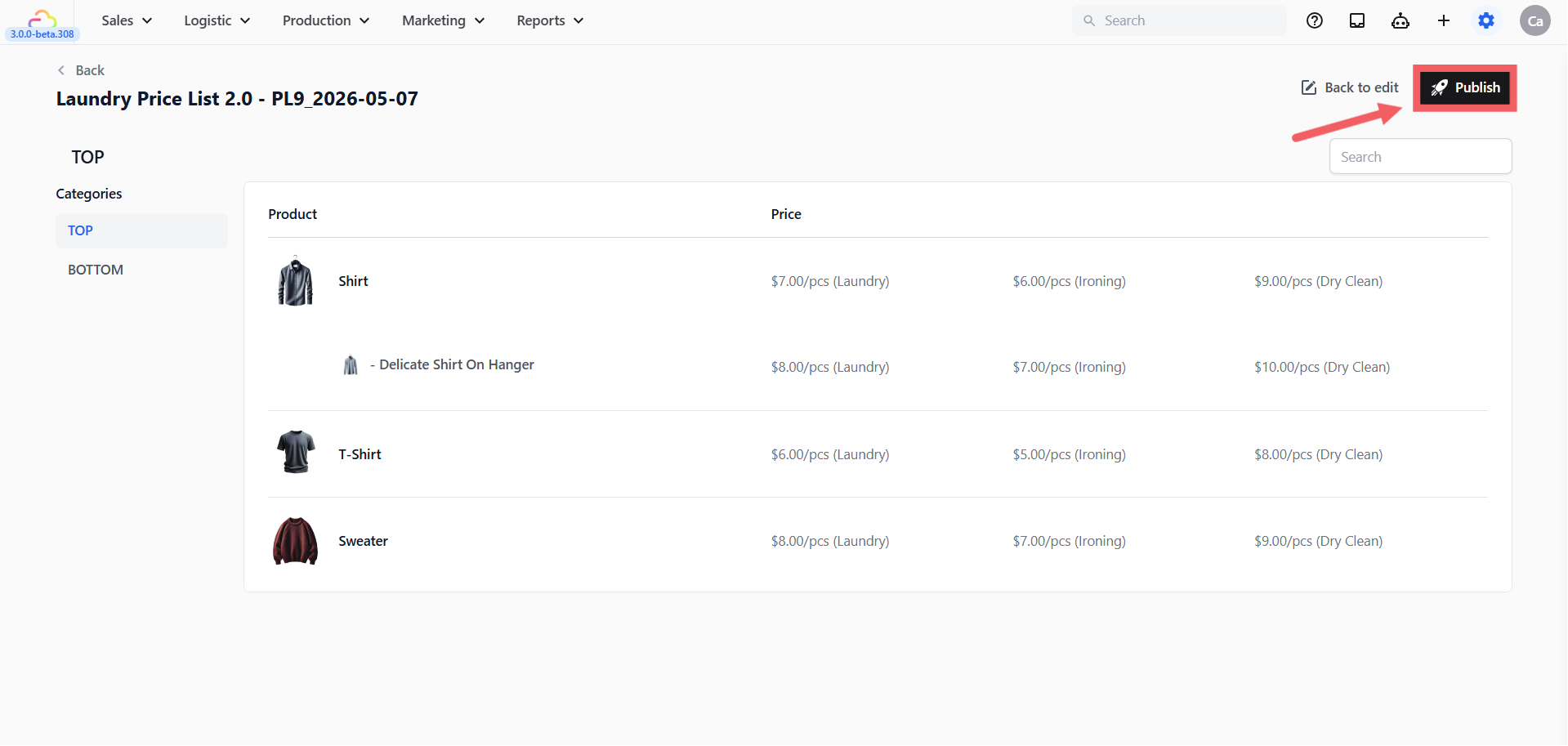
Click Preview at the top right to see exactly what customers and staff will see.
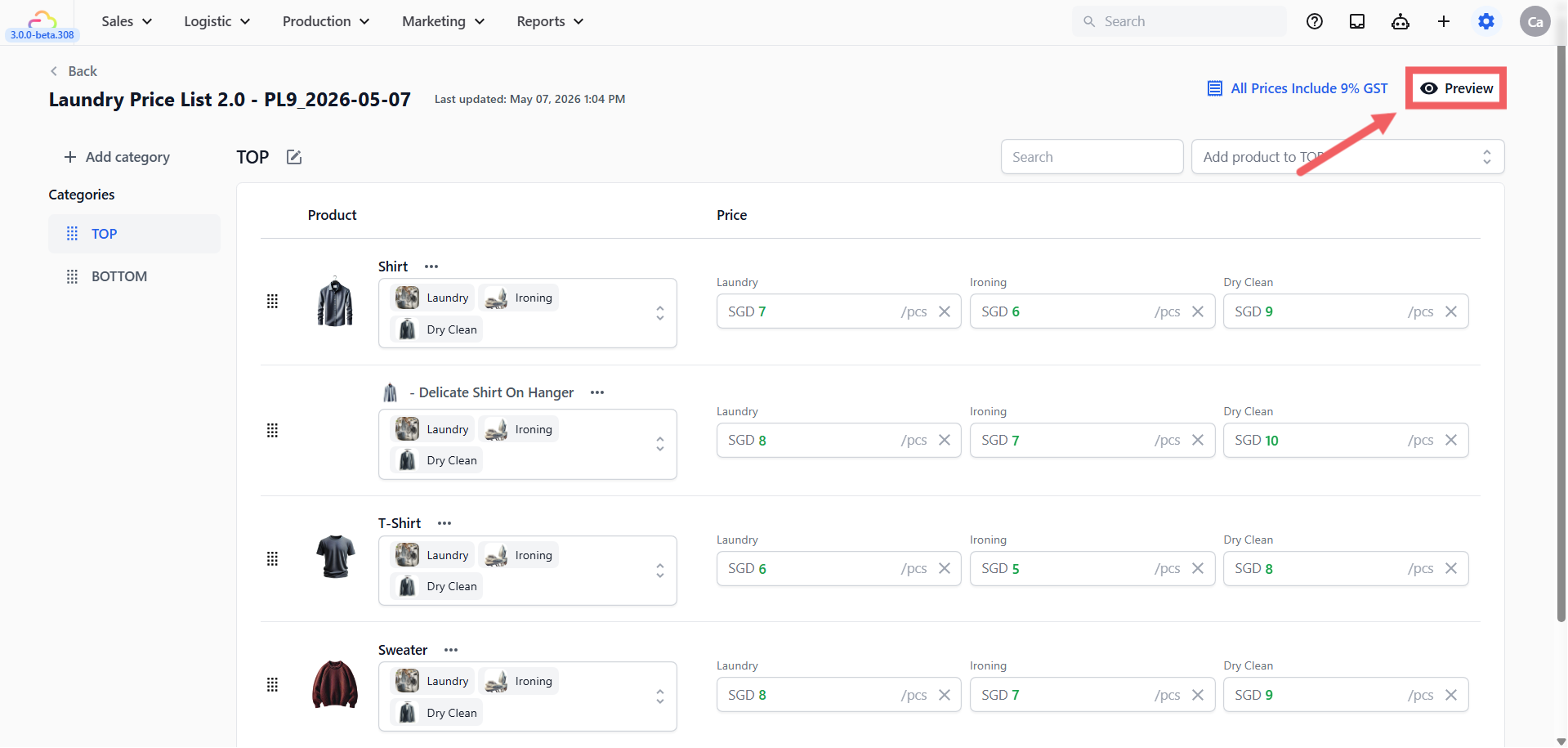
The preview is read-only and matches the customer-facing layout. Once you are happy, click Publish. The price list is now saved and ready to be linked to a sales channel.
Linking Your Price List to Your Sales Channels
After you publish, your price list is ready to be used. The link to your POS counter or online store is made in your Business Unit's Catalog section.
In short:
Click the ⚙️ Settings icon in the top-right corner.
Under the Administration section, click Business Units.
Open your business unit and scroll to the Catalog section.
Choose Price List as the product source.
Click + Add channel configuration and pick the sales channel (All Stores POS, All Online, or a specific counter/store).
Pick this price list, set the minimum order if needed, and save.
For the full Business Unit setup, see Setting Up Your Business Unit for Laundry.
FAQs
How do I temporarily hide a Service Option from POS without deleting it?
EasyBiz currently has no one-click temporary-disable control and no scheduler for this. For a one-week pause or any other temporary pause, use the active Consumer Price List that supplies the POS:
Open the active Consumer Price List.
If version control is enabled, create or edit its draft. Otherwise, edit the active price list directly.
On every applicable product and variant, open the Service Options selector and deselect the unavailable option. Do not use Clear/X on the price: selector deselection preserves the saved price value, while Clear/X deletes the saved price and association and requires you to enter the price again.
Preview and publish the change. With version control enabled, historical orders and earlier published versions remain unchanged; new POS orders use the newly published availability.
When the service resumes, return to the price list or its draft, reselect the option on the same products and variants, preview, and publish again.
Do not try to unlink the Service Option from a Business Unit, use a Collection, or leave its price blank. Business Units assign whole catalogue sources or price lists rather than individual Service Options. Collections affect Product Catalog-backed order screens only, not a Price List-backed POS. A blank price is not a temporary availability control.
What is the difference between Tax Inclusive and Tax Excluded?
Tax Inclusive means the prices you type into the editor already contain tax. The customer sees one final number, and the tax line on the receipt shows what was already included. Tax Excluded means the prices are net, and tax is added on top at checkout.
My customers are getting taxed twice. What's wrong?
Both Price List tax AND Company Sales Tax are turned on at the same time. Pick one. Go to ⚙️ Settings icon → Administration section → Company, click the three dots, click Edit, scroll to Sales Tax, and turn the toggle off if you want tax controlled by the Price List. Or set Price List tax to "No tax included" if you want tax controlled by Company Sales Tax.
Can one price list cover multiple POS locations?
Yes. In your Business Unit's Catalog section, you can link the same price list to multiple sales channels using All Stores (POS) or by adding multiple channel configurations. If two locations need different prices, create two price lists.
What happens to open orders when I publish a new version?
With version control on, open orders keep the version they were created on. New orders pick up the new version. With version control off, edits flow through to all open orders immediately.
Can I have a Service Item priced differently in two price lists?
Yes. That is the main reason price lists exist. The Service Item is the same record, but each price list attaches its own price for the same Service Option on that item.
Why is a Service Option missing from my Service Item row?
Click the Service Options chip dropdown on the row and tick the option. A Service Option only appears as a price column once you explicitly attach it to the item.
Where does the Online Store get its prices from?
The Online Store reads from whichever price list you link to All Online (or to a specific online store) in your Business Unit's Catalog section. Update the link in your Business Unit and the Online Store picks up the new price list automatically.
What's Next
After publishing, link the price list to your sales channels through Setting Up Your Business Unit for Laundry. Manage future revisions through Manage Price List Versions.