
Before You Start
Make sure your retail products are already added in Product Catalog. If a product has variants — different versions of the same product, for example the same shampoo in 100ml and 500ml sizes — stock can be tracked separately per variant. You also need at least one available stock location, such as a POS location or production center.
See guide Adding a Retail Product in Your Product Catalog
How to Find the Inventory Page
In the main navigation header, click the Logistic dropdown.
Click Inventory.
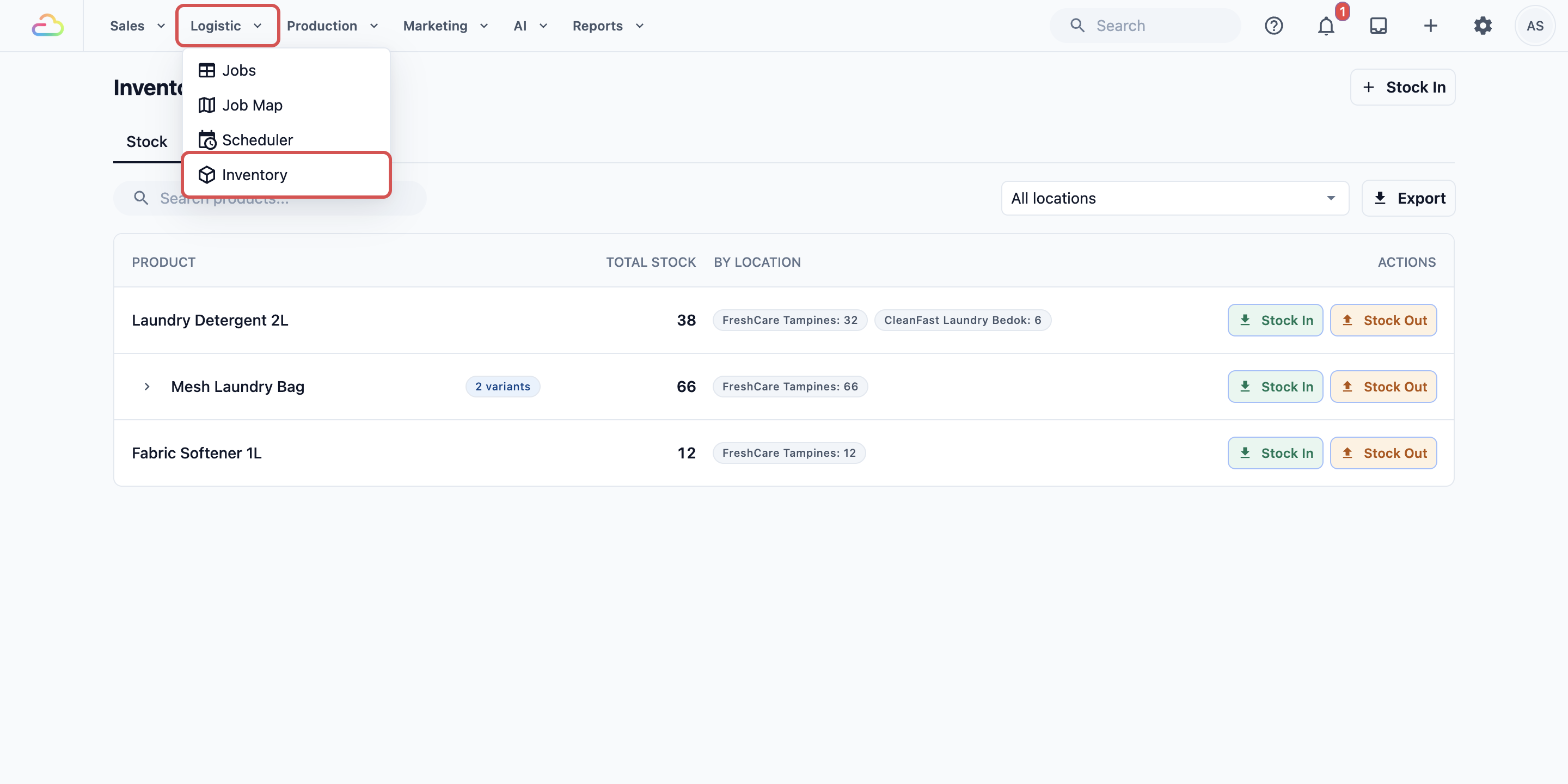
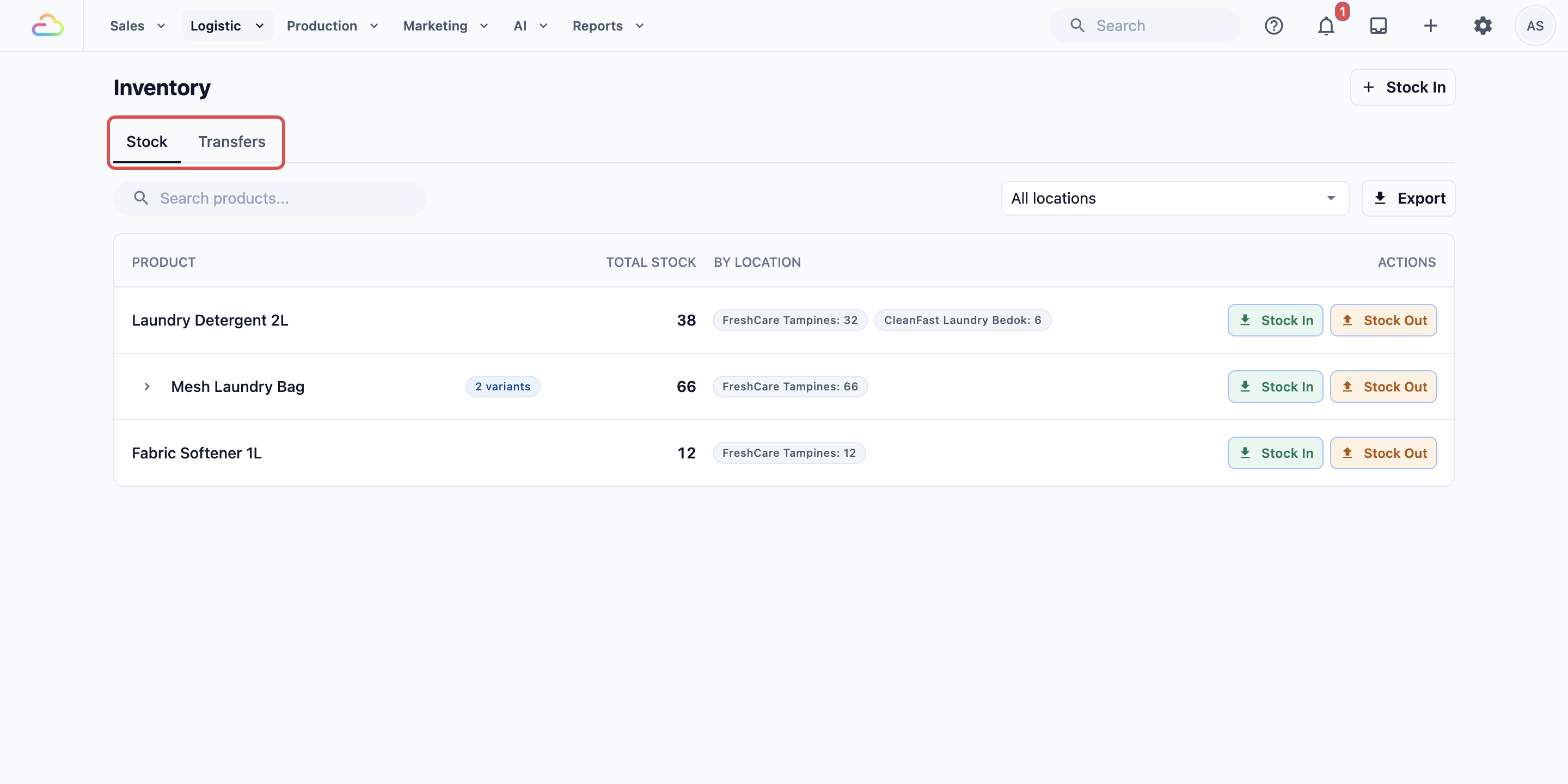
- The Inventory page opens with the Stock and Transfers tabs.
What Total Stock and By Location Mean
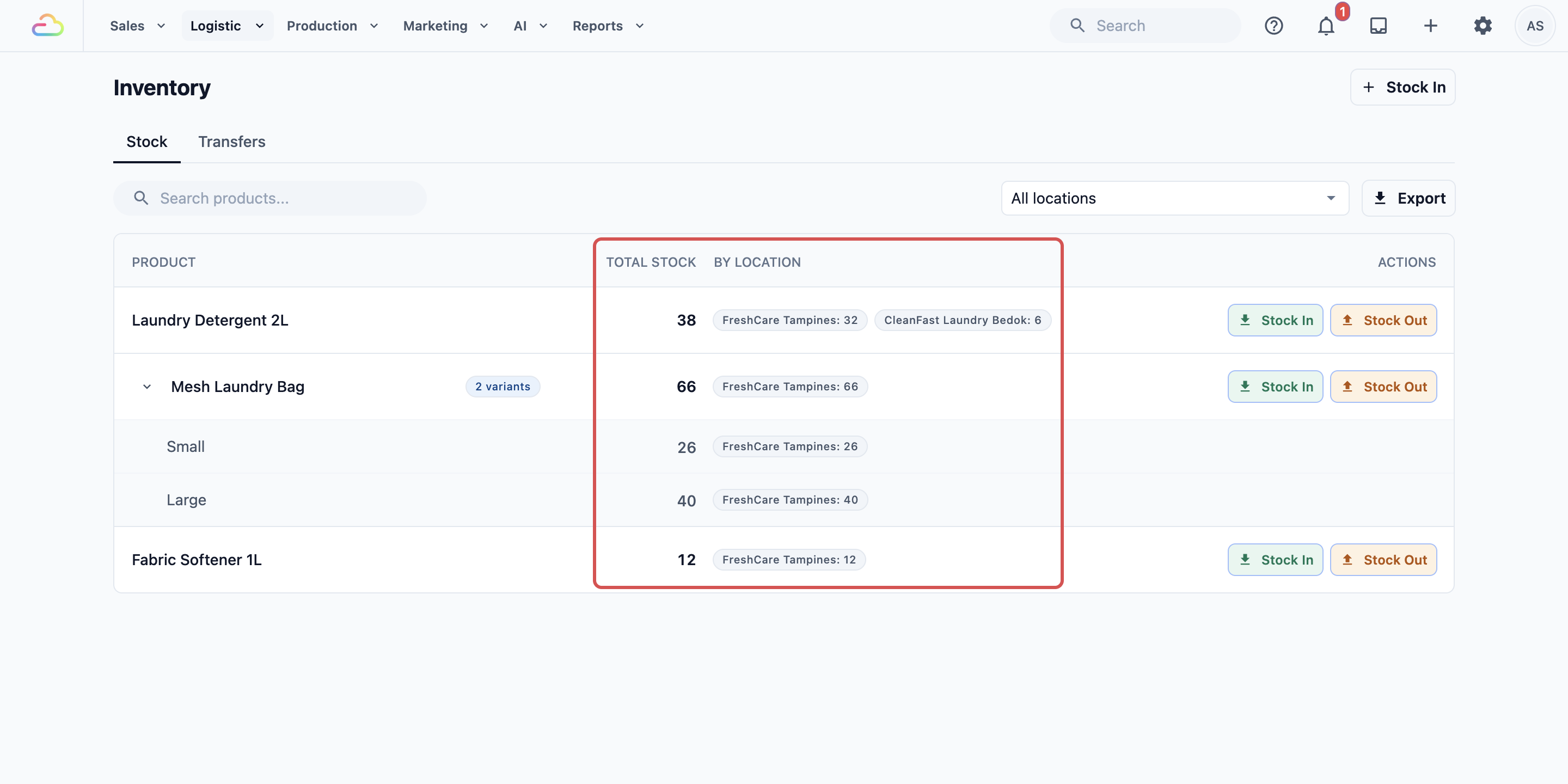
Total Stock → the combined quantity of a product across all your locations.
By Location → shows how that total is split between individual locations. For example, Laundry Detergent 2L shows FreshCare Tampines: 32 and CleanFast Laundry Bedok: 6, meaning 32 bottles are at the Tampines outlet and 6 are at the Bedok outlet, 38 in total.
If the product has variants, click the arrow beside its name to show each variant and its own stock count per location.
What Zero Stock Looks Like
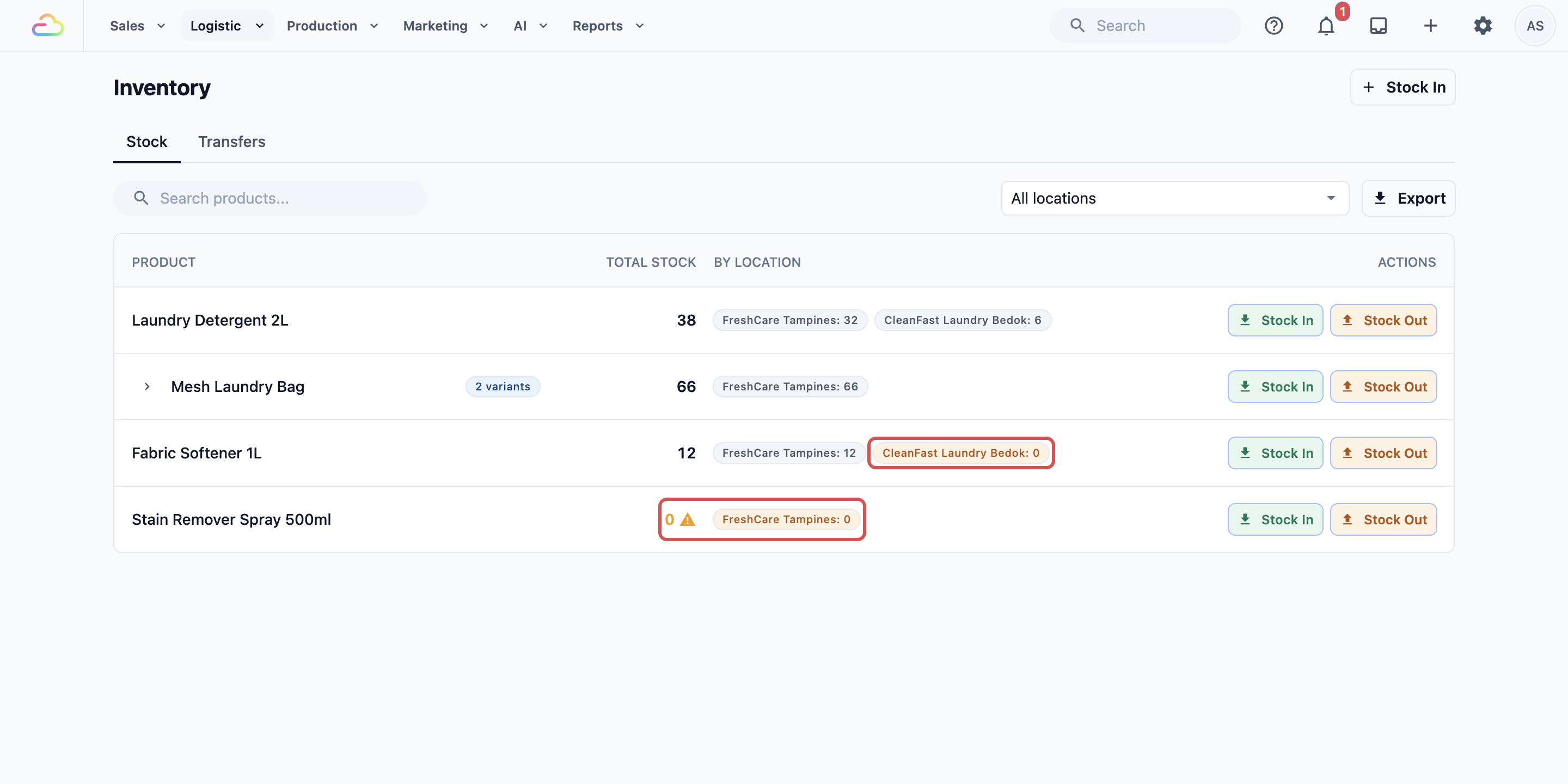
A zero-stock location is highlighted in orange on the stock list, and a product whose total is zero also shows a warning sign. This helps staff notice items that are at zero before selling or using them. If stock goes below zero, the number is highlighted in red — this usually means stock was removed or sold before enough stock was recorded.
When to Use Stock In, Stock Out, or Transfer
| Action | What it means | Use it when |
|---|---|---|
| Stock In | Adding new stock to a location | Items arrive from a supplier or you are recording starting stock for the first time |
| Stock Out | Removing stock from a location | Items are damaged, expired, used internally, or written off |
| Transfer | Moving stock from one location to another within your business | You want to rebalance stock between outlets or send items from a production center to a counter |
FAQs
Is Inventory Stock for service items or retail products?
It is for physical retail products, including products with variants.
Do I need to set up stock before selling retail products?
You can sell without stock records, but your counts will not be useful until stock is added.
Why is a zero-stock location highlighted orange?
Orange means the count is exactly zero. It is a warning so staff can restock or check before selling.
Can I move stock between outlets?
Yes. Use Transfers when stock moves from one POS location or production center to another.
Does the Transfers tab show completed transfers?
The Transfers tab shows pending transfers. To review completed movements, click a product row to open its Stock History.
What's Next
Now that you know what the Inventory page shows, continue to Managing Inventory Stock to record your first stock movement.