
Before You Start
Before you can create a Company for a country, that country must already exist as a Market in your account. A Company is always tied to one Market, and you pick that Market when you create the Company.
If the Market dropdown is empty, or the country you need is missing, set up the Market first under ⚙️ Settings → Markets and Locations. See Setting Up a Market, then come back here to create your Company.
Add a New Company
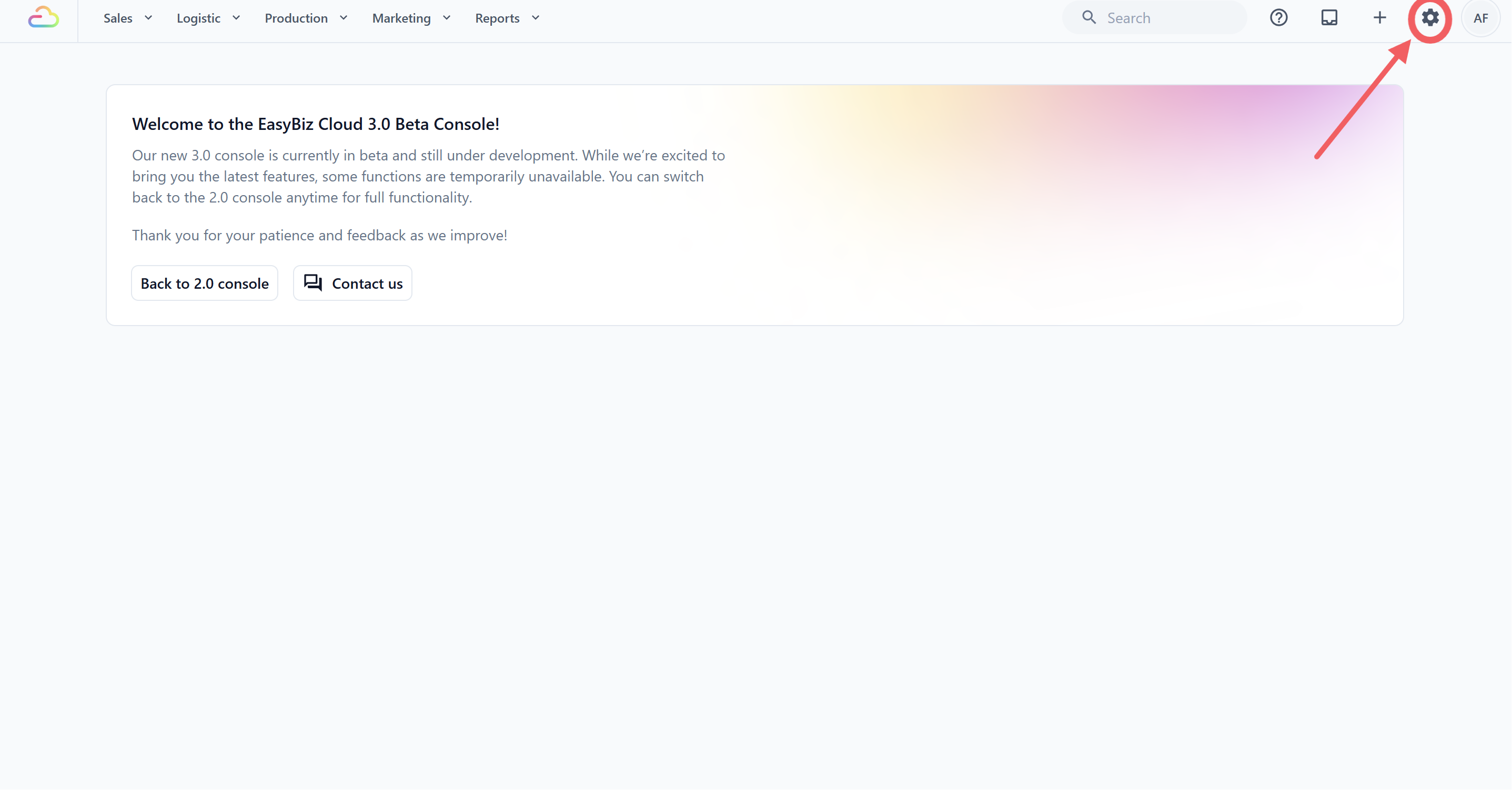
- Click the ⚙️ Settings icon in the top-right corner.
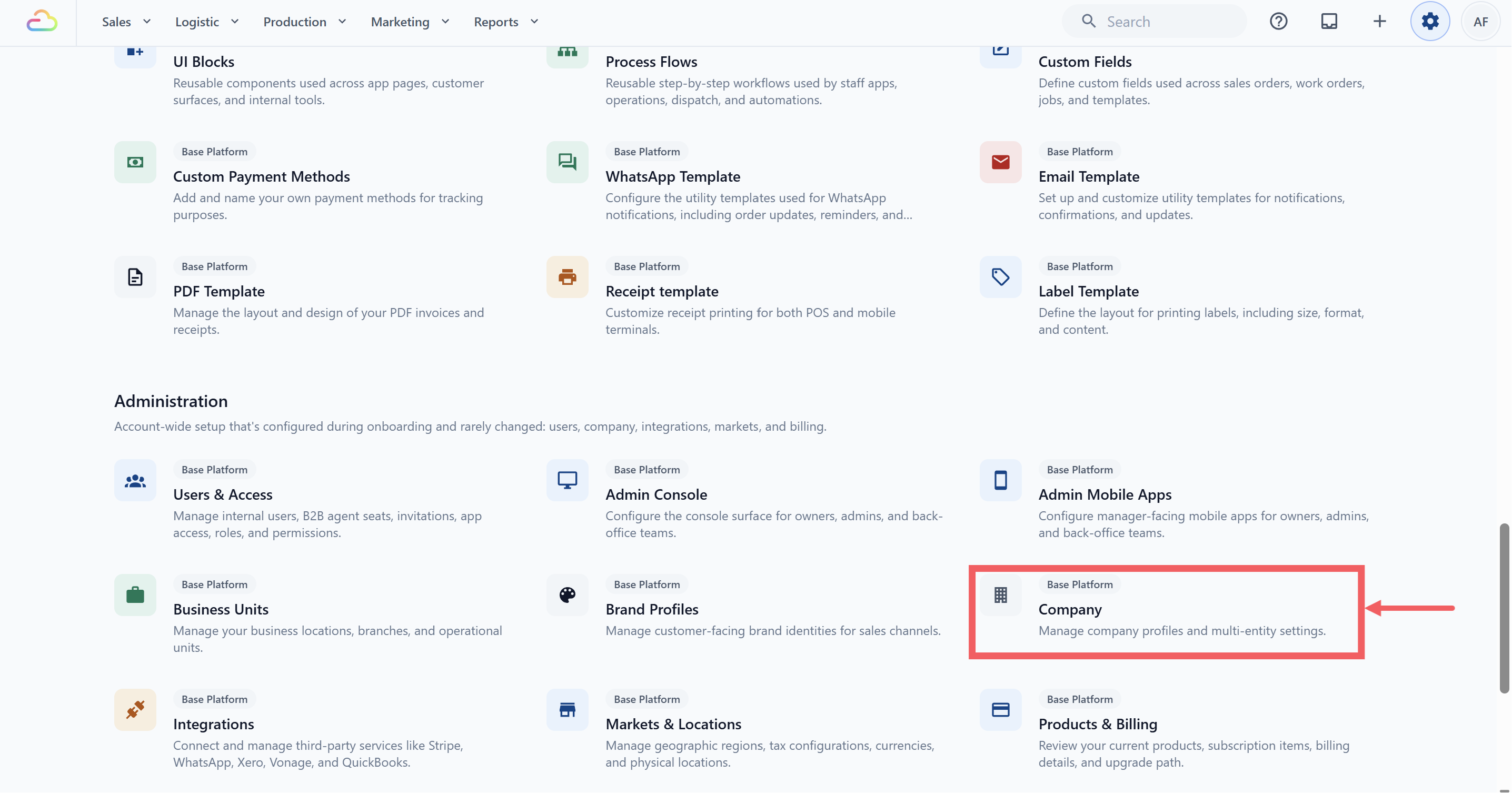
- Under the Administration section, click Company.
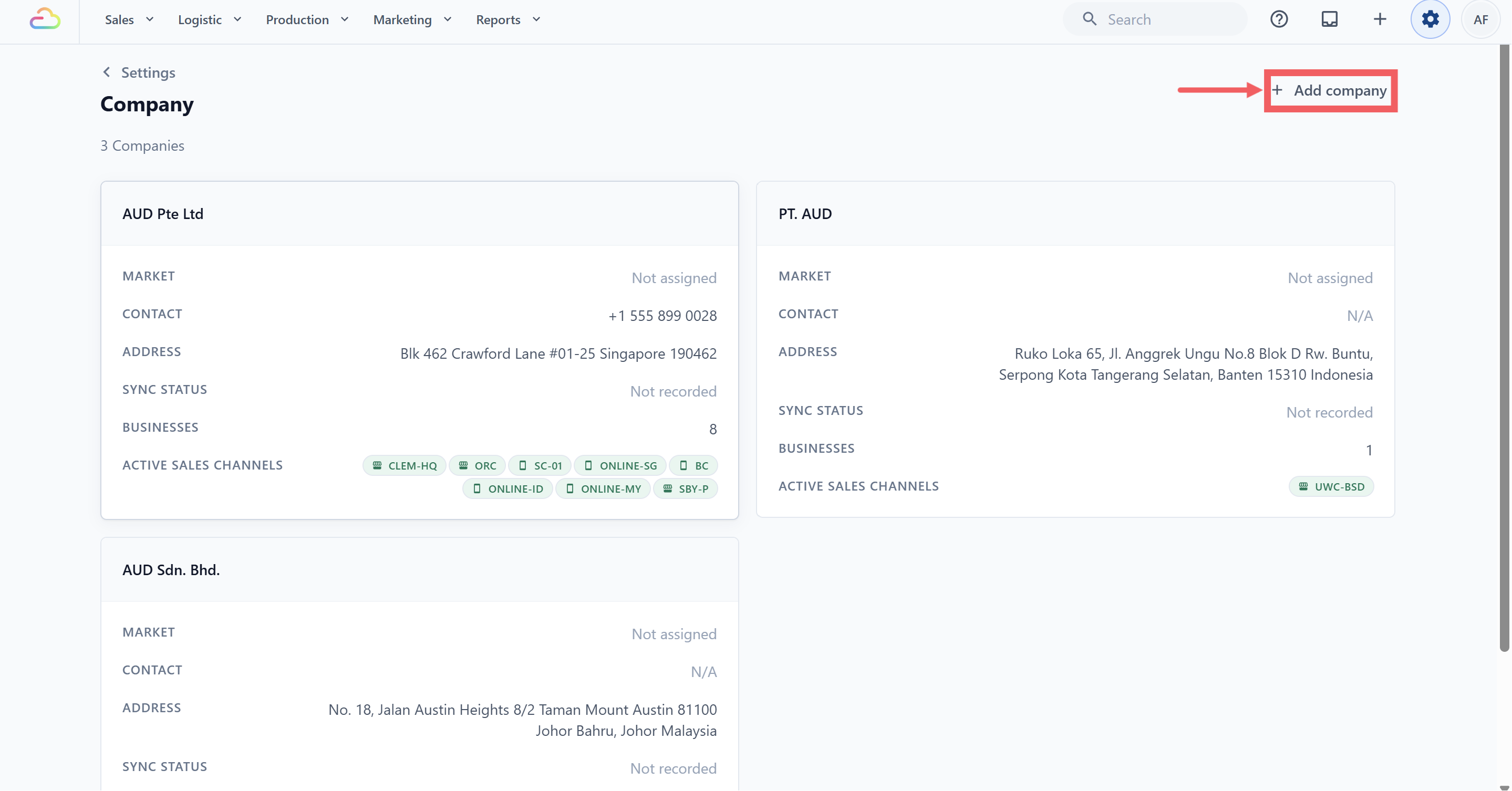
- Click Add company in the top-right of the page.
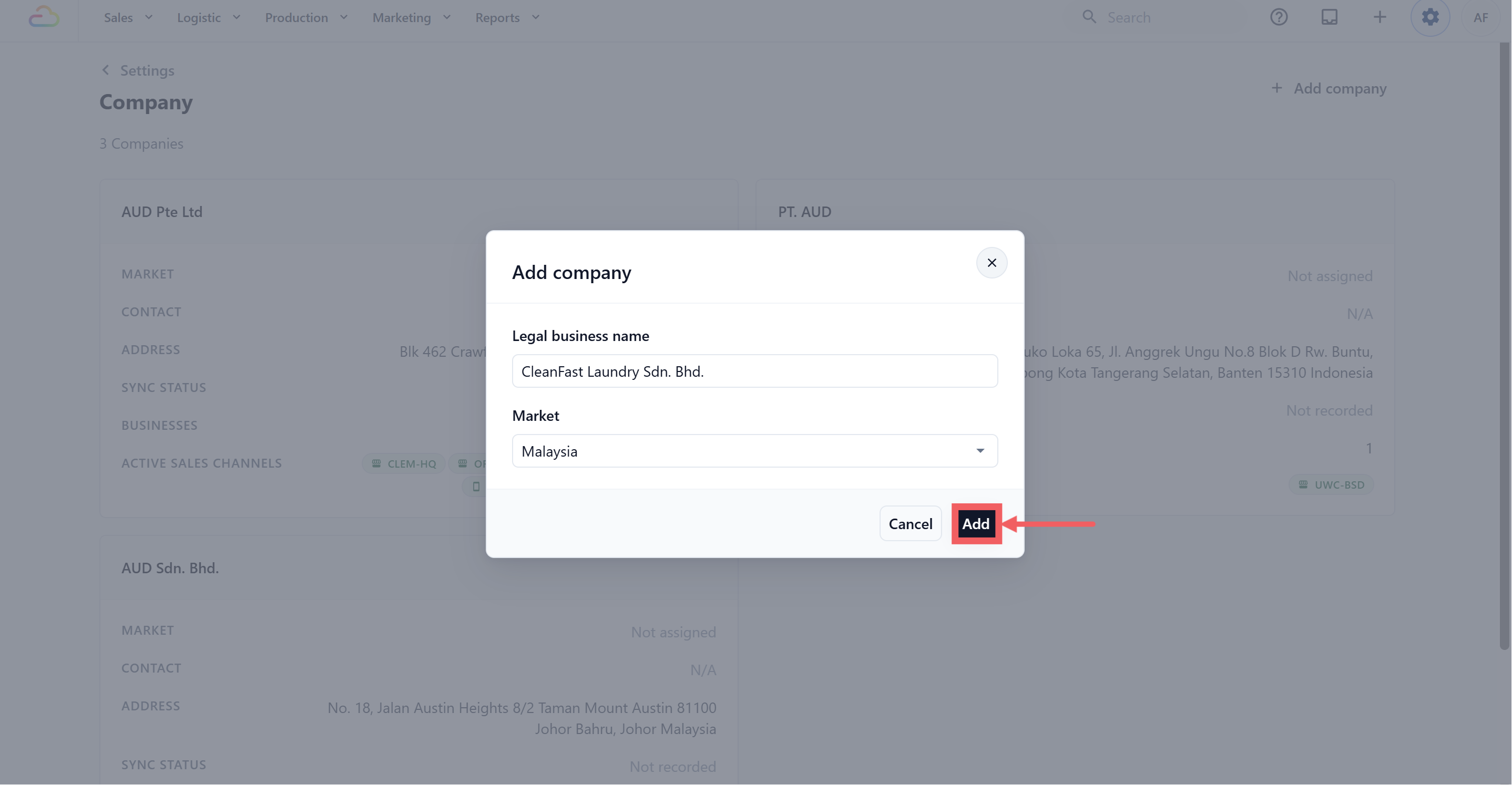
Fill in Legal business name, the exact registered name, for example "CleanFast Laundry Sdn. Bhd."
Pick a Market from the dropdown.
Click Add.
- The modal closes and you land on the new Company's edit page.
What You Can Set on a Company
The Company page is one long page, split into sections. Save each section as you finish it.
| Section | What it is for |
|---|---|
| Company profile | Your legal details, contact information and registered address. Covered below. |
| Tax Settings | Whether tax applies, the rate, and the name printed on receipts. See Setting Up Tax and Rounding Rules. |
| MyInvois | Malaysia only. The supplier details sent to LHDN for e-invoicing. |
| Sales period management | Closing finished months so old sales can no longer be edited. See Managing Sales Periods. |
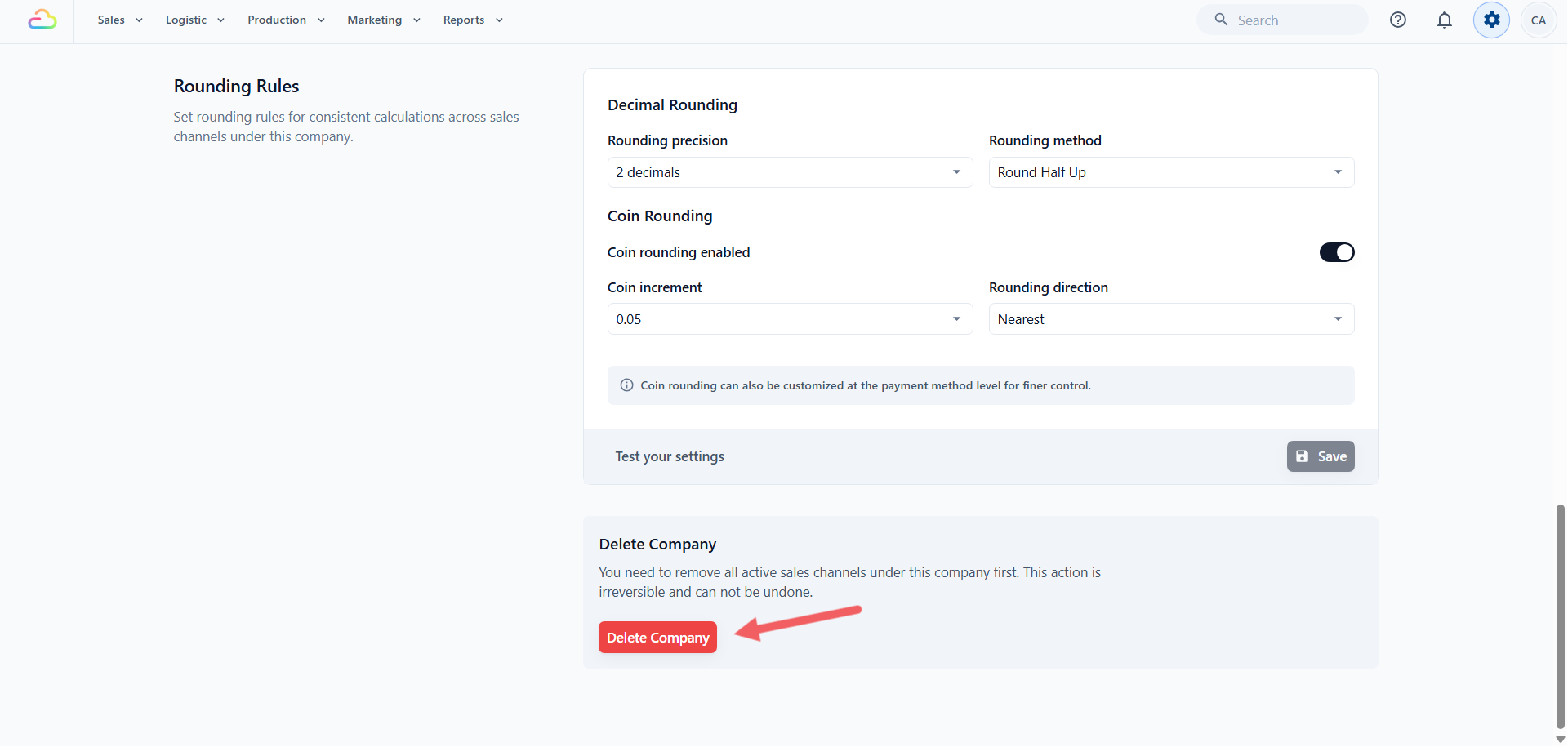
| Rounding Rules | How final amounts are rounded, including nearest 5 or 10 cents. See the Rounding Rules section of Setting Up Tax and Rounding Rules. |
| Delete Company | Removes the Company. Only possible once no Sales Channel is still under it. |
Company Profile Section
This section captures every legal and contact detail printed on customer-facing documents and used for tax exports.
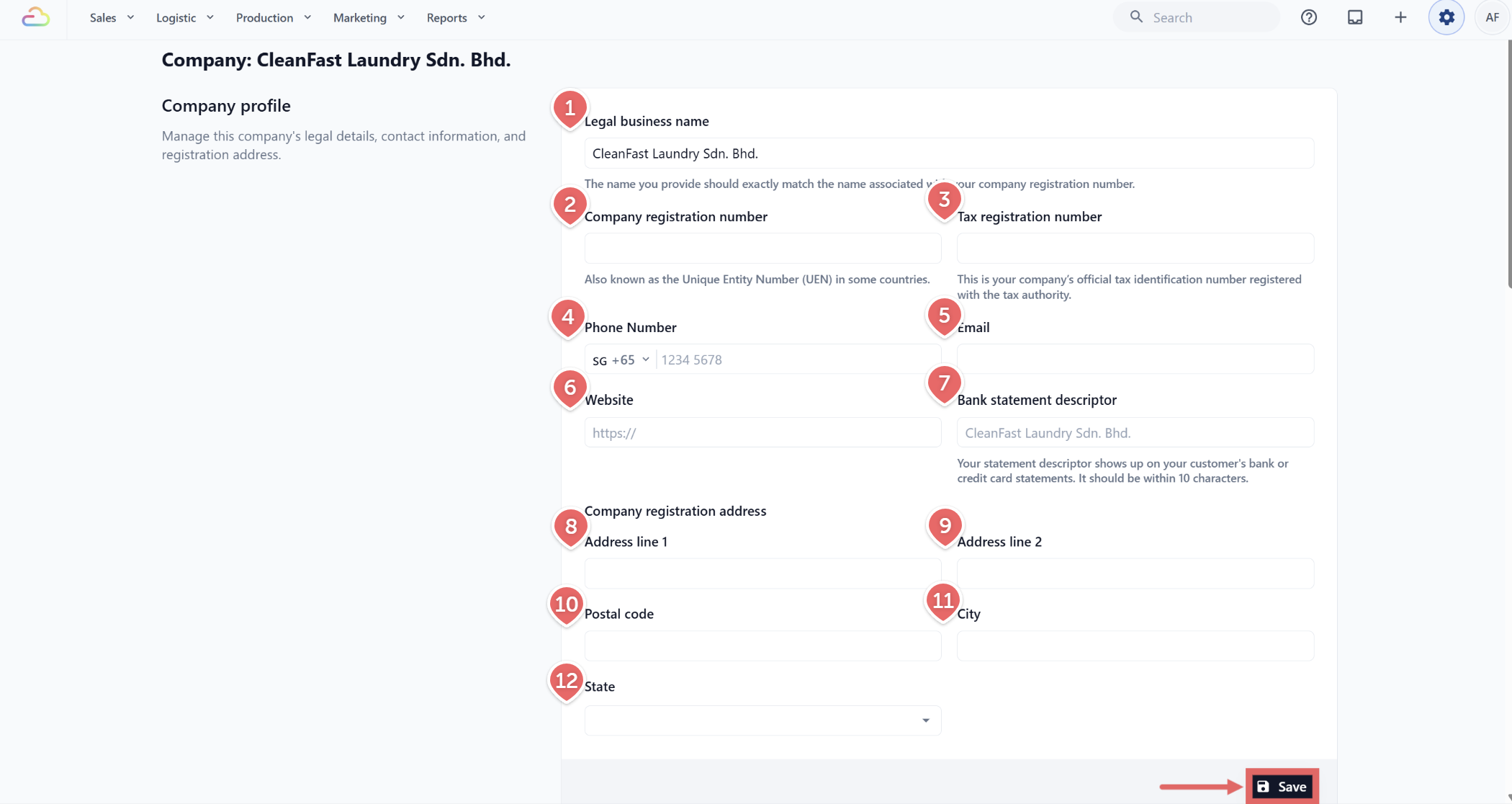
- Legal business name
Enter the registered name exactly as it appears on your company registration paperwork. This name prints on every receipt and PDF invoice.
- Company registration number
The number from your local registry, so it matches your business on official documents. Also called the Unique Entity Number (UEN) in some countries.
- Tax registration number
Enter the official tax identification number registered with the tax authority. In Singapore this is the GST registration number; in Malaysia this is the SST or income tax number.
- Phone number
Pick a country code from the leading dropdown, then enter the local number.
Enter the business email address you want printed on receipts.
- Website
Enter the full URL including https:// .
- Bank statement descriptor
Up to 10 characters, capped automatically. This is a label for your own reference, not shown on customer card statements today.
- Address line 1
The first line of the registered street address.
- Address line 2
Optional second line (unit number, floor, etc.).
- Postal code
The postal code of the registered address.
- City
The city or town.
- State
| Option | What it does |
|---|---|
| Pick a Malaysian state | Stores the LHDN state code (Johor, Kedah, Kelantan, Melaka, Negeri Sembilan, Pahang, Pulau Pinang, Perak, Perlis, Selangor, Terengganu, Sabah, Sarawak, Wilayah Persekutuan Kuala Lumpur, Wilayah Persekutuan Labuan, Wilayah Persekutuan Putrajaya). |
| Not Applicable | Use this for non-Malaysia companies, or when no state applies. |
Click Save at the bottom of the section.
If You Created a Company by Mistake
You cannot change a Company's Market, and you cannot delete a Company while a Sales Channel still sits under it. Replace it in this order:
Create the correct Company with the right Market.
Move each Sales Channel across to the new Company.
Open the old Company and use Delete Company.
FAQs
Do I need to fill in every field before I go live?
Legal business name and Market are required to create the Company. The rest can wait, but fill in the registration number, tax number, address and contact details before sending real receipts, since those print on customer documents.
Can I change the Market after I create a Company?
No. It is fixed at creation. Create a new Company with the right Market, move the Sales Channels across, then delete the old one.
What if I typed the wrong tax or registration number?
Fix it as soon as you spot it. New invoices and Malaysia MyInvois submissions use the corrected number. A PDF you already downloaded or emailed keeps the old one, so reissue those by hand if the customer needs a corrected copy.
Why do I not see the MyInvois section?
It appears only for a Malaysian Company. If your Company's Market and registered address country are not Malaysia, the section stays hidden.
Where do I upload my company logo, chop, or signature for invoices?
Set up logos in a Brand Profile, then assign that profile where the brand should appear. The current Company page does not upload logos, chops, stamps, or signatures.
How do I preview my details before sending real receipts?
There is no preview in Company settings. Open any order, click Print, and use the preview there.
Why is Malaysia not in my Market dropdown?
You have not created a Malaysia Market yet under Settings, Markets and Locations. A Market already used by another Company remains available because several Companies can share one Market.
What's Next
You have set the legal identity for your Company. Continue to Setting Up Tax and Rounding Rules to turn on Sales Tax and decide how amounts are rounded, then Managing Sales Periods to close finished months.