
Before you start
- Publish your Online Store first. Until it is live, the domain page says Publish your Online Store first. You can link your own domain once it is live.
- Have a domain you already own, from a provider such as GoDaddy, Namecheap, Cloudflare, Vodien or Exabytes.
- Only staff who can manage sales channels see Link domain.
Link your domain
- In ⚙️ Settings › Sales channels › Online Store & Mobile App, click Link domain beside the store's Web address.
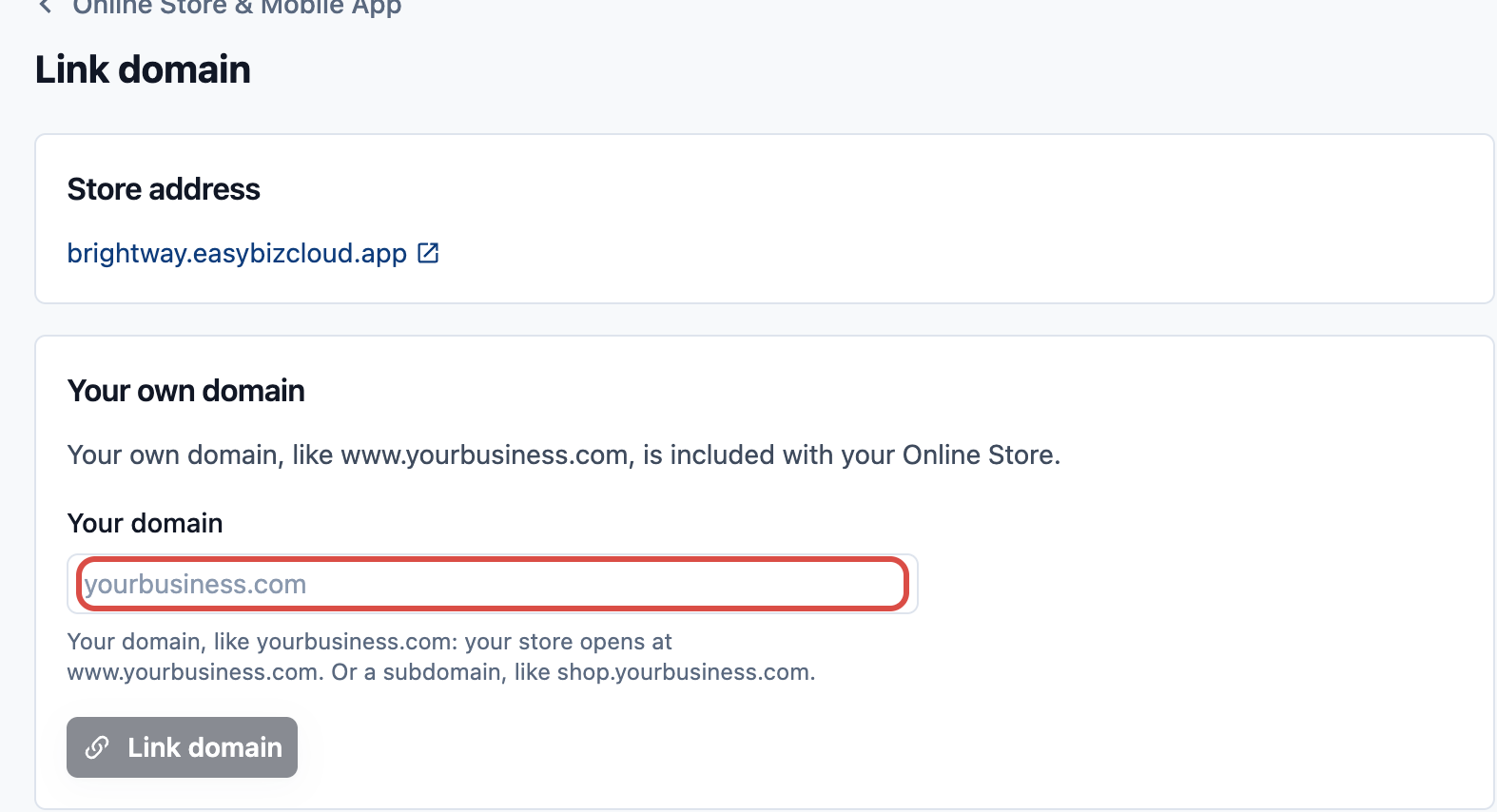
- Under Your own domain, type your domain and click Link domain.
- A domain like
yourbusiness.comopens your store atwww.yourbusiness.com. - A subdomain like
shop.yourbusiness.comopens as you typed it.
- A domain like
- Under Add this record where you bought your domain, copy the record's Type, Name and Value into your domain provider's DNS settings. Choose your provider under Where is your domain registered? to see the steps for it.
- Wait for the record to work. The page says Waiting for your DNS change. This usually takes a few minutes, and can take up to 24 hours. Click Check now to check again.
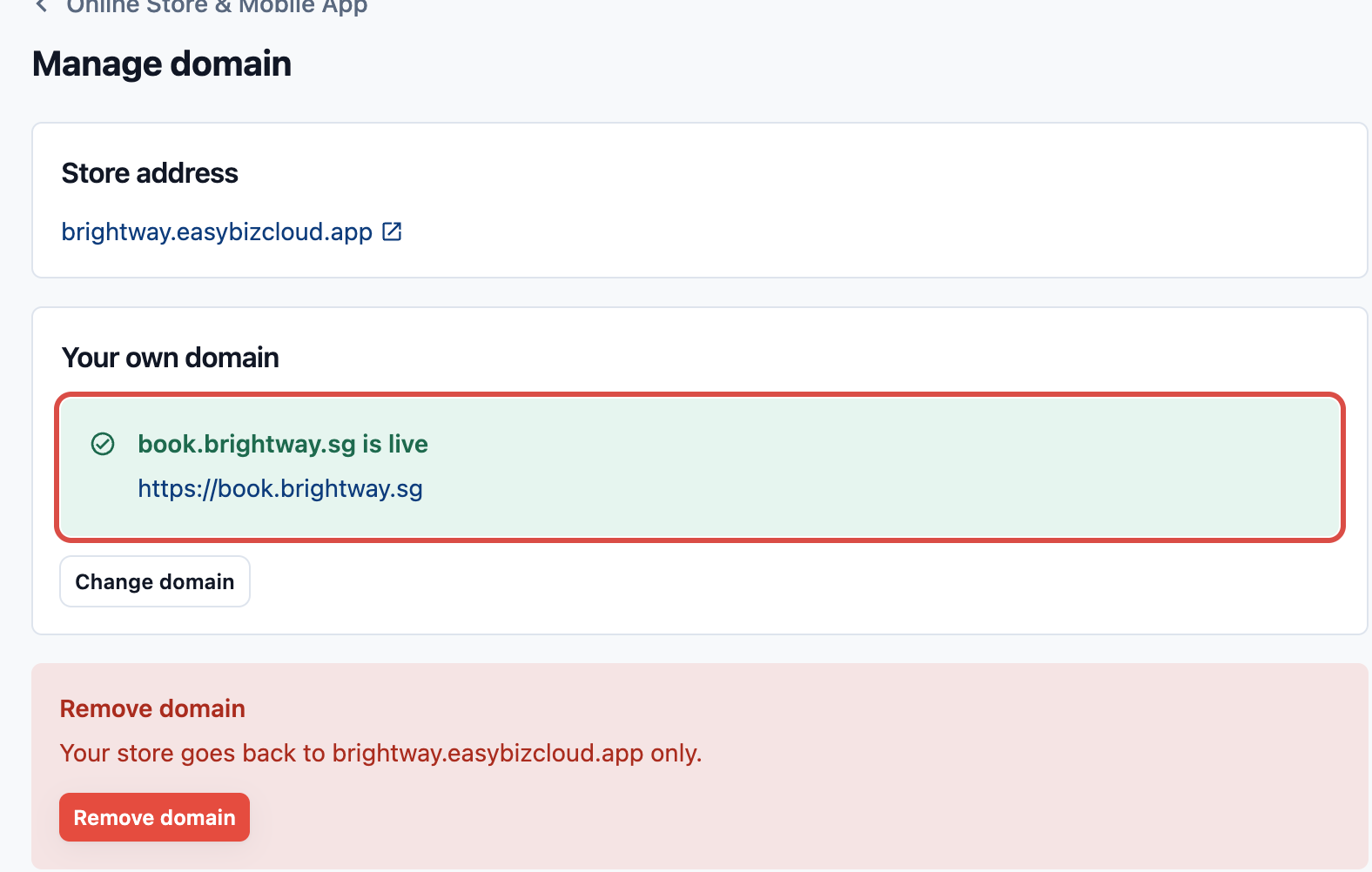
When the record works, the page shows www.yourbusiness.com is live and the store card's button becomes Manage domain.
To open your store at yourbusiness.com without "www" too, follow the extra step the page shows. It depends on your provider. While you set up your domain, it is Optional: open your store at yourbusiness.com too. Once your domain is live, it shows as yourbusiness.com: set up forwarding to www.yourbusiness.com until it works, then as yourbusiness.com also opens your store.
Change or remove your domain
Click Manage domain beside the store's Web address.
- Change domain: your current domain keeps opening your store until the new one is live. Then it forwards to the new domain, so links you already sent keep working. Former domains are listed under Previous domains. Click Stop forwarding to release one; links you sent with it then stop working.
- Remove domain: your store goes back to its
.easybizcloud.appaddress only.
Common questions
Does my own domain cost extra?
No. It's included with your Online Store.
Why is there no Link domain button?
Your Online Store isn't live yet, so publish it first. Or your staff account can't manage sales channels.
Can I change my .easybizcloud.app web address instead?
No. The web address can't be changed after you turn on the Online Store. Link your own domain instead.
Is this the same as a Design Agent website's domain?
No. A Design Agent website links its own domain separately, with Pro hosting. An Online Store's domain is set on the store card.