
Before You Start
You need an Online Store. See Adding a Store and Turning On the Online Store or Mobile App.
You need a Google Analytics 4 property with a web data stream. Your measurement ID starts with
G-. Find it in Google Analytics under Admin › Data streams.
Add Your Measurement ID
Go to ⚙️ Settings › Sales channels › Online Store & Mobile App.
On your store, click Edit Online Store. If the Mobile App is on too, the button says Edit Online Store & Mobile App.
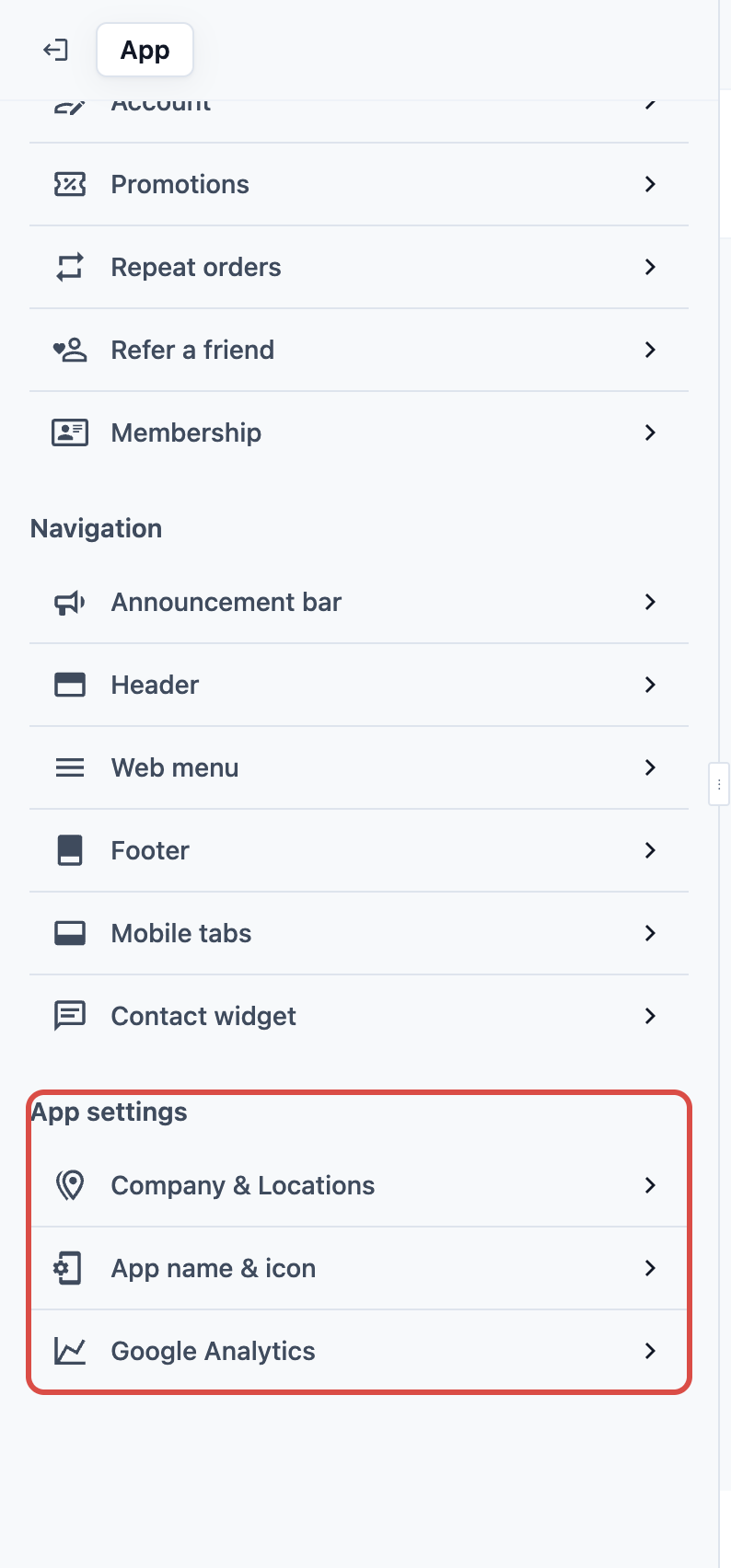
Under App settings, click Google Analytics.
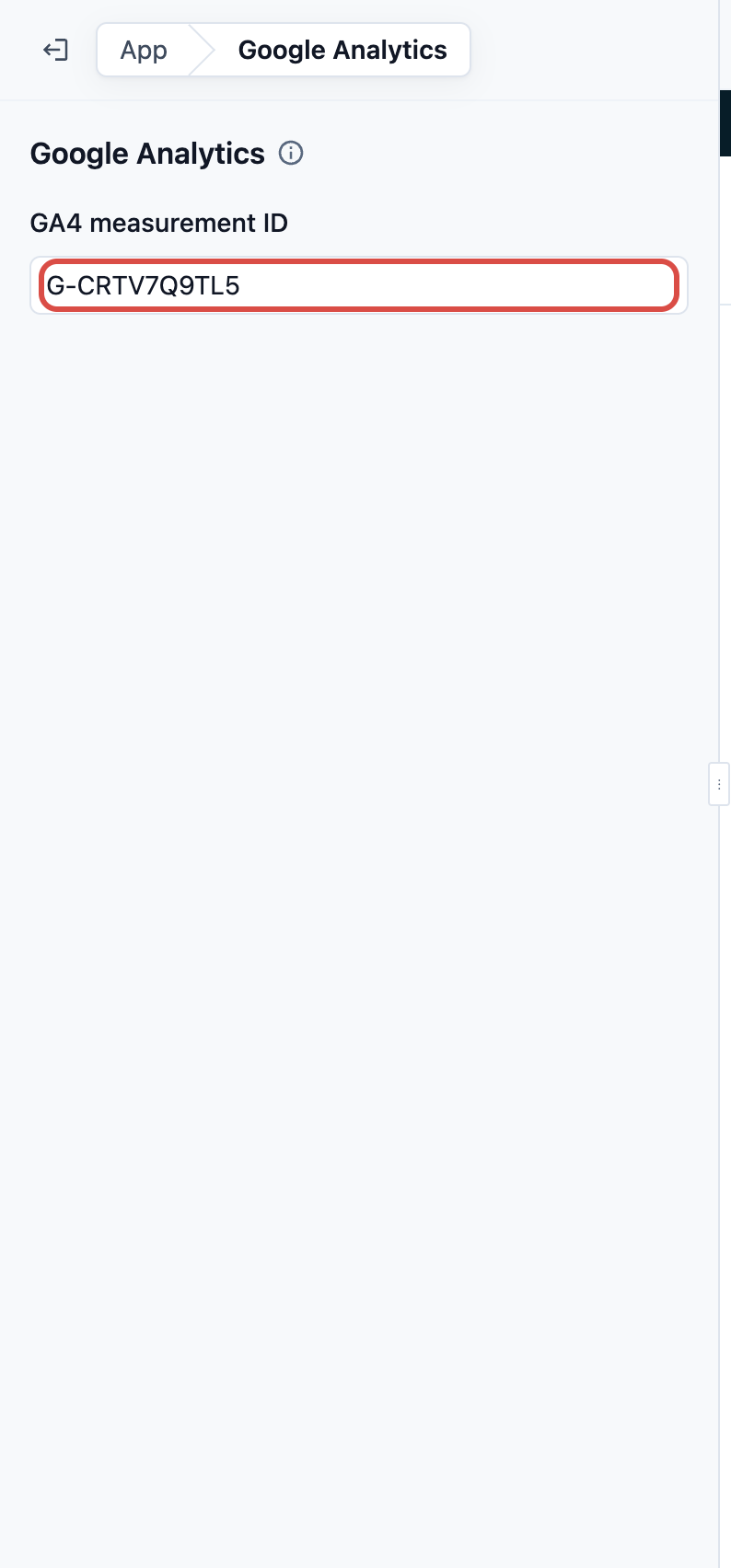
- Enter your GA4 measurement ID, for example
G-XXXXXXXXXX.
The ID saves by itself once it is complete. If it is not a GA4 ID, the field says "Enter a GA4 measurement ID like G-XXXXXXXXXX."
- Click Preview, then Publish. The ID goes live with your next Publish of the Online Store. See Edit, Preview and Publish Your Online Store.
To stop sending data, clear the field and Publish again.
What Your Store Sends
| Sent | Not sent |
|---|---|
| Visits to your store's pages | Customer names, emails or phone numbers |
| Each booking, as a purchase event with the order's ID in EasyBiz | The order's amount, because many bookings are priced after pickup |
The order's ID is not its order number. It is the 20-character code at the end of the order's web address in the Console.
Visits that start from your store's own links are counted, such as a link that opens a business unit's booking or prices, an offer or the chat. So are links tagged for your ads with
utm_source,utm_medium,utm_campaign,utm_term,utm_contentorutm_id, or with a Google, Meta, TikTok or Microsoft click ID.Visits that start from an order tracking link, a payment link or a friend's referral link are not counted, because those links carry the key that opens the order or the friend's code. Nor are visits from a link with any other added parameter, so tag your own links with the
utm_tags above.The Mobile App sends nothing to Google Analytics.
Test orders placed in Preview send nothing.
FAQs
Can I add Google Tag Manager or a Meta Pixel?
No. The Online Store takes a GA4 measurement ID only. Tag Manager and pixels can run any code on your sign-in, checkout and payment pages, so they are not offered.
Does the purchase event include the price?
No. Many bookings are priced after pickup, so the event carries only the order's ID.
How do I find the order behind a purchase event?
The event's transaction ID is the order's ID in EasyBiz, not its order number. Open an order in the Console: its web address ends with the same code.
I added my ID but Google Analytics shows nothing.
The ID goes live only after you Publish the Online Store. Check that you published after adding it, then visit your store and look at Realtime in Google Analytics.
I have a legacy online store. Does this apply?
No. This setting is for the new Online Store only. It doesn't change your legacy store. See Your Online Store (Legacy).
What's Next
Learn how publishing works: Edit, Preview and Publish Your Online Store.