The Customer Service Agent drafts replies to your customers' WhatsApp messages, using your prices, opening hours, shop policies and the customer's own orders. Your staff read each draft, change it if needed and send it themselves. Nothing reaches a customer unless a person sends it. The agent is in beta and free to use, and drafted replies stay free after the beta.
## Before You Start
You can read this introduction before setting anything up. When you are ready, follow [Get Started with Customer Service Agent](/docs/get-started-with-customer-service-agent).
To use suggested replies, your shop needs:
- A WhatsApp number connected to EasyBiz, so customer chats arrive in your shared inbox. See [Connect & Configure WhatsApp](/docs/connect-and-configure-whatsapp).
- A place where your staff answer customers:
- **In the EasyBiz Console inbox**, suggested replies need a CRM seat.
- **At the counter**, drafts appear on the POS **WhatsApp Chat** page, which comes with Point of Sale Professional. See [Set Up WhatsApp Inbox on Your POS](/docs/set-up-whatsapp-inbox-on-your-pos).
- One person to switch it on: the account owner, or a team member who can open the Customer Service Agent page. Staff who only answer customers need the inbox, not this page.
- Accurate shop information, such as prices, opening hours and the policies customers ask about.
For an order enquiry, check that the conversation refers to the correct customer and order before sending personal information. Do not assume an order belongs to someone because they mention an order number.
---
## What It Costs
- **During the beta:** free. Beta use is never billed later.
- **After the beta:** drafted replies stay free.
- **No extra seat or subscription.** The agent works in the inbox your team already uses.
The agent can only draft replies for now. Replies that the agent sends to customers by itself are not part of the beta. When they launch, each conversation the agent finishes without your team will be paid from your prepaid AI balance, the same balance the Design Agent uses. Prices will be published before then.
---
## What Customer Service Agent Helps With
The agent prepares suggested replies for WhatsApp conversations in your EasyBiz inbox. A suggested reply is a draft for your staff, not a message that has already reached the customer.
It can help staff answer questions about:
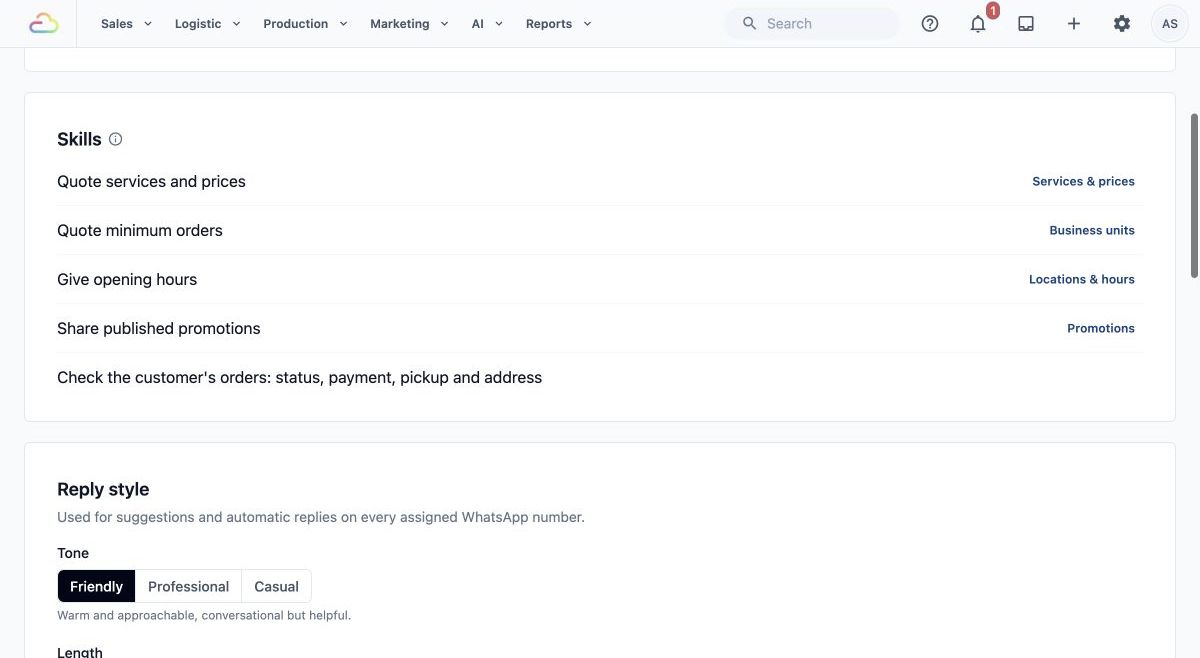
- Services and listed prices.
- Minimum order requirements.
- Opening hours.
- Published promotions.
- Shop policies recorded in Business Knowledge.
- The customer's orders, including order status, payment, pickup and address.
Your staff remain responsible for checking the facts, correcting the wording and sending the reply. They also handle exceptions, complaints and requests that need a person's judgement.
---
## How It Differs from the Other AI Tools
The **Customer Service Agent** helps your team answer customer conversations.
The **EasyBiz Assistant** is the help chat inside the Console. It helps you and your staff use EasyBiz, for example to find a report or set something up. See [Meet Your AI Assistant](/docs/meet-your-ai-assistant).
The **Design Agent** creates marketing material, such as websites, landing pages and pictures. You do not need the Design Agent to use the Customer Service Agent.
---
## Where Its Answers Come From
The agent uses information already in EasyBiz:
- Your services, prices, minimum orders, opening hours and published promotions.
- Business Knowledge: the customer-facing information you write about your shop's services and policies.
- Your inbox Quick Replies, the saved replies your team already reuses.
- The customer's own orders, payments, pickups and address, when the conversation is linked to that customer.
- The customer's messages in the conversation.
Business Knowledge can also include entries the agent learns from your staff's replies. Detailed preparation is covered in [Prepare Your Business Knowledge](/docs/prepare-your-business-knowledge).
Keep the original information accurate. A suggested reply still needs checking, especially when a customer asks about an exception or a detail your shop has not recorded.
---
## Where to Find Customer Service Agent
These steps show you the page. They do not turn suggested replies on.
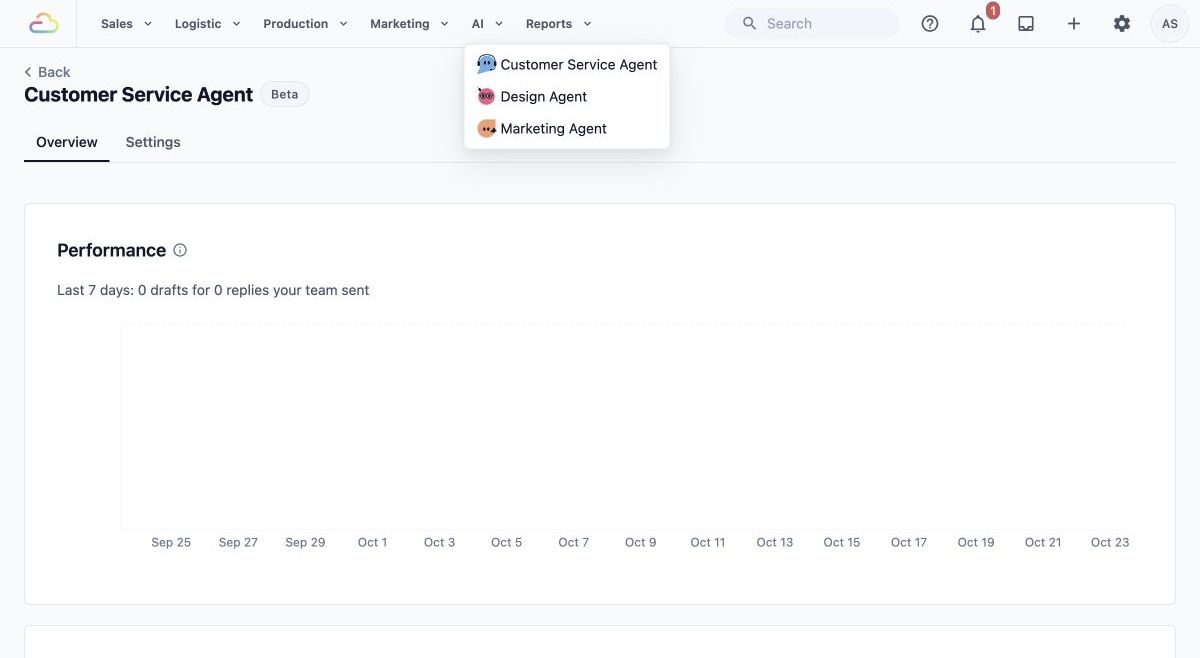
1. In the Console's top navigation bar, open the AI menu.
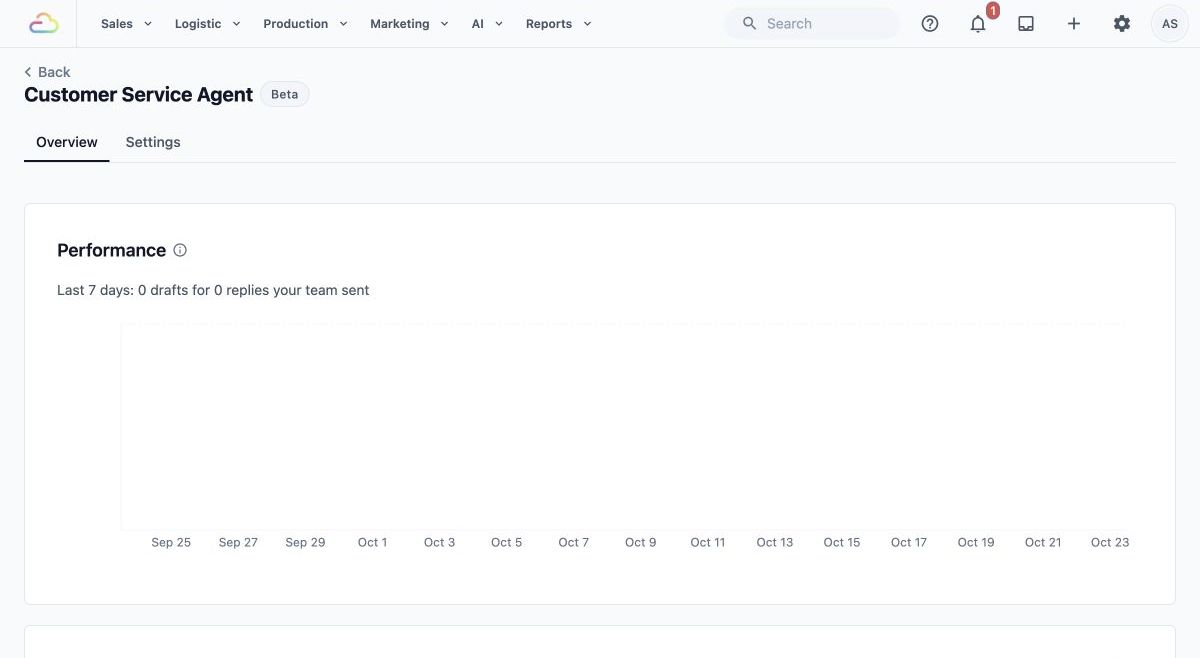
2. In the **AI** menu, click Customer Service Agent .
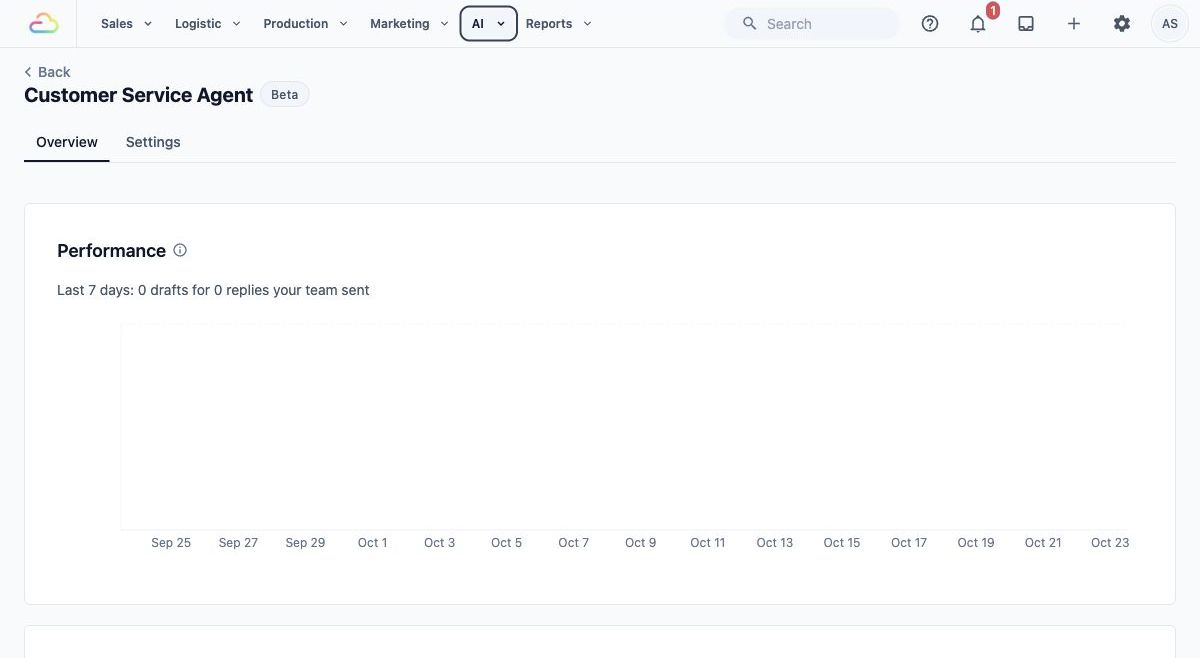
3. The page opens on the Overview tab, with a Beta label. Overview shows **Performance** (how your team used the drafts) and the Suggest replies switch.
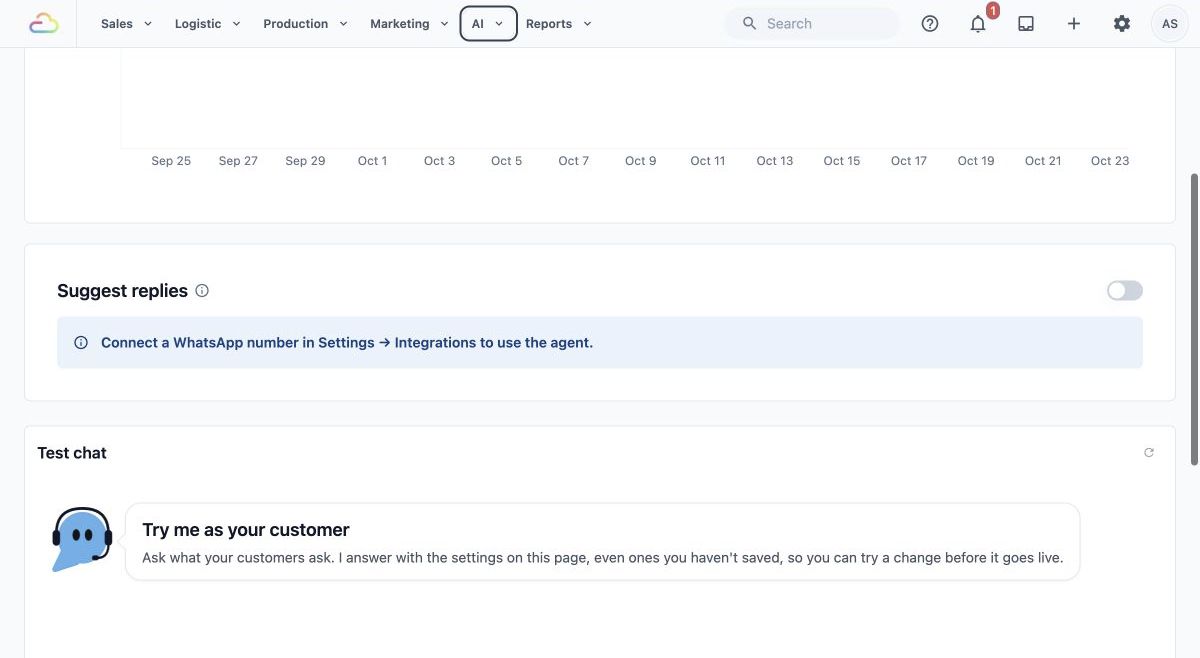
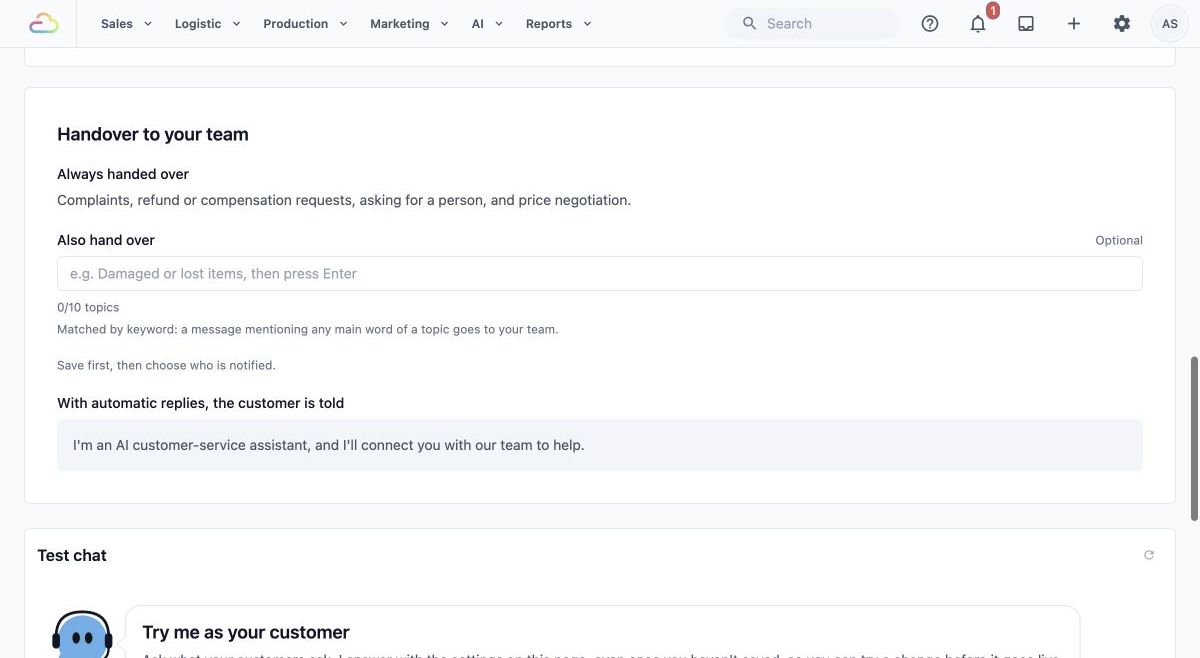
4. Click Settings to see where the agent's Knowledge, Skills, Reply style and Handover to your team are kept. The **Test chat** sits beside both tabs. You do not need to change anything during this introduction.
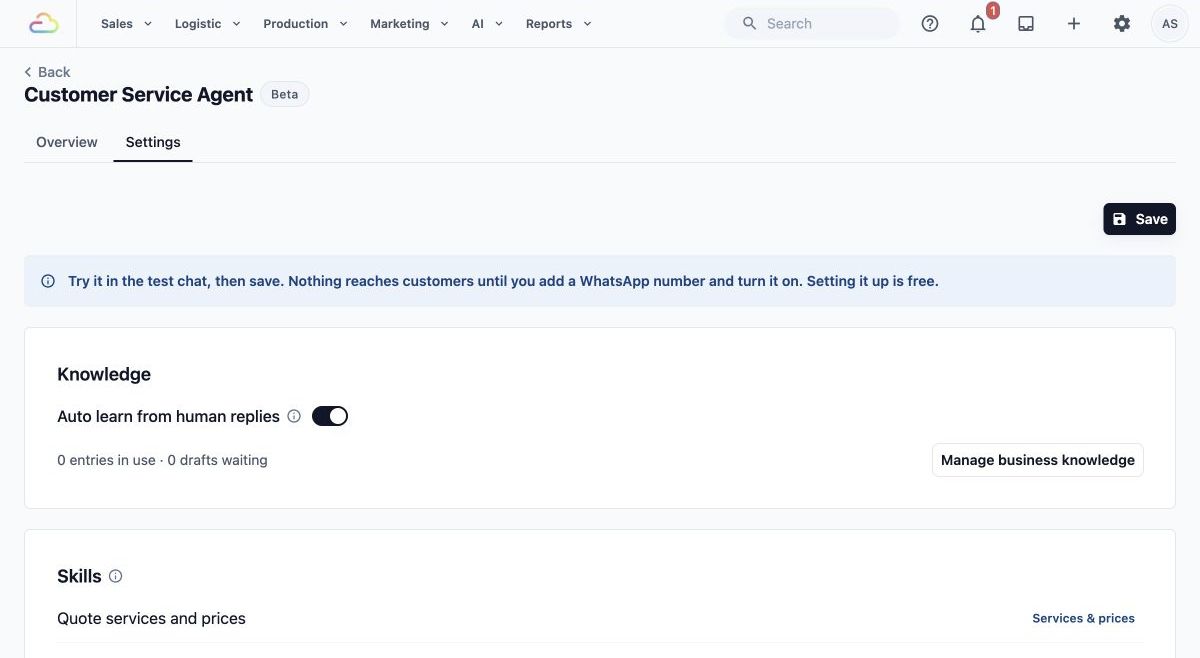
If no WhatsApp number is connected, the page shows: "Connect a WhatsApp number in Settings → Integrations to use the agent." Follow the getting-started article before switching on suggestions.
---
## See How the Drafts Are Doing
The **Performance** card on the Overview tab shows what your team did with the agent's drafts. Use it to decide whether the agent needs better information.
- **Last 7 days:** how many drafts the agent made, and how many replies your team sent.
- **Sent as it was:** the share of drafts your team sent with no change.
- **Edited:** the share your team changed before sending, including filling in a gap the agent left.
- **Not used:** the share where your team wrote its own reply instead.
- **Sent nearly as written:** the share your team sent as it was or with only a small change, beside the week before. This is the clearest sign of whether the drafts are getting better.
- **How much your team changed:** of the drafts your team edited, how many needed a small change, a bigger change, or were mostly rewritten.
- **Drafts per day, last 30 days:** a chart of the same three results, day by day.
- **By team member, last 7 days:** for each team member, how many drafts they had, the share they sent as it was, and the share they used (sent or edited).
- **Questions from your agent:** how many are waiting for an answer in the inbox, how long the oldest has waited, and how many your team answered in the last 7 days and the last 28 days. Answering takes a moment and puts what the agent learned to use straight away.
Drafts that arrived after a staff member had already started typing are not counted, because nobody saw them. The card shows how many there were. The numbers are updated every two hours.
For example, if most drafts are **Edited** because staff keep correcting a delivery fee, add the fee policy to Business Knowledge. If many are **Not used**, test the questions your customers ask in the Test chat and fill in what is missing.
---
## Example: A CleanFast Laundry Enquiry
CleanFast Laundry has recorded a shirt-cleaning price of $4 per shirt. Its WhatsApp inbox receives this question:
"Hi, how much is it to clean one shirt?"
1. A staff member opens the customer's conversation. The agent prepares a suggested reply using the recorded service price.
An example draft is: "Hi! Our listed price for shirt cleaning is $4 per shirt."
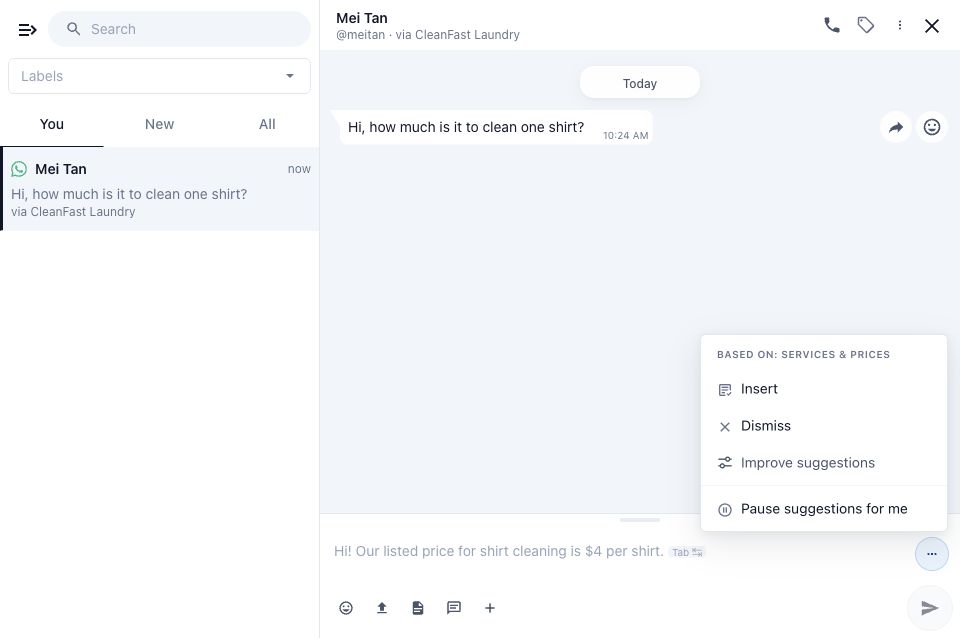
2. The staff member checks that the draft refers to the correct service and price. They can use the suggestion, edit it or write their own reply.
The staff member remains responsible for any conditions that matter to the customer's request, such as whether a special garment needs a separate quote.
3. After checking the wording, the staff member sends the reply. The customer receives it from the shop's WhatsApp number.
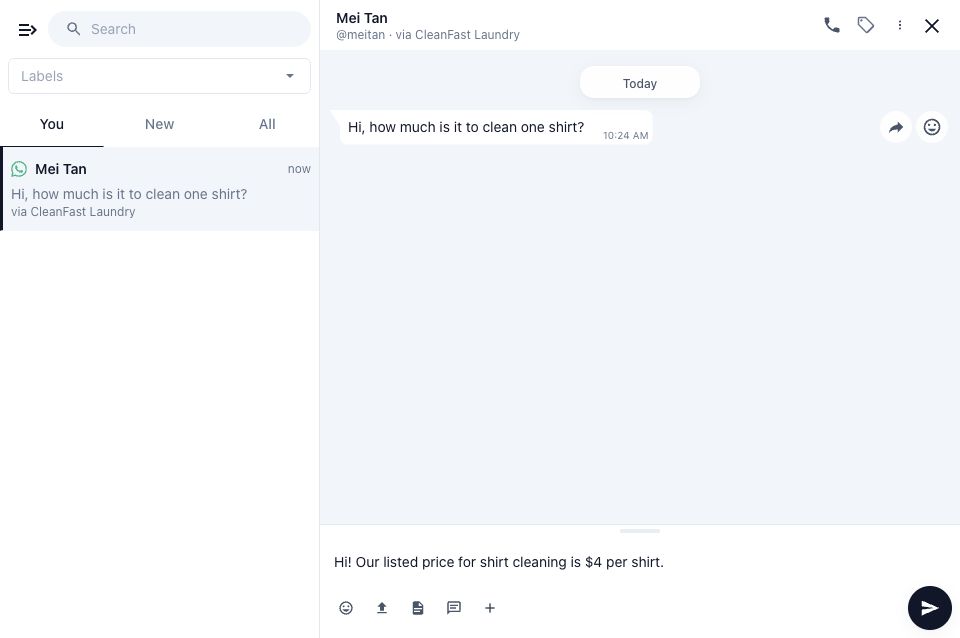
The draft saves typing. It does not replace the staff member's decision about what to tell the customer.
---
## What Happens If You Leave It Off
If you do not switch on suggested replies, staff keep writing and sending their own replies, as before.
Turning on Suggest replies switches on drafts in every inbox of your business. Staff still decide what to send. Each staff member can also pause drafts for themselves with Pause suggestions for me in the suggestion menu.
---
## FAQs
**What does the Customer Service Agent cost?**
>Nothing during the beta, and beta use is never billed later. Drafted replies stay free after the beta. Only replies the agent finishes by itself, which are not part of the beta yet, will be paid from your AI balance once they launch.
**Do I need the Design Agent or the EasyBiz Assistant first?**
>No. They do different jobs. The Customer Service Agent prepares customer replies and does not need either of them.
**Do I still need Auto Reply Rules?**
>They do different jobs. Auto Reply Rules send a fixed message when something happens, such as a greeting outside opening hours. See [Setting Up Auto Reply Rules](/docs/setting-up-auto-reply-rules-for-your-whatsapp). The Customer Service Agent reads each customer's question and drafts an answer from your information for staff to send. Many shops use both.
**Can a suggested reply change an order, arrange a pickup or take a payment?**
>No. A suggested reply is only message text. Your staff must make any agreed booking, order or payment change in EasyBiz themselves. Sending a message that says a change is done does not make the change.
**Does it work for email, website chat and phone calls too?**
>No. The agent drafts replies for WhatsApp conversations in your EasyBiz inbox only.
**Will changing a price in EasyBiz affect future suggested replies?**
>Yes. The agent looks up your saved prices each time it prepares a reply, so new drafts use the new price. Check any draft that was prepared before you changed the price. Changing a price does not change an existing customer order.
**Can it answer using private staff-only notes?**
>Write only customer-facing information in Business Knowledge. Customers can be told anything written there, so keep internal instructions out of it.
**What if nobody is available to check a reply?**
>The agent never sends a draft by itself. Your team still needs to answer the conversation, including when the customer asks for a person or makes a complaint.
---
## What's Next
You now know what the Customer Service Agent does, what it costs and what your staff stay responsible for. Continue to [Get Started with Customer Service Agent](/docs/get-started-with-customer-service-agent) to switch it on.