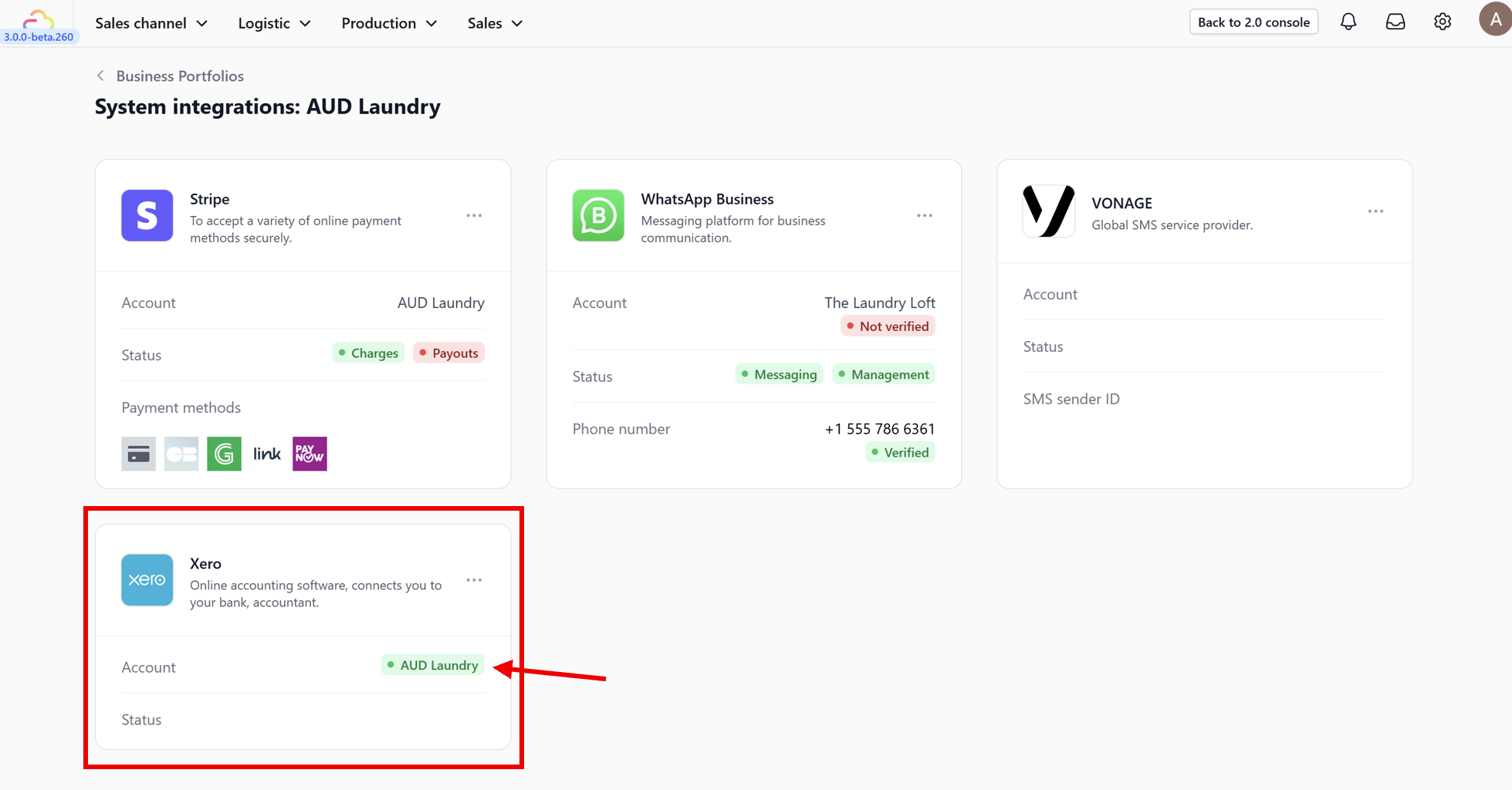
## Prerequisites

Before you begin, ensure you have:

1. **Admin Access** to your EasyBiz account.

2. An active **Xero account** (login credentials ready).

---

## Step-by-Step Guide
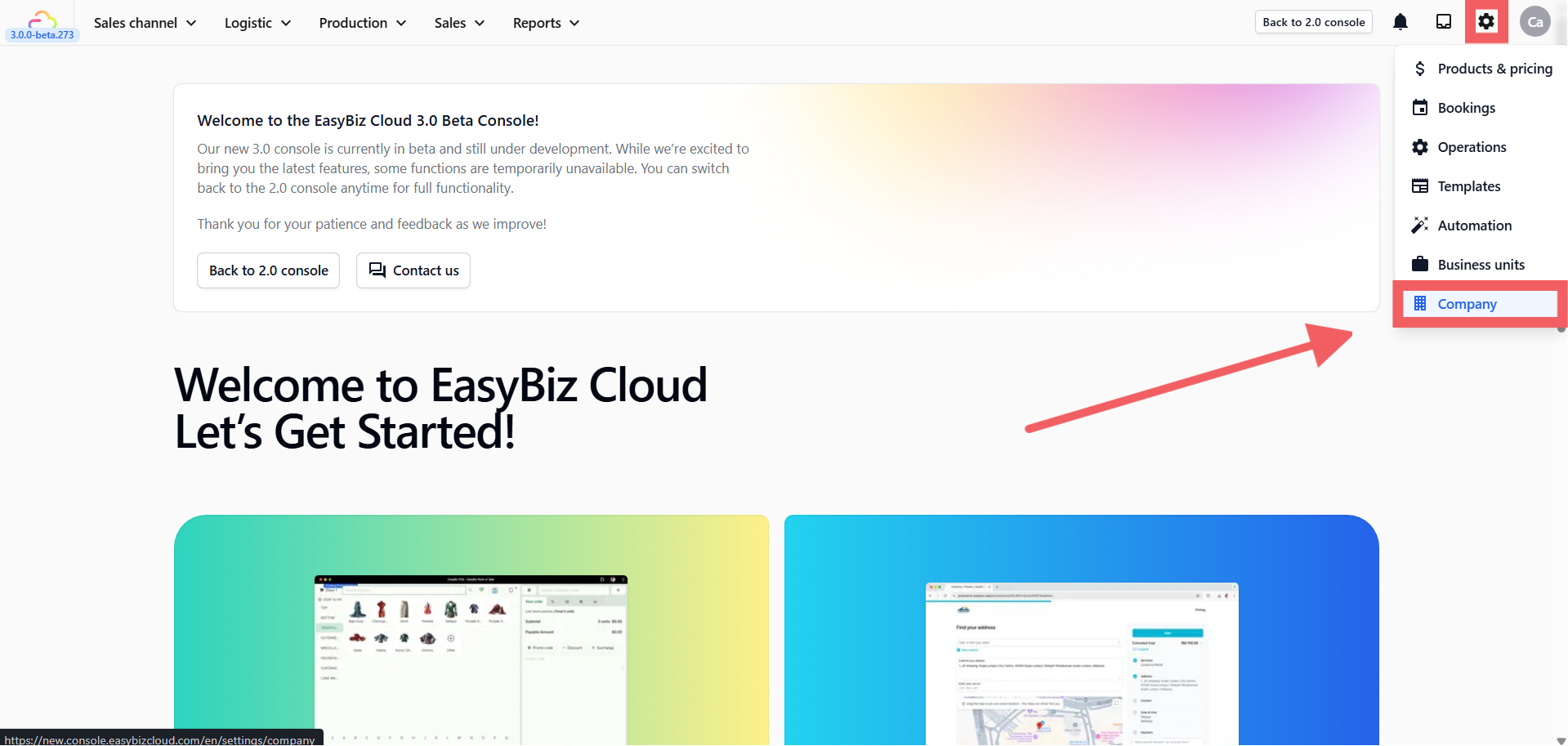
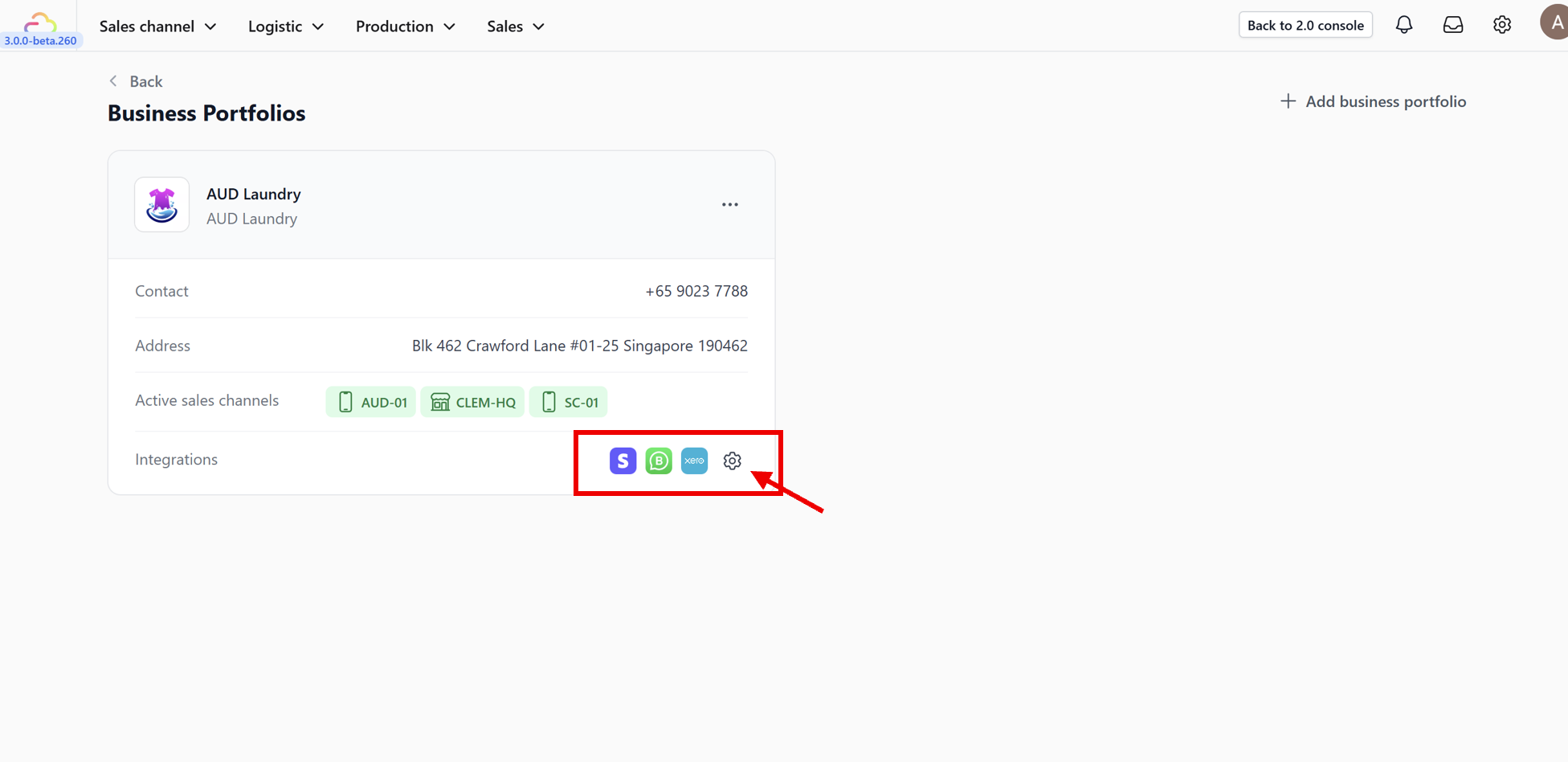
![Step-by-Step Guide](https://cdn.easybizcloud.app/knowledge/3c7729352a4c41166b7056b1220da641a09db58a39cd1d97accedd5d9671b461.png)

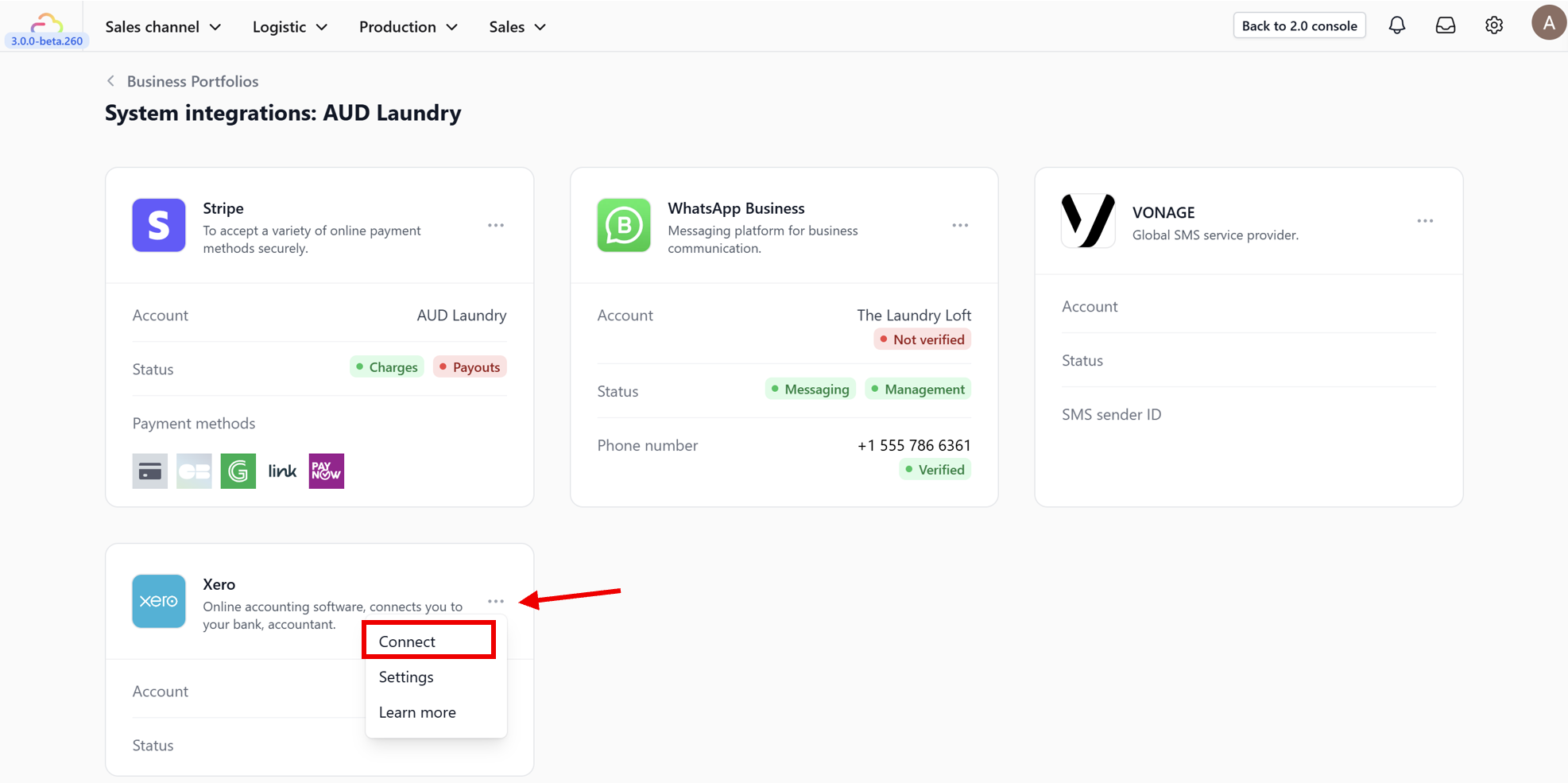
![Step-by-Step Guide](https://cdn.easybizcloud.app/knowledge/cbead44987c1a9fe1a1650f79f820a64febe9a11af50abb271e61bafde763d2d.png)

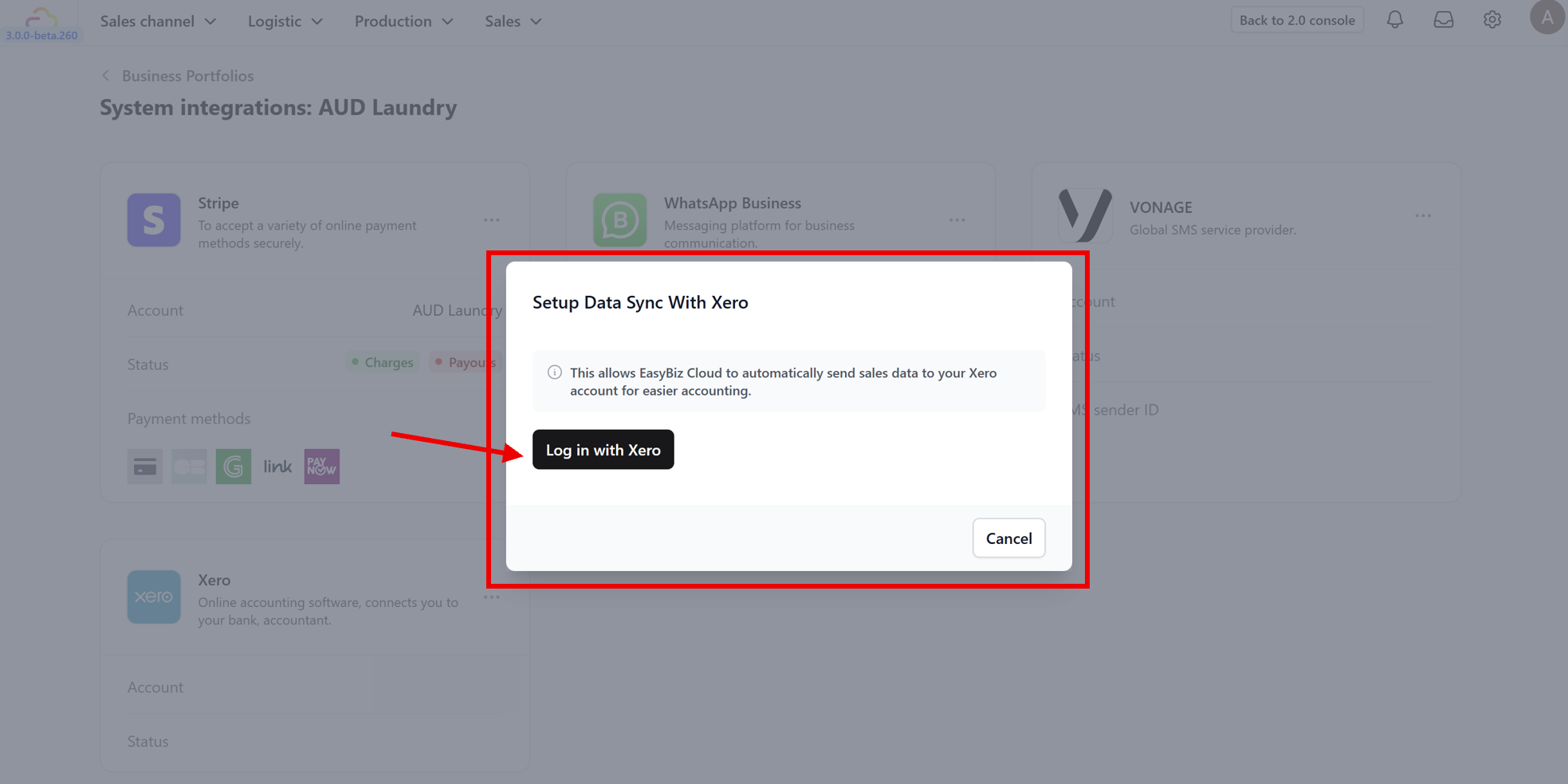
![Step-by-Step Guide](https://cdn.easybizcloud.app/knowledge/6e6bc5104ef5f56068ccf3959f223ec173a1560f5402ca0a96110ae90772de70.png)

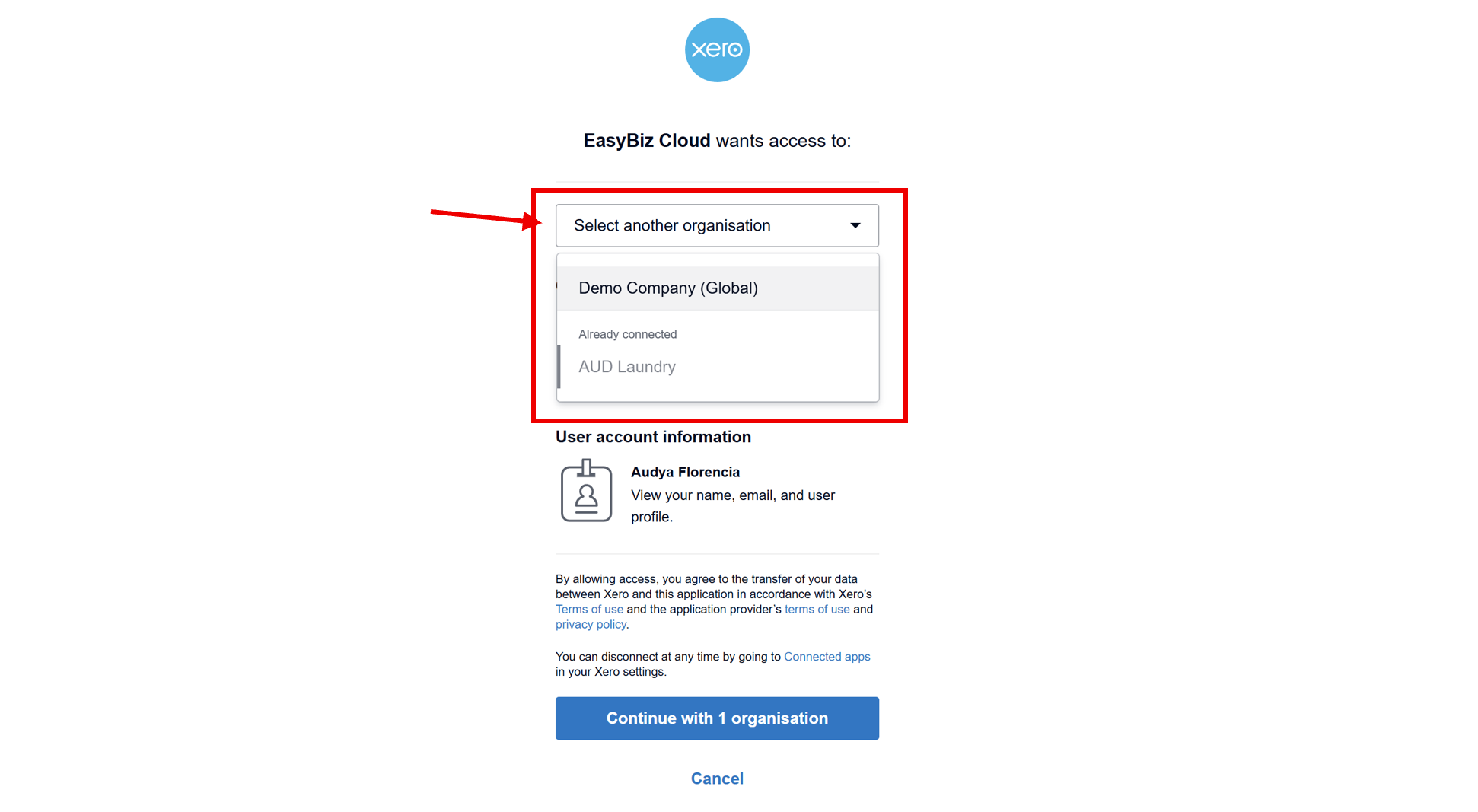
![Screenshot](https://cdn.easybizcloud.app/knowledge/82fbe709ab4bae9a754739929b0d3df11fce2817a2022085d81a8ac35e6dac08.png)

![Screenshot](https://cdn.easybizcloud.app/knowledge/a0a8e6ade21c1616778f9f94c7b78c92b4d4bf4f657078d6c512201833b00285.png)

![Screenshot](https://cdn.easybizcloud.app/knowledge/82ff5f164156a8510c7926d14e06509b394103db96055beb2d44b7a04a60b37c.png)

<Callout type="note" title="Note">

If your Xero account has access to multiple organizations (e.g., a Demo Company and your Real Business), double-check that you select the correct organization. Connecting to the wrong one will send real sales data into the wrong accounting book.

</Callout>

---

## Watch: How to Connect your Easybiz account to Xero

> Prefer to follow along visually? Watch the full walkthrough below.

<Video src="https://cdn.easybizcloud.app/knowledge/video/1a47a9b3171dc053cb2f1268d6552dd36648db216f22d5076fef0df4d4ed59ff.mp4" />

---

## What's Next?

Now that Xero is connected, continue to [Configuring Account Codes](/docs/configuring-account-codes) to map each EasyBiz revenue stream to the right Xero account.